EasyManua.ls Logo

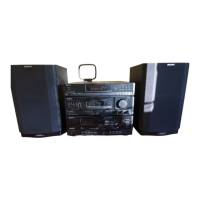
Sony HST-221 - User Manual

Sony HST-221
24 pages
Print Icon
To Next Page IconTo Next Page
Loading...
Question and Answer IconNeed help?

Do you have a question about the Sony HST-221 and is the answer not in the manual?

Summary

Sony Stereo Component System Overview

Operating Instructions Introduction

Introduction to the operating manual for the Sony Stereo Component System.

Owners Record and Safety Information

Owners Record Section

Space to record product model and serial numbers for dealer reference.

FCC Compliance and Interference Information

Details on FCC compliance, radio frequency energy, and interference resolution.

Critical Safety Warnings

Essential warnings to prevent fire or electric shock hazards.

Canadian Customer Precautions

Specific safety cautions for customers in Canada regarding AC plug usage.

CATV Installer Note

Guideline for CATV system installers regarding cable grounding.

System Precautions and Handling

Safety Precautions for Use

Guidelines for safe operation, including power, liquids, and laser beam exposure.

Installation Guidelines

Recommendations for unit placement, ventilation, and avoiding heat sources.

Cleaning and Maintenance Precautions

Instructions for cleaning the cabinet and avoiding abrasive materials.

Storage and Condensation Advice

Guidance on repacking for transport and handling moisture condensation.

Transit Key Usage

Information on the transit key for protecting the optical system during transport.

Remote Commander Guide

Remote Control Functions Overview

Details on the remote commander's sections and button functions.

Remote Battery Life and Insertion

Information on battery life, leakage prevention, and battery installation.

System Hookup and Connections

Antenna and Speaker Wiring

Instructions for connecting antennas and speakers to the system.

FM Antenna Setup for Reception

Guidance on connecting FM antennas for optimal reception.

System Wiring and Expansion

AM Antenna and Speaker Cord Installation

Instructions for connecting AM antennas, speaker cords, and system control cords.

Connecting External Audio Devices

How to connect other audio equipment like turntables and tape decks.

Audio Adjustment and Broadcast Tuning

Adjusting Volume and Sound Quality

How to control volume, balance, and tone using graphic equalizer.

Automatic Radio Station Tuning

Steps for automatically tuning into FM and AM radio stations.

Broadcast Reception Details

Manual Radio Tuning Procedure

Step-by-step guide for manually selecting radio frequencies.

AM Tuning Interval Setting

Instructions on how to change the AM tuning interval.

Storing and Recalling Radio Stations

Saving Station Frequencies to Memory

Process for storing desired radio station frequencies into memory.

Direct Tuning to Stored Stations

How to recall and tune into previously stored radio stations.

Cassette Tape Playback

Tape Insertion and Playback Operation

Instructions for inserting tapes and starting playback on either deck.

Understanding Dolby Noise Reduction

Explanation of the Dolby NR system for reducing tape hiss.

Cassette Tape Recording

Initiating Tape Recording

Steps for preparing and starting audio recording on a cassette tape.

Preventing Accidental Tape Erasure

Methods to protect recorded tapes from unintentional erasure.

Cassette Tape Dubbing

Copying Tapes from Deck A to B

Procedure for dubbing cassette tapes from Deck A to Deck B.

Tape Editing Features During Dubbing

How to edit tape content, such as normal or high-speed dubbing.

CD Playback Operations

Continuous CD Playback Setup

Instructions for loading discs and initiating continuous playback.

Special CD Playback Notes

Cautions on volume adjustment and playing 8 cm CDs.

CD Information Display

Understanding CD Playback Data

Explanation of disc number, total playing time, and selection details.

CD Selection and Navigation

Selecting Individual Discs

How to choose specific discs using the DISC buttons or DISC SKIP.

Locating Specific Points on CDs

Methods for finding specific points or selections on a CD.

Shuffle Play Mode

Random Playback of All Discs

How to set the system for random playback of all loaded discs.

Random Playback of Single Disc

Instructions for playing selections from only one disc in random order.

Program Play Mode

Creating Custom CD Playlists

Steps to program a specific sequence of selections for playback.

Program Play for Tape Recording

Using program play to create sequences for cassette tape recording.

Program Play Management

Programming Entire Discs and Sides

How to program a whole disc or selections for both sides of a tape.

Peak Search for Recording Levels

Function to find the loudest portion of a disc for optimal recording.

Time Edit for Tape Recording

Setting Desired Tape Duration

How to set the total duration for tape editing in minutes and seconds.

Initiating and Managing Time Edit

Steps to start the Time Edit function and add selections.

Time Edit Program Control

Adding Selections and Playing Programs

How to add selections to fit remaining time and play the program.

Canceling and Erasing Time Edit

Procedures for stopping or completely erasing a Time Edit program.

Repeat Playback Features

Setting Repeat Modes

How to set the unit to repeat one selection or all selections.

Canceling Repeat Play

Instructions for disabling the repeat playback function.

Tape Editing Tips

Time Fade Functionality

Using the Time Fade feature to fade out playback after a set duration.

Canceling Time Fade

How to cancel the Time Fade function during operation.

System Maintenance

Cleaning Tape Heads and Path

Instructions for cleaning tape heads, pinch rollers, and capstans.

Disc Care and Handling

Guidelines for cleaning and properly handling CDs.

Technical Specifications

Amplifier, Tuner, and Tape Deck Specs

Detailed specifications for the amplifier, tuner, and tape deck sections.

CD Player and General System Specs

Specifications for the CD player and general system power requirements.

System Dimensions and Accessories

Physical dimensions, weight, and list of supplied accessories.

Troubleshooting Common Issues

Tuner and Cassette Deck Problems

Solutions for issues related to tuner operation and cassette deck functions.

CD Player and Remote Control Issues

Troubleshooting steps for CD player and remote commander malfunctions.

General System Troubleshooting

Power On and No Audio Solutions

Resolving problems where the unit does not turn on or produce sound.

CD Player Audio Troubleshooting

Specific steps to fix issues with no audio output from the CD player.

Summary

Sony Stereo Component System Overview

Operating Instructions Introduction

Introduction to the operating manual for the Sony Stereo Component System.

Owners Record and Safety Information

Owners Record Section

Space to record product model and serial numbers for dealer reference.

FCC Compliance and Interference Information

Details on FCC compliance, radio frequency energy, and interference resolution.

Critical Safety Warnings

Essential warnings to prevent fire or electric shock hazards.

Canadian Customer Precautions

Specific safety cautions for customers in Canada regarding AC plug usage.

CATV Installer Note

Guideline for CATV system installers regarding cable grounding.

System Precautions and Handling

Safety Precautions for Use

Guidelines for safe operation, including power, liquids, and laser beam exposure.

Installation Guidelines

Recommendations for unit placement, ventilation, and avoiding heat sources.

Cleaning and Maintenance Precautions

Instructions for cleaning the cabinet and avoiding abrasive materials.

Storage and Condensation Advice

Guidance on repacking for transport and handling moisture condensation.

Transit Key Usage

Information on the transit key for protecting the optical system during transport.

Remote Commander Guide

Remote Control Functions Overview

Details on the remote commander's sections and button functions.

Remote Battery Life and Insertion

Information on battery life, leakage prevention, and battery installation.

System Hookup and Connections

Antenna and Speaker Wiring

Instructions for connecting antennas and speakers to the system.

FM Antenna Setup for Reception

Guidance on connecting FM antennas for optimal reception.

System Wiring and Expansion

AM Antenna and Speaker Cord Installation

Instructions for connecting AM antennas, speaker cords, and system control cords.

Connecting External Audio Devices

How to connect other audio equipment like turntables and tape decks.

Audio Adjustment and Broadcast Tuning

Adjusting Volume and Sound Quality

How to control volume, balance, and tone using graphic equalizer.

Automatic Radio Station Tuning

Steps for automatically tuning into FM and AM radio stations.

Broadcast Reception Details

Manual Radio Tuning Procedure

Step-by-step guide for manually selecting radio frequencies.

AM Tuning Interval Setting

Instructions on how to change the AM tuning interval.

Storing and Recalling Radio Stations

Saving Station Frequencies to Memory

Process for storing desired radio station frequencies into memory.

Direct Tuning to Stored Stations

How to recall and tune into previously stored radio stations.

Cassette Tape Playback

Tape Insertion and Playback Operation

Instructions for inserting tapes and starting playback on either deck.

Understanding Dolby Noise Reduction

Explanation of the Dolby NR system for reducing tape hiss.

Cassette Tape Recording

Initiating Tape Recording

Steps for preparing and starting audio recording on a cassette tape.

Preventing Accidental Tape Erasure

Methods to protect recorded tapes from unintentional erasure.

Cassette Tape Dubbing

Copying Tapes from Deck A to B

Procedure for dubbing cassette tapes from Deck A to Deck B.

Tape Editing Features During Dubbing

How to edit tape content, such as normal or high-speed dubbing.

CD Playback Operations

Continuous CD Playback Setup

Instructions for loading discs and initiating continuous playback.

Special CD Playback Notes

Cautions on volume adjustment and playing 8 cm CDs.

CD Information Display

Understanding CD Playback Data

Explanation of disc number, total playing time, and selection details.

CD Selection and Navigation

Selecting Individual Discs

How to choose specific discs using the DISC buttons or DISC SKIP.

Locating Specific Points on CDs

Methods for finding specific points or selections on a CD.

Shuffle Play Mode

Random Playback of All Discs

How to set the system for random playback of all loaded discs.

Random Playback of Single Disc

Instructions for playing selections from only one disc in random order.

Program Play Mode

Creating Custom CD Playlists

Steps to program a specific sequence of selections for playback.

Program Play for Tape Recording

Using program play to create sequences for cassette tape recording.

Program Play Management

Programming Entire Discs and Sides

How to program a whole disc or selections for both sides of a tape.

Peak Search for Recording Levels

Function to find the loudest portion of a disc for optimal recording.

Time Edit for Tape Recording

Setting Desired Tape Duration

How to set the total duration for tape editing in minutes and seconds.

Initiating and Managing Time Edit

Steps to start the Time Edit function and add selections.

Time Edit Program Control

Adding Selections and Playing Programs

How to add selections to fit remaining time and play the program.

Canceling and Erasing Time Edit

Procedures for stopping or completely erasing a Time Edit program.

Repeat Playback Features

Setting Repeat Modes

How to set the unit to repeat one selection or all selections.

Canceling Repeat Play

Instructions for disabling the repeat playback function.

Tape Editing Tips

Time Fade Functionality

Using the Time Fade feature to fade out playback after a set duration.

Canceling Time Fade

How to cancel the Time Fade function during operation.

System Maintenance

Cleaning Tape Heads and Path

Instructions for cleaning tape heads, pinch rollers, and capstans.

Disc Care and Handling

Guidelines for cleaning and properly handling CDs.

Technical Specifications

Amplifier, Tuner, and Tape Deck Specs

Detailed specifications for the amplifier, tuner, and tape deck sections.

CD Player and General System Specs

Specifications for the CD player and general system power requirements.

System Dimensions and Accessories

Physical dimensions, weight, and list of supplied accessories.

Troubleshooting Common Issues

Tuner and Cassette Deck Problems

Solutions for issues related to tuner operation and cassette deck functions.

CD Player and Remote Control Issues

Troubleshooting steps for CD player and remote commander malfunctions.

General System Troubleshooting

Power On and No Audio Solutions

Resolving problems where the unit does not turn on or produce sound.

CD Player Audio Troubleshooting

Specific steps to fix issues with no audio output from the CD player.

Sony HST-221 Specifications

General IconGeneral
Tuning rangeFM
Output power20W per channel (RMS)
Frequency response20Hz to 20kHz
Speaker load impedance8 ohms
TypeStereo receiver amplifier

Related product manuals