Enjoying
otller'components.
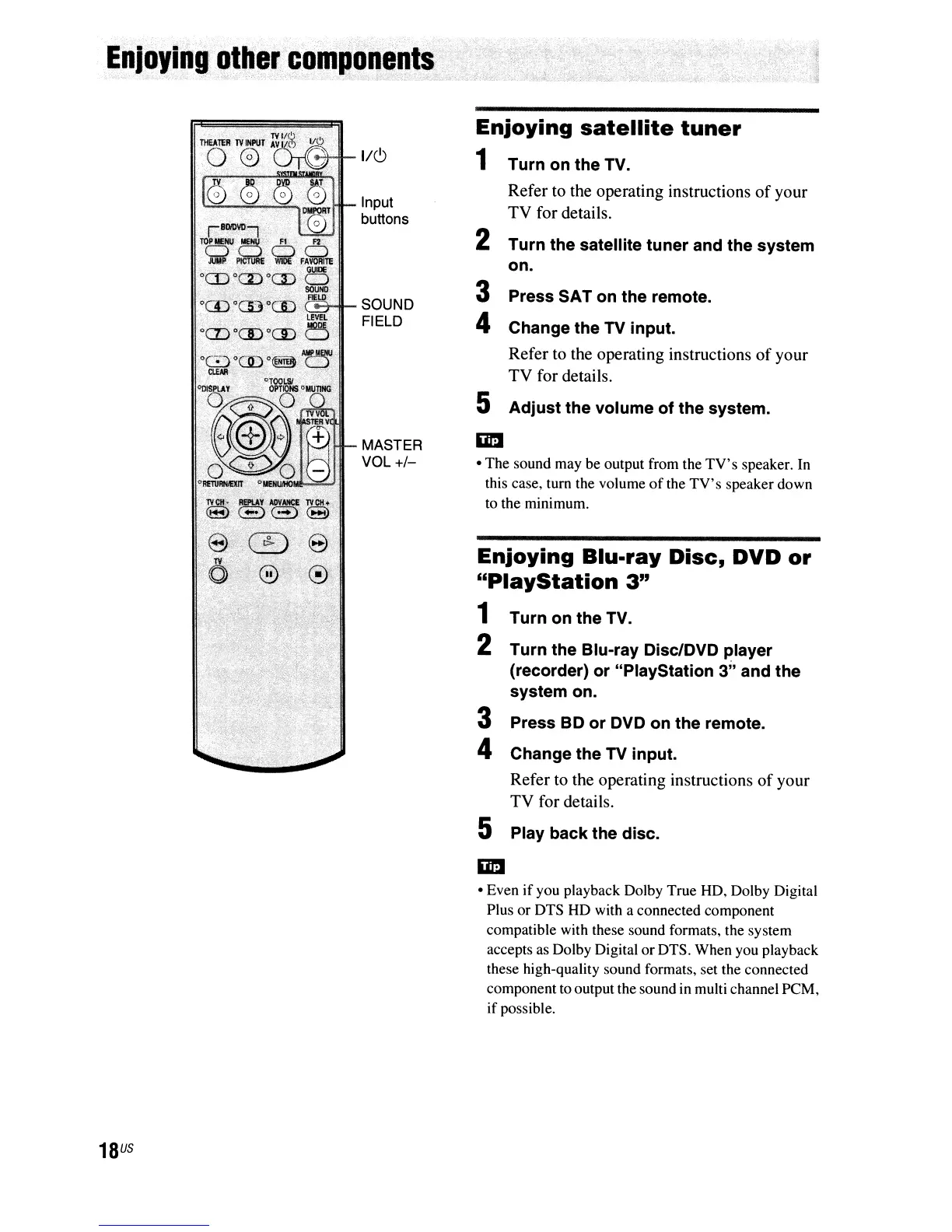
Input
buttons
SOUND
FIELD
",""",'!
f'1I"-
MASTER
VOL
+/-
18
US
Enjoying
satellite
tuner
1 Turn on the TV.
Refer to the operating instructions
of
your
TV
for details.
2 Turn the satellite tuner and the system
on.
3 Press SAT on the remote.
4 Change the TV input.
Refer to the operating instructions
of
your
TV
for details.
5 Adjust the volume of the system.
• The sound may be output from the
TV's
speaker. In
this case, tum the volume
of
the
TV's
speaker down
to the minimum.
Enjoying Blu-ray
Disc,
DVD
or
"PlayStation
3"
1 Turn on the TV.
2 Turn the Blu-ray Disc/DVD player
(recorder) or "PlayStation 3" and the
system on.
3 Press BD or DVD on the remote.
4 Change the TV input.
Refer to the operating instructions
of
your
TV
for details.
5 Play back the disc.
imI
• Even
if
you playback Dolby True HD, Dolby Digital
Plus or DTS HD with a connected component
compatible with these sound formats, the system
accepts as Dolby Digital or DTS. When you playback
these high-quality sound formats, set the connected
component to output the sound in multi channel PCM,
if
possible.



 To Next Page