10
US
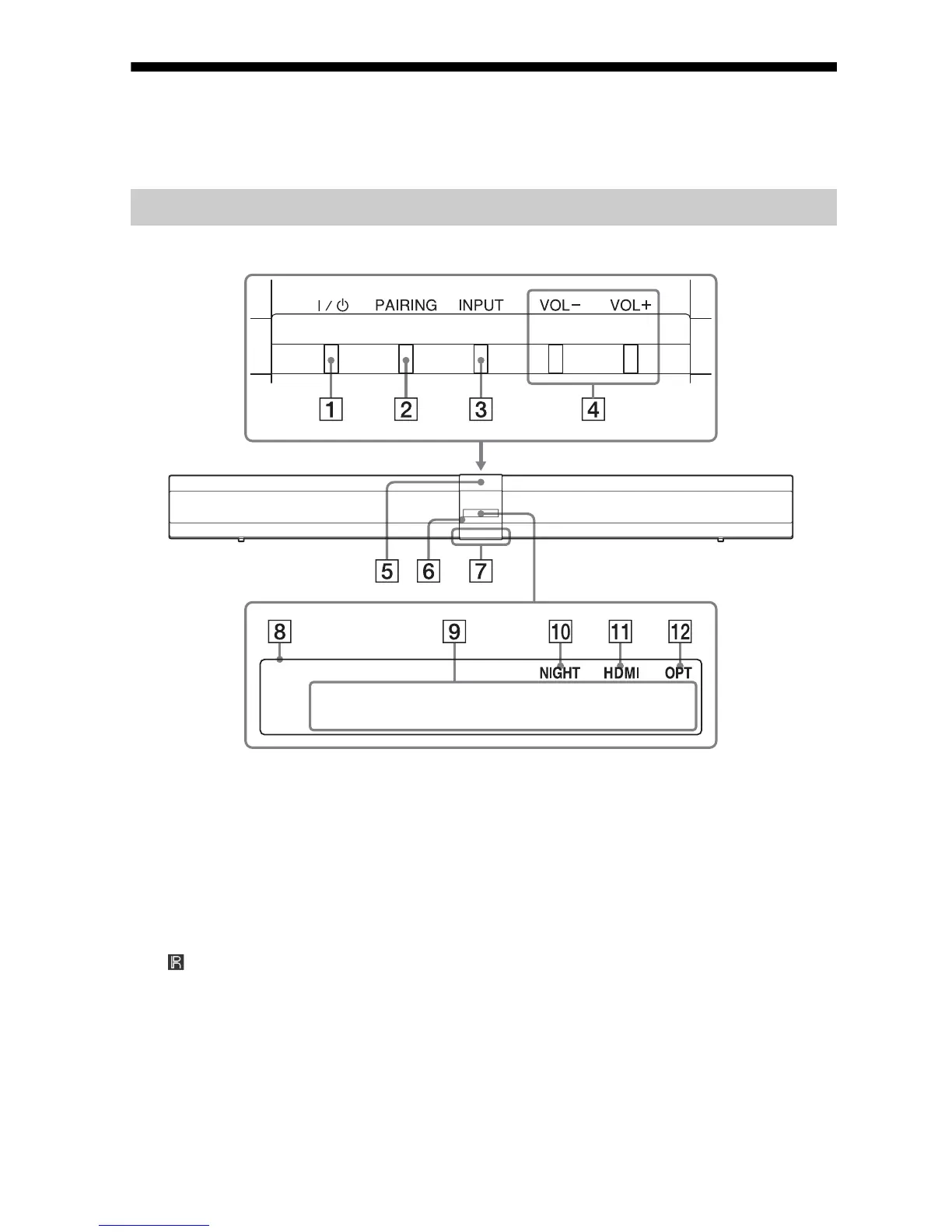
Index to parts and controls
For more information, see the pages indicated in parentheses.
(on/standby) button
PAIRING button (page 23)
INPUT bu
tton
Press to select the input source to
play back.
VO
L (volume) +/ buttons
N mar
k
(remote control sensor)
Ill
umination LED
Lights up in white when the
sy
stem is on.
Lights up in blue in BLUETOOTH
mode.
Fron
t panel display
Me
ssage display area
Displays volume, selected input
sou
rce, etc.
NIGHT (page 28)
Lights up in NIGHT mode.
HDM
I
Lights up when an HDMI signal is
se
lected as the input source.
OPT
Lights up when the signal from the
O
PTICAL IN jack is selected.
Sound Bar



 To Next Page