15
US
Getting Started
Even if the system is turned off (active standby mode), the HDMI signal will be sent
from the connected equipment to the TV via the HDMI connection. You can enjoy
image and sound from the equipment on the TV.
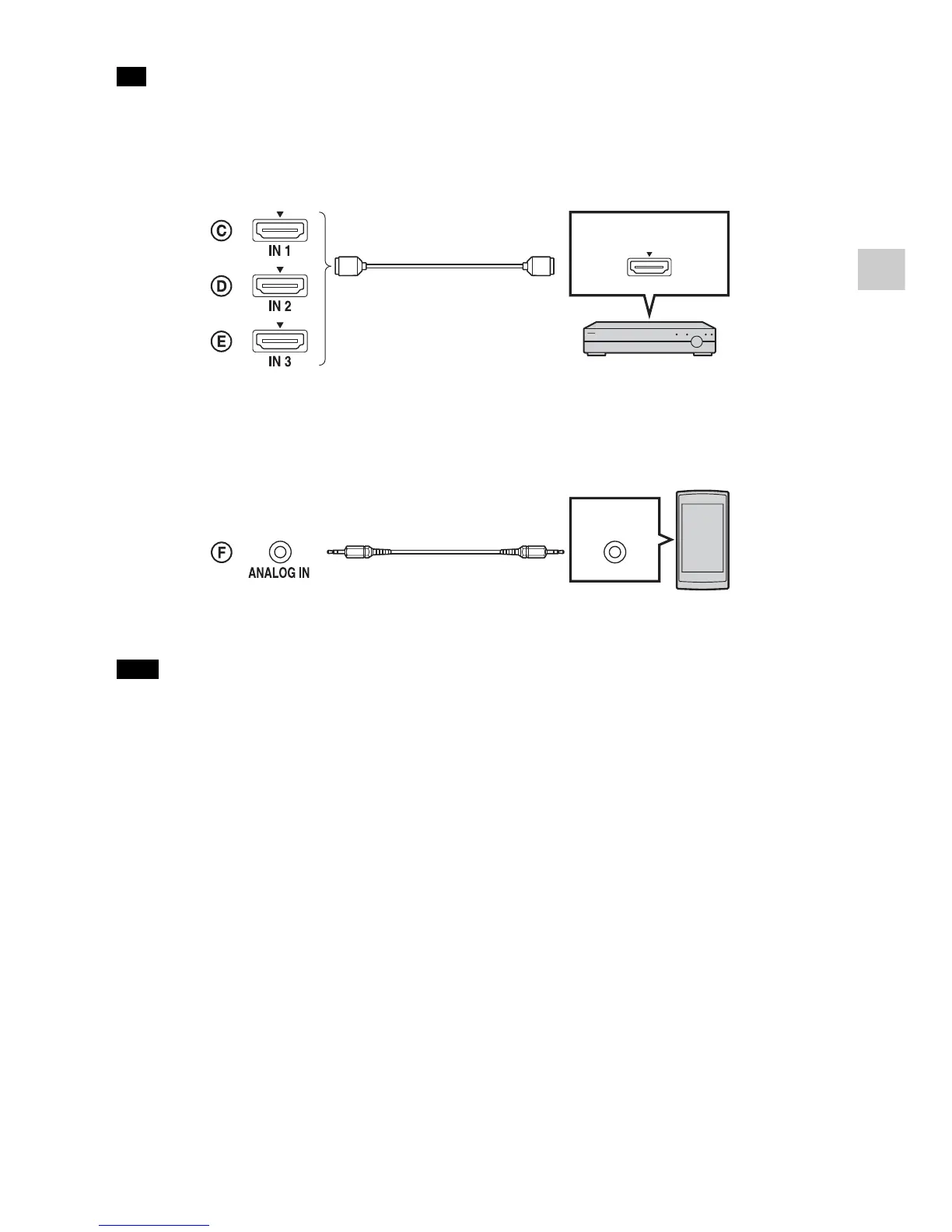
Connecting equipment with an HDMI jack
Connecting audio equipment
When you connect a portable music player, etc. via its headphone jack to the ANALOG
IN jack of the system, adjust the volume on the portable music player to eliminate the
volume difference when you switch between the portable music player and other
input sources.
Tip
Note
“PlayStation
®
3,” Blu-ray Disc™ player,
DVD player, satellite tuner, cable
television tuner, etc.
HDMI cable
(not supplied)
HDMI OUT
Audio cable (not supplied)
Smartphone, “Walkman,” or
other audio equipment
Audio
signal OUT



 To Next Page