40
GB
Selecting the sound field
This receiver can create multi channel
surround sound. You can select one of the
optimized sound fields from the receiver’s
pre-programmed sound fields.
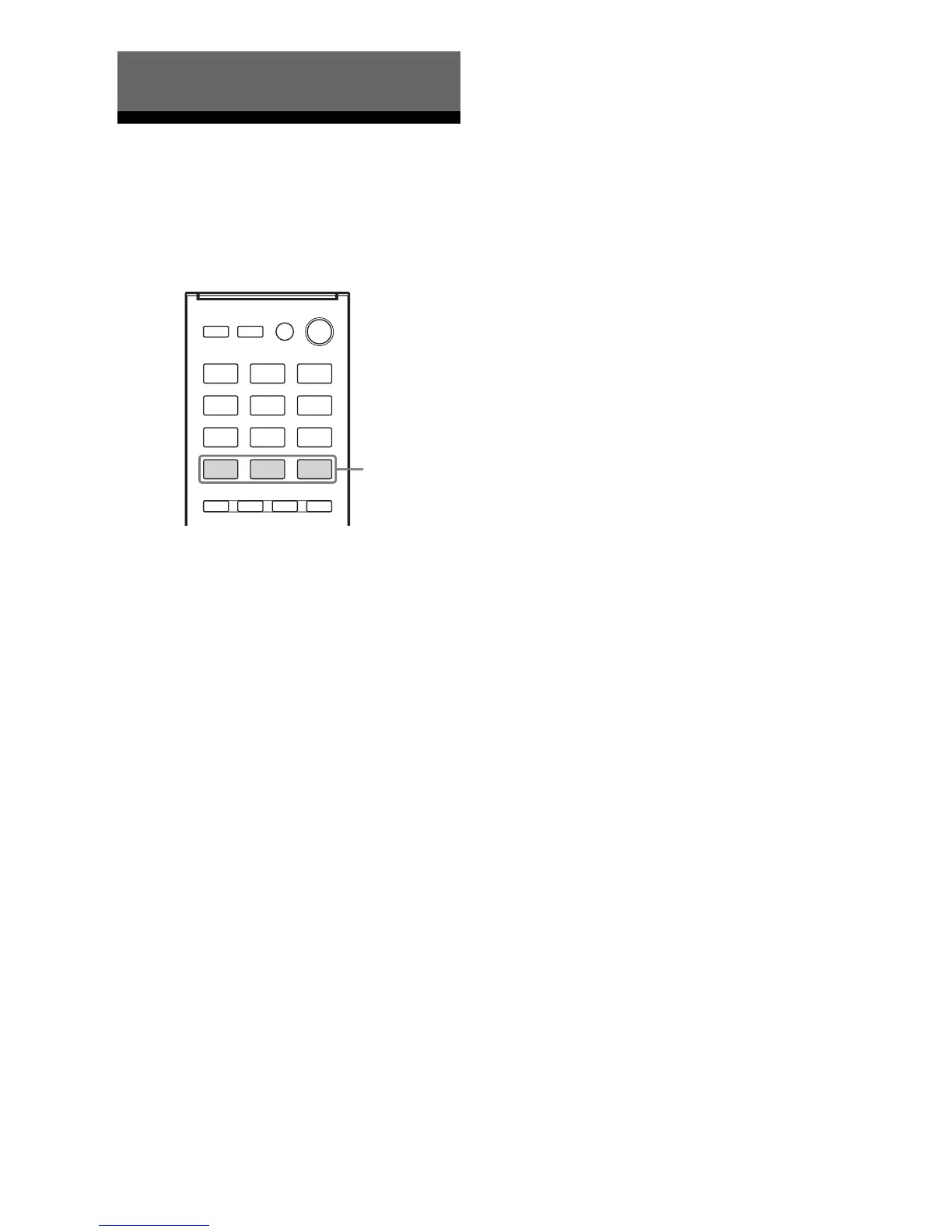
Press MOVIE, MUSIC or GAMING to
select the sound field you want.
Note
Before selecting the sound field, be sure to select the
surround speaker position according to the speaker
configuration. For details, see “Selecting surround
speaker position” (page 30).
x MOVIE A (Movie A)
Optimizes sound output from all speakers for
movie playback.
x MOVIE B (Movie B)
Reproduces a movie effect sound.
x MUSIC (Music)
Reproduces music sound with multi channel
output.
x GAMING (Gaming)
Reproduces the sound processing of video
games for better gaming experience.
Notes on sound fields
•The sound fields for music and movie do not
work for signals with a sampling frequency
of more than 48 kHz.
• The effects provided by the virtual speakers
may cause increased noise in the playback
signal.
•When listening with sound fields that
employ the virtual speakers, you will not be
able to hear any sound coming directly from
the surround speakers.
Tip
You can identify the encoding format of DVD
software, etc., by looking at the logo on the package.
To turn off the surround effect
Press MOVIE repeatedly to select
“MOVIE A”.
Enjoying Surround Sound
MOVIE,
MUSIC,
GAMING



 To Next Page