34
GB
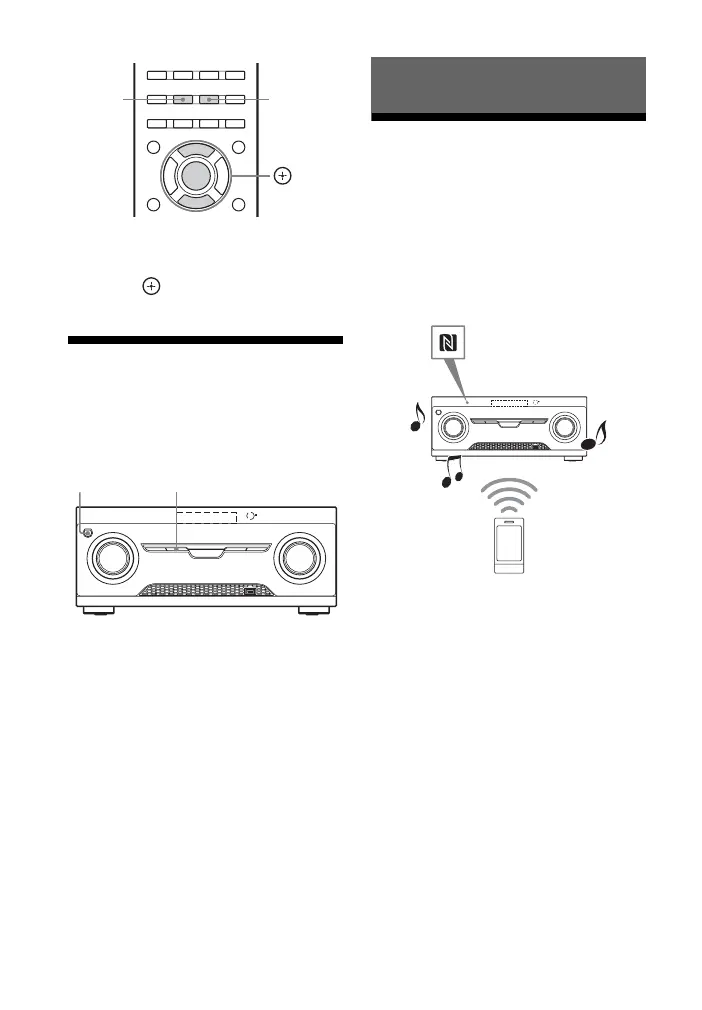
1 Press EQ BASS or EQ TREBLE.
2 Press V/v to adjust the gain, then
press .
Resetting sound fields
to the default settings
Be sure to use the buttons on the receiver to
perform this operation.
1 Press ?/1 to turn off the receiver.
2 While holding down MUSIC/
MOVIE, press ?/1.
“S.F. CLEAR” appears on the display
panel and all sound fields are reset to
their default setting.
About the Bluetooth
wireless technology
Bluetooth wireless technology is a short-
range wireless technology that enables
wireless data communication between
digital devices. Bluetooth wireless
technology operates within a range of about
10 meters.
Supported Bluetooth
version and profiles
Profile refers to a standard set of
capabilities for various
Bluetooth product
capabilities. This receiver supports the
following Bluetooth version and profiles.
Supported Bluetooth version:
Bluetooth Specification version 3.0
Supported Bluetooth profiles:
A2DP (Advanced Audio Distribution
Profile): Receiving audio content of high-
quality
AVRCP 1.3 (Audio Video Remote Control
Profile): Controlling audio/video
equipment; pausing, stopping, starting
playback, volume control, etc.
,V/v
EQ TREBLE
EQ BASS
?/1 MUSIC/MOVIE
Using Bluetooth Features



 To Next Page