10
US
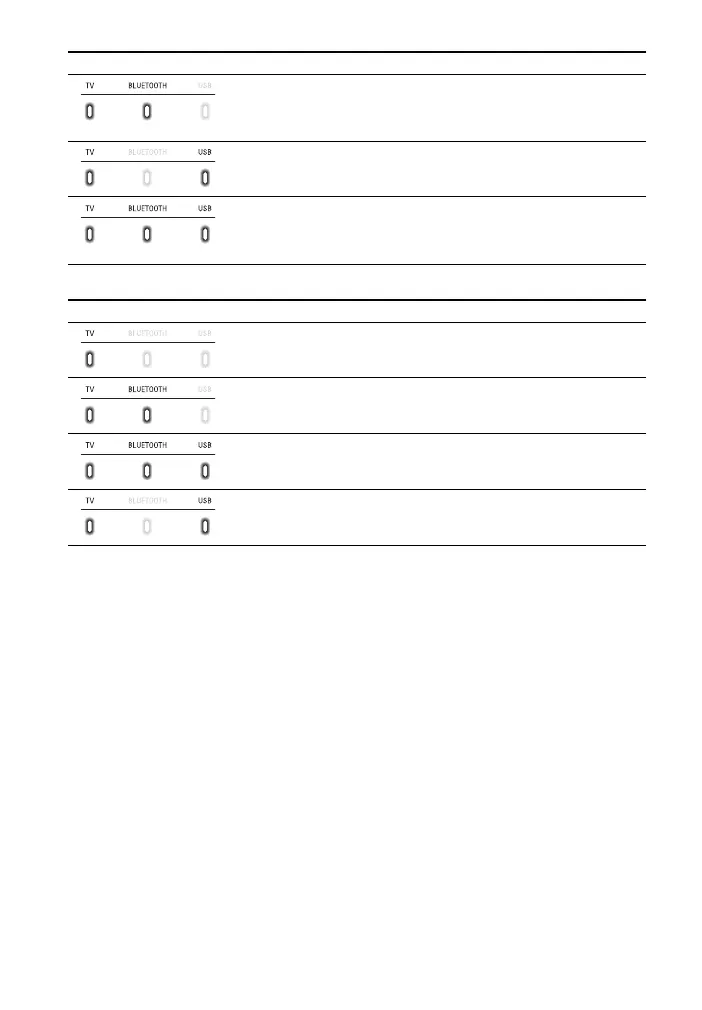
The indicators flash while adjusting the volume level.
Tip
You can turn the indicators off by holding down AUTO SOUND for 5 seconds.
Even if the indicators are turned off by using AUTO SOUND, if you operate the system, the
indicators in relation to the operation light or flash.
• Flash twice: The function that connects to the TV with the
BLUETOOTH function is set to on (page 14).
• Flash once: The function that connects to the TV with the
BLUETOOTH function is set to off (page 14).
• Flash once: The audio channel is set to Main/Sub (page 23).
• Flash quickly (about twice a second): The protection feature is
activated (page 33).
• Flash slowly (about once a second): The system enters standby
mode by the auto standby function (page 29).
Indicators Status
• Flashes once: The volume level is low (1 - 20)./The level of the bass
tone is set to -1 (Light) (page 23).
• Flash once: The volume level is medium (21 - 40)./The level of the
bass tone is set to 0 (Normal) (page 23).
• Flash once: The volume level is high (41 - 49)./The level of the bass
tone is set to +1 (Strong) (page 23).
• Flash repeatedly: The sound is muted.
• Flash twice: The volume level is set to maximum/minimum.
Indicators Status



 To Next Page