9
US
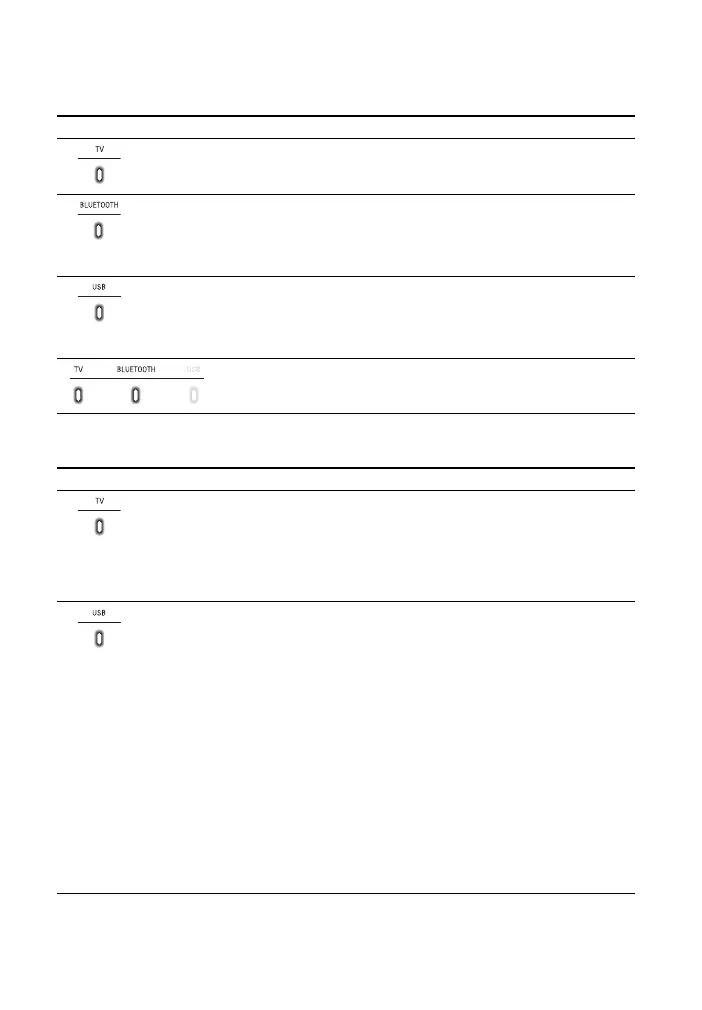
About the indicators on the Bar Speaker
Lighting and flashing of the indicator(s) on the Bar Speaker indicate the input or
status of the input device.
The indicators flash when turning on/off the function setting or operating the remote
control.
Indicators Status
• Lights: TV input is selected.
• Lights in blue: BLUETOOTH connection is established (BLUETOOTH input is
selected).
• Flashes quickly in blue (about twice a second): During pairing standby status.
• Flashes slowly in blue (about once a second): BLUETOOTH connection is being
attempted.
• Lights: USB input is selected.
• Flashes twice: The play mode is changed.
• Flashes three times first, then flashes slowly repeatedly: When connecting an
unsupported device.
• Flashes repeatedly: While reading data of the connected USB device.
• Light: The system is connected to the TV with the BLUETOOTH
function (TV input is selected).
Indicators Status
• Flashes twice: One of the following functions is set to on.
–Night mode (page22)
–Voice mode (page22)
• Flashes once: The audio channel is set to Main (page 23), the sound mode is
selected (page 22), or one of the following functions is set to off.
–Night mode (page22)
–Voice mode (page22)
• Flashes twice: One of the following functions is set to on.
–Dolby DRC (page23)
– Control for HDMI (page 27)
– BLUETOOTH standby (page 26)
– BLUETOOTH function (page 26)
– Auto standby (page 29)
– IR repeater (page 18)
–Auto volume (page23)
– Wall mount mode (page 16)
• Flashes once: The audio channel is set to Sub (page 23) or one of the following
functions is set to off.
–Dolby DRC (page23)
– Control for HDMI (page 27)
– BLUETOOTH standby (page 26)
– BLUETOOTH function (page 26)
– Auto standby (page 29)
– IR repeater (page 18)
–Auto volume (page23)
– Wall mount mode (page 16)



 To Next Page