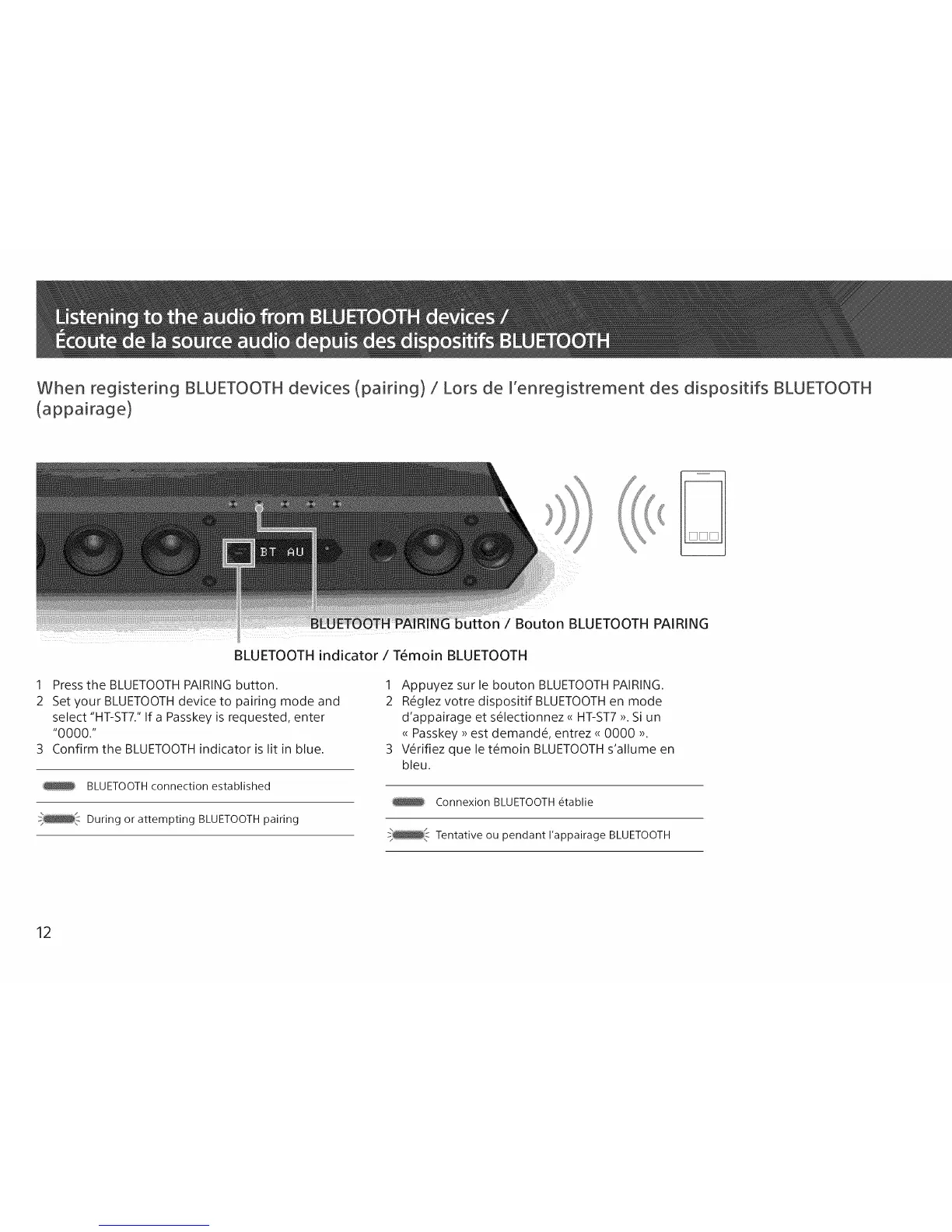
When registering BLUETOOTH devices (pairing) / Lors de I'enregistrement des dispositifs 8LUETOOTH
(appairage)
Bouton BLUETOOTH PAIRING
BLUETOOTH indicator / T6moin BLUETOOTH
1 Press the BLUETOOTH PAIRING button.
2 Set your BLUETOOTH device to pairing mode and
select "HT-ST7." If a Passkey is requested, enter
"0000."
3 Confirm the BLUETOOTH indicator is lit in blue.
BLUETOOTH connection established
During or attempting BLUETOOTH pairing
1 Appuyez sur le bouton BLUETOOTH PAIRING.
2 R_glez votre dispositif BLUETOOTH en mode
d'appairage et s_lectionnez <<HT-ST7 >>.Si un
<<Passkey >>est demandS, entrez <<0000 >>.
3 V_rifiez que le t_moin BLUETOOTH s'allume en
bleu.
Connexion BLUETOOTH 6tablie
Tentative ou pendant I'appairage BLUETOOTH
12



 To Next Page