• Refer to the operating instructions of your TV for the location of the
remote control sensor.
• Connect the IRblaster before connecting the AC power cord (mains lead)
of the Bar Speaker.
• Do not connect the IR blaster to a headphone jack, etc. of the TV.
• Do not use the IR blaster for any other purposes.
• Make sure that the IRrepeater function isworking before securing the IR
blaster on the Bar Speaker with the double-faced adhesive tape supplied.
• Location of the IRblaster may valy depending on the product you are
using.
3 Press MENU on the remote control of the system.
(Refer to "Adjusting the settings" in the Operating Instructions.)
4 Select "SYSTEM" with '1"/4,, then press ENTER.
S Select "IR REP.," then press ENTER.
6 Select "ON," then press ENTER.
7 Press MENU.
The menu turns of L
| _l"il't"_
• Be sure to check that the remote control of the TV can not control the TV,
then set "In REP." to "ON." If it is set to "ON" when the remote control can
control the TV, appropriate operation may not be obtained, because of
the interference between the direct command from the remote control
and the command via the Bar Speaker.
• On some TVs, this function may not work. In this case, adjust the position
of the IR blaster orthe Bar Speaker.
Enabling the Secure Link function
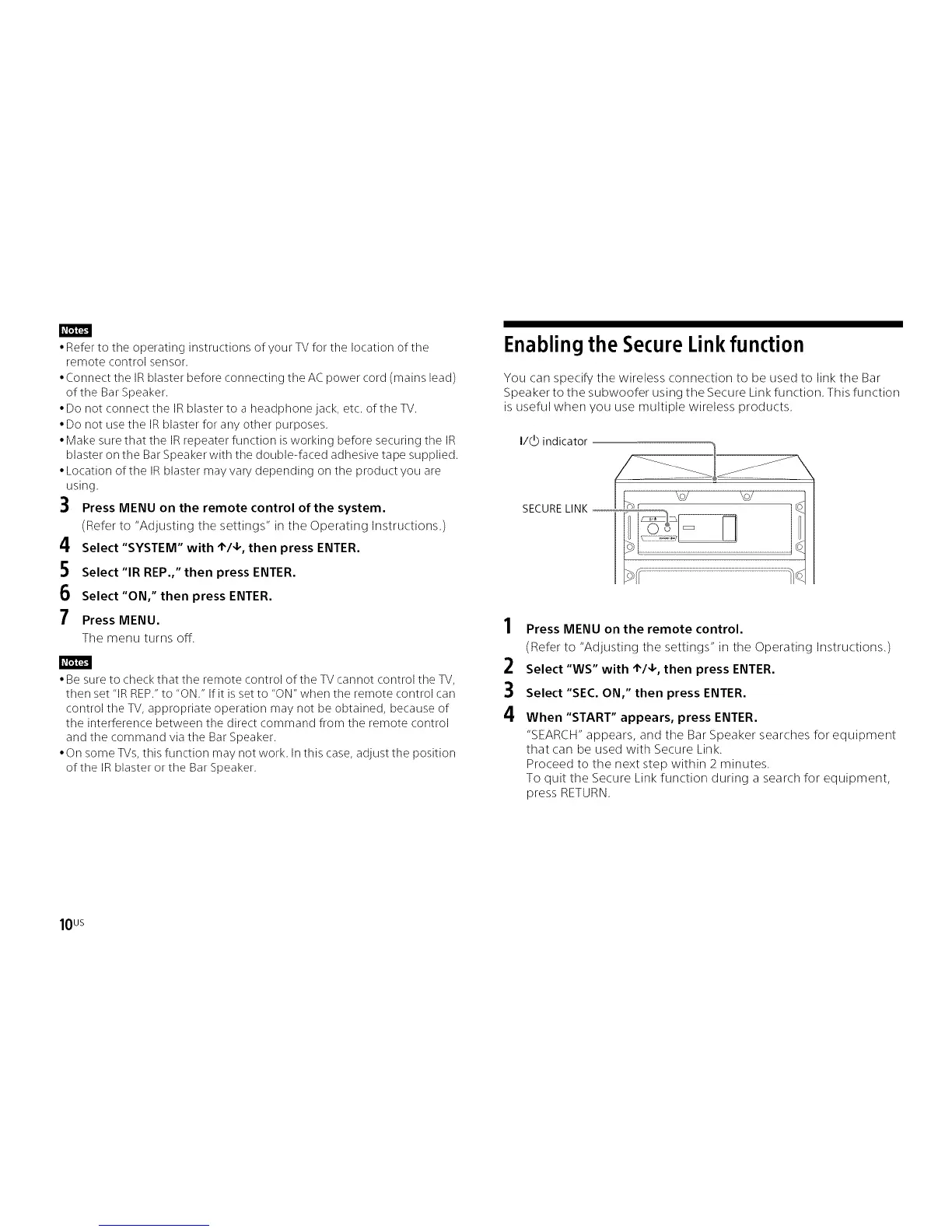
You can specify the wireless connection to be used to link the Bar
Speaker to the subwoofer using the Secure Link function. This function
is useful when you use multiple wireless products.
2
3
4
Press MENU on the remote control.
(Refer to "Adjusting the settings" in the Operating Instructions.)
Select "WS" with '1"/4,, then press ENTER.
Select "SEC. ON," then press ENTER.
When "START" appears, press ENTER.
"SEARCEt" appears, and tile Bar Speaker searches for equipment
that can be used with Secure Link.
Proceed to the next step within 2 minutes.
To quit the Secure Link function during a search for equipment,
press RETURN.
10 us



 To Next Page