EasyManua.ls Logo

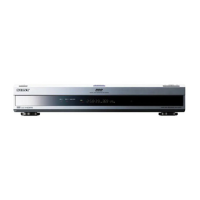
Sony HVO-550MD - Service Manual

Sony HVO-550MD
88 pages
Print Icon
To Next Page IconTo Next Page
Loading...
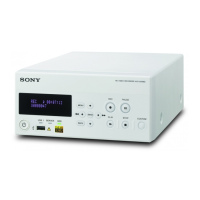
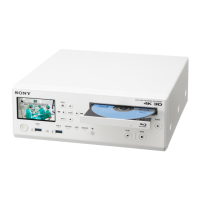
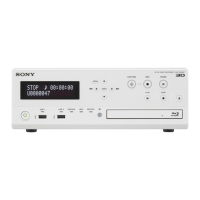
HD VIDEO RECORDER
HVO-500MD
HVO-550MD
SERVICE MANUAL
1st Edition

Table of Contents

Other manuals for Sony HVO-550MD

Questions and Answers

  • T
    Theresa WuJul 25, 2025
    Why is my Sony DVR not recording?
    • R
      Rhonda MackJul 25, 2025
      Your Sony DVR might not be recording because you are using write-protected media. In this case, use media on which data can be recorded. Another reason may be that the remaining storage capacity on the media is insufficient, so replace the media. Finally, you might be using an unsupported DVD disc, so use a DVD disc that is compatible with the unit.
  • J
    Jason EvansJul 29, 2025
    Why my Sony HVO-550MD DVR cannot record data?
    • A
      Ashley JonesJul 29, 2025
      Your Sony DVR might fail to record data if you are using write-protected media; in this case, use media on which data can be recorded. Recording may also fail if the remaining storage capacity on the media is insufficient, so replace the media. Finally, ensure you are using a DVD disc that is compatible with the unit.
  • S
    smithnancyAug 3, 2025
    What to do if my Sony DVR does not turn on?
    • S
      sandrahernandezAug 3, 2025
      If your Sony DVR does not turn on, the power cord may not be connected. Make sure that the cord is connected to the power outlet and that the AC adapter and DC power cord are properly connected.
  • J
    James GatesAug 7, 2025
    Why is there no audio or noisy audio on my Sony HVO-550MD DVR?
    • C
      Cynthia BryanAug 7, 2025
      If you're experiencing no audio or noisy audio with your Sony DVR, there are a few things to check. First, ensure that all connection cables are properly connected to the input and output connectors on the rear panel. Also, verify that the input and output connections on the rear panel are correct. Damaged connection cables can also cause audio problems, so inspect them carefully. If the unit is in fast playback or fast reverse playback mode, press the B PLAY button.
  • M
    Mr. Patrick WalkerAug 11, 2025
    What to do if images do not appear or are distorted on Sony HVO-550MD?
    • W
      William SheltonAug 11, 2025
      If your Sony DVR turns on but the images are distorted or do not appear, first ensure that the connection cables are properly connected to the input and output connectors on the rear panel of the unit. Also, verify that the input and output connections on the rear panel are correct. Finally, check the cables for any damage.
  • W
    wooddakotaAug 15, 2025
    How to fix Sony HVO-550MD DVR buttons that do not function?
    • N
      nwarnerAug 15, 2025
      If the buttons on your Sony DVR do not function, and recording, playback, and other operations are not working correctly, it may be due to static electricity affecting the unit. To resolve this, turn off the 1 (on/standby) switch on the front panel, disconnect the AC adapter and DC power cord, wait a moment, then reconnect the AC adapter and DC power cord and turn the unit back on.
  • M
    martinezgabrielaAug 20, 2025
    What to do if Sony HVO-550MD does not turn on?
    • S
      sanchezrobertAug 20, 2025
      If your Sony DVR does not turn on when you press the power switch, make sure that the power cord is properly connected to the power outlet and that both the AC adapter and DC power cord are correctly connected.

Summary

Safety and Installation Guidelines

2. Periodic Check and Maintenance

3. Service Overview and Handling

Component Handling Precautions

Provides essential safety and handling guidelines for the HDD and DVD drive components.

Software Version Upgrade

Steps to prepare USB media and perform the firmware update process, including error handling.

4. Message Lists

5. Service Menu Operations

Accessing the Service Menu

Details how to enter the service menu, including dealer password entry for full access.

6. Replacement of Main Parts

HDD Replacement

Steps for removing the HDD and installing a new one, followed by post-replacement procedures.

MB Board Replacement

Instructions for disconnecting harnesses from the MB board connectors and replacing the board.

7. Electrical Adjustment

Sony HVO-550MD Specifications

General IconGeneral
DisplayLCD
Product colorWhite
USB connectivityYes
Playback resolutions supported1280 x 720
BNC input ports1
USB 2.0 ports quantity4
HDD capacity500 GB
Storage temperature (T-T)-20 - 60 °C
Operating temperature (T-T)5 - 40 °C
Operating relative humidity (H-H)20 - 80 %
Optical drive typeDVD-R
Weight and Dimensions IconWeight and Dimensions
Weight3200 g
Dimensions (WxDxH)212 x 290 x 10.5 mm

Related product manuals