30 Chapter 2 Playback and Recording
Chapter 2 Playback and Recording
Chapter2
Playback and
Recording
Notes on Power Supply and Video Cassettes
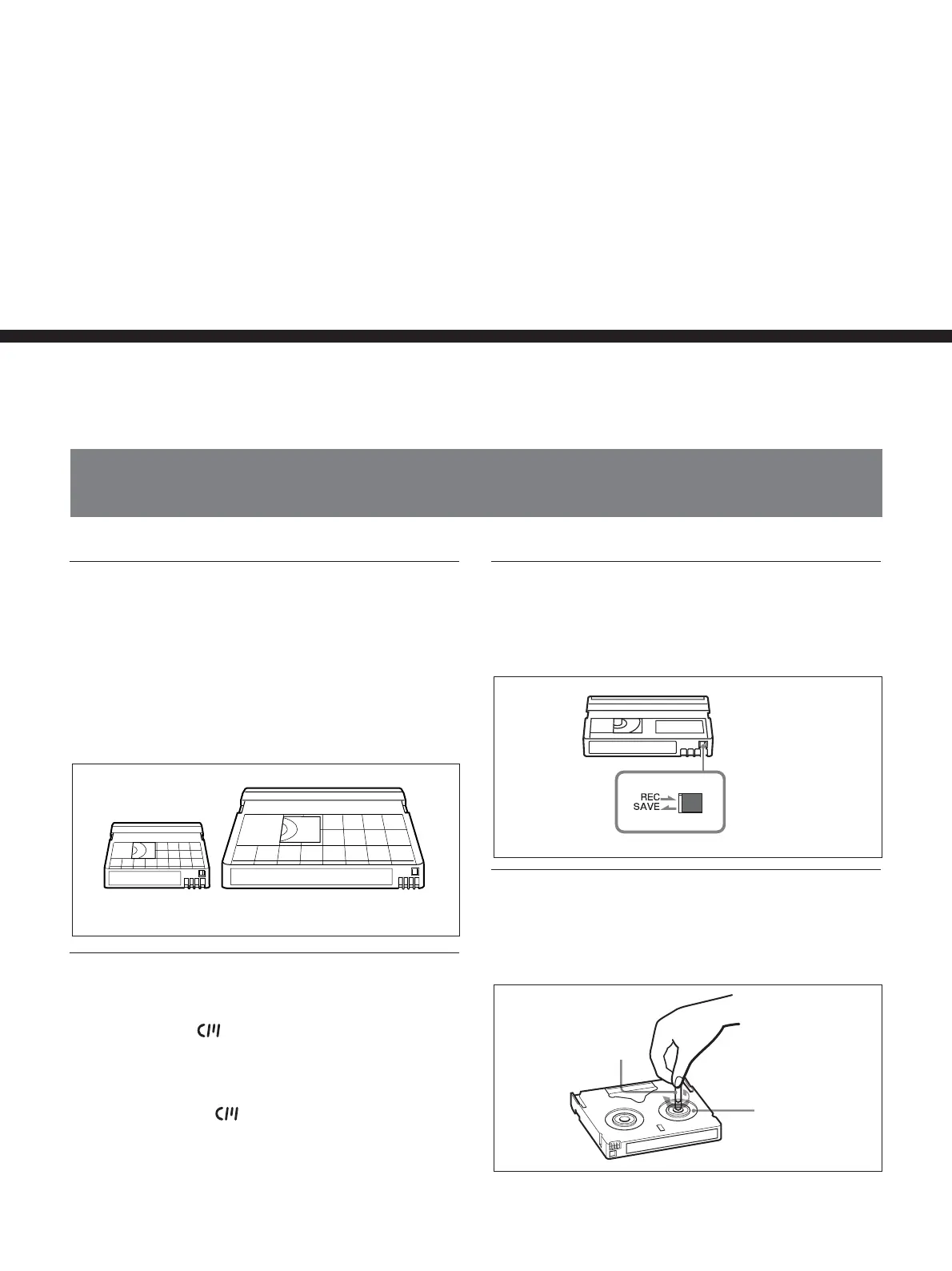
Usable cassettes
We recommend you to use a DigitalMaster
TM
cassette
of standard HDV/DVCAM/DV cassette (such as
PHDV-276DM), or mini HDV/DVCAM/DV cassette
(PHDVM-63DM) for recording in HDV/DV format.
We recommend you to use a standard DVCAM
cassette, Mini-DVCAM cassette, or DigitalMaster
TM
shown above for recording in DVCAM format.
Cassette memory
Some mini cassettes and standard cassettes have the
cassette memory (
mark). The unit, however, does
not support cassette memory.
However, if you use the DSR-25/45/50 as a recorder,
the unit accesses cassette memory only if the recorder
is set to [AUTO q
].
To save a recording
To prevent accidental erasure of a recording, set REC/
SAVE switch on the cassette to SAVE. To record or
dub audio on a tape, set the switch to REC.
Checking the tape for slack
Using a paper clip or a similar object, turn the reel
gently in the direction shown by the arrow. If the reel
does not move, there is no slack.
REC/SAVE switch
Set to SAVE.
Paper clip, etc.
Reel
Mini cassette
Standard cassette





 To Next Page