37
Other Functions
Playing Back All
Messages in a Folder
Continuously (CONT.)
ON: You can play back all messages
in a folder continuously.
OFF: Playback stops at the end of each
message.
1 Press MENU button.
The menu mode will displayed in the
display window.
2 Press the jog lever up or down to
display “CONT.”.
3 Press the jog lever.
The continuous playback setting will be
displayed in the display window.
4 Press the jog lever up or down to
select “ON” or “OFF” and press the
jog lever.
The setting is completed.
5 Press MENU button.
Exit the menu mode.
CONT. ON
B
E E P O N
OFLDER
NEA
M
OFF
ON
CONT.
External
microphone
(not supplied)
MIC
Tape
recorder,
TV, radio,
etc.
Connecting
cord (not
supplied)
EAR,
EARPHONE,
v or REC
OUT
Recording with an
External
Microphone or
Other Equipment
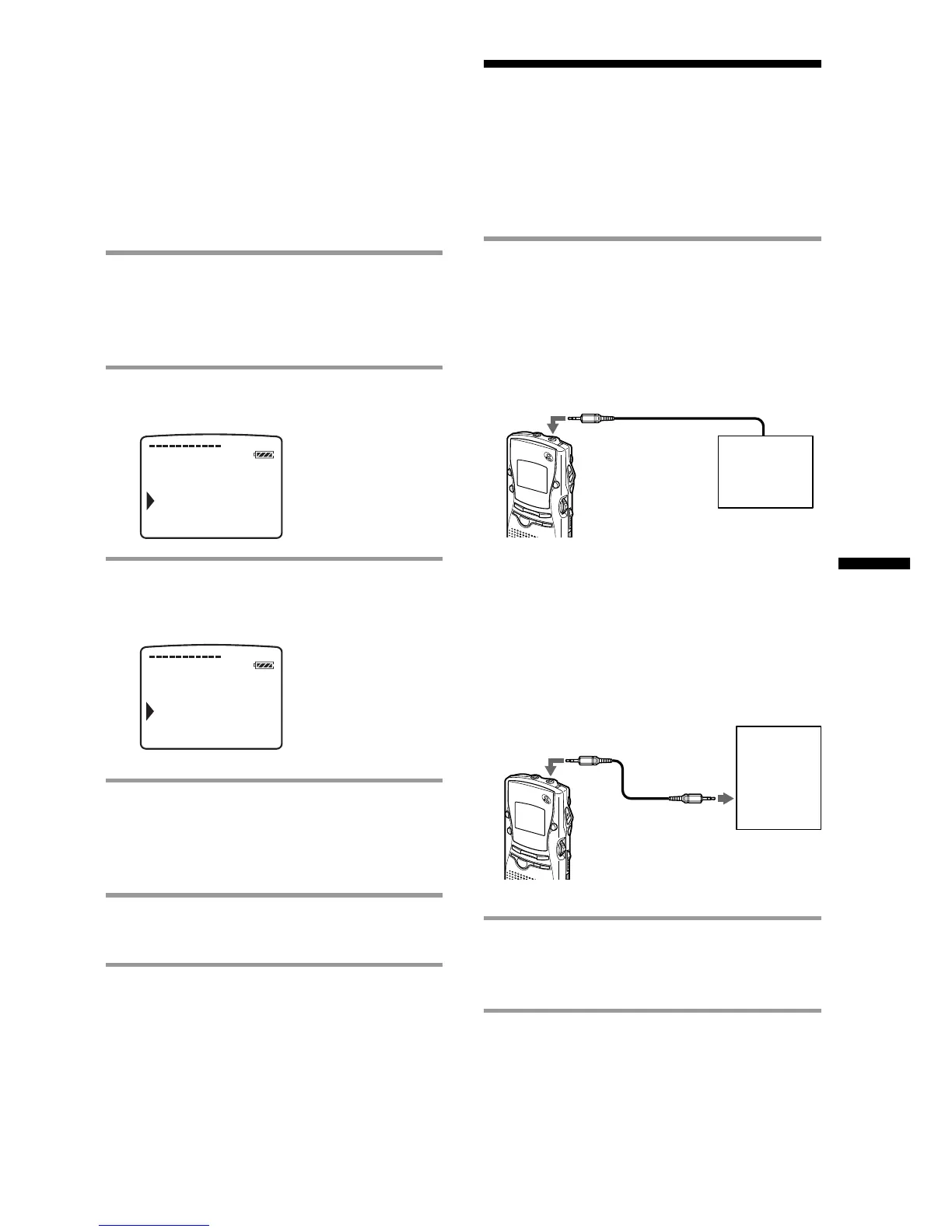
1 Connect a plug-in-power type
microphone or other equipment to
the MIC (PLUG IN POWER) jack.
When recording with an
external microphone
When you connect an external
microphone, the built-in microphone is
automatically cut off. When a plug in
power type microphone is connected,
power is automatically supplied to the
microphone from the IC recorder.
When recording from other
equipment
2 Follow the steps in “Recording
Messages” on page 12 to record
messages.
Notes
• Make sure that the plugs are connected securely.
• We recommend you make a trial recording to
check the connections and volume control.
• When connecting equipment other than Sony’s,
refer to the instruction manual of the equipment.
MIC



 To Next Page