44
Starting Up the Software (continued)
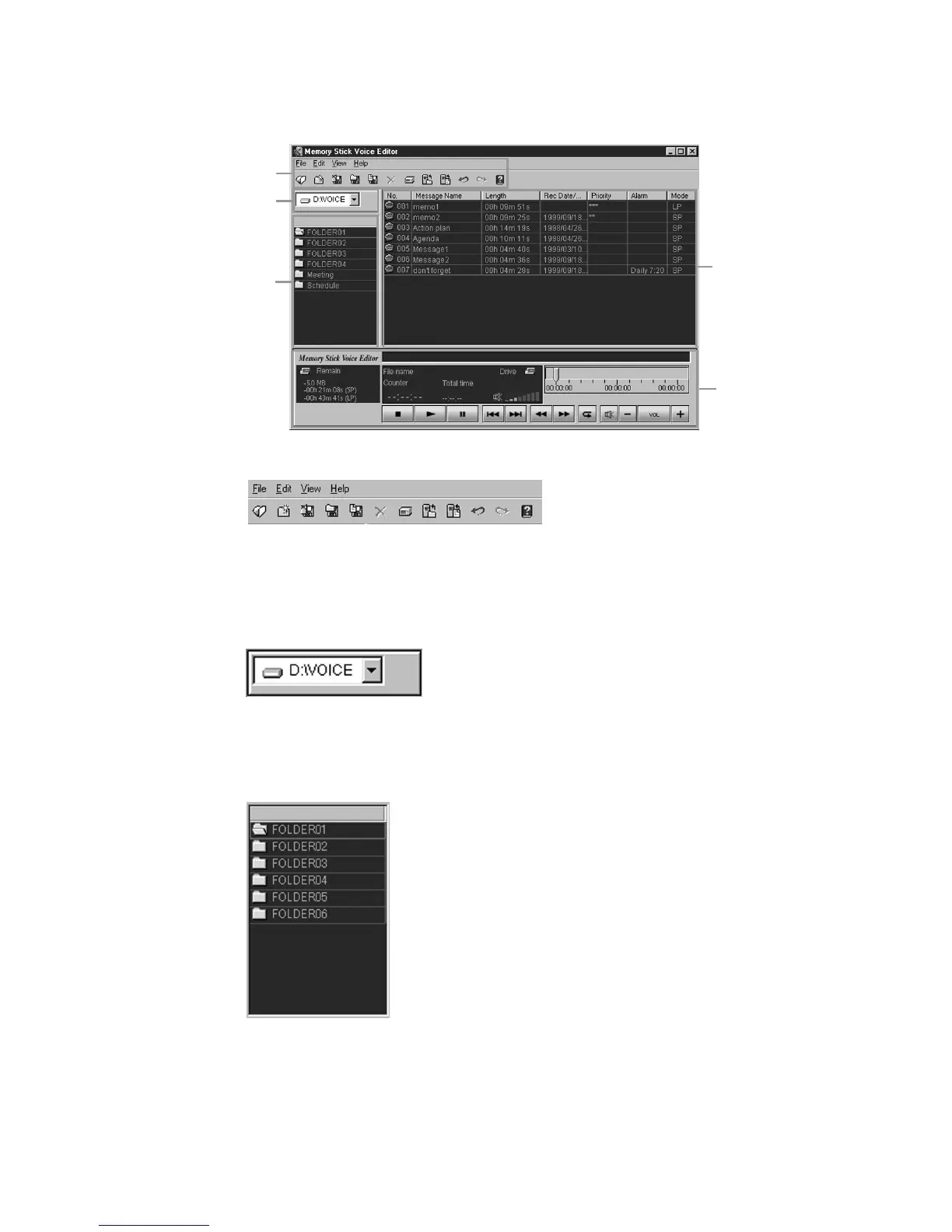
Names and Functions of the Main Window
1 Menu commands/Toolbar
You can access and execute the menu commands. The toolbar contains the
buttons for common menu command tasks, providing quick way to do tasks. See
page 57 for details.
2 Drive box
Select the desired drive from the drop-down list. Message folders in the VOICE
folder in the selected drive are shown in the folder list box.
3 Folder list box
Message folders in the VOICE folder in the drive selected in the drive box are
shown in this box. Cilck the desired folder from the list. Messages in the selected
folder are shown in the message list box.
1
2
3
4
5



 To Next Page