– 13 –
[LCD Display Check Mode]
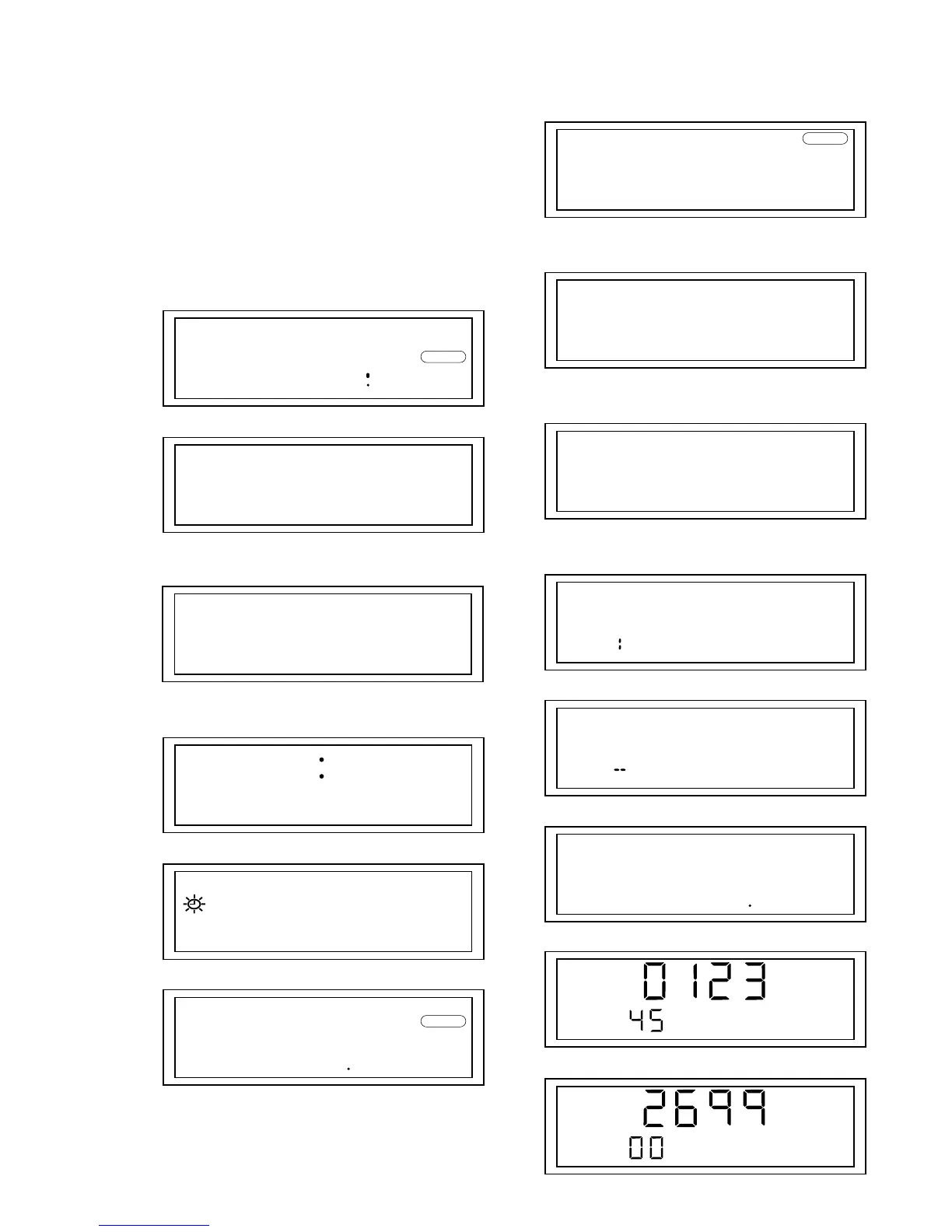
• Step1 (LCD display check mode setting metyods)
1. Connect TP446 (TUNER TEST) to the TP444 (GND).
2. Insert external power supply.
• Step2 (Operation in the LCD display check mode)
1. All segments of LCD light up if the LCD display check mode
is activated.
2. If each key is pressed, the LCD display is as shown below. At
the same time, for some keys, the following operation is per-
formed.
[CLOCK]:
[ESP]:
Beep sound ON
[CD PLAY MODE]:
Beep sound OFF
[WORLD/LOCAL]:
[D.S.T SUMMER T.]:
[ALARM MODE]:
Buzzer sound ON
WORLD
TIMEDIF
AM
BUZZER
ESP
INTROSCAN
REPEAT ALL
SHUFFL
REPEAT1
LOCAL
PM
PRESET
SW
PM
RADIO
[ALARM TIME]:
Buzzer sound OFF
[SNOOZE]:
LED ON
[ALARM TRACK/STATION]:
LED OFF
[ ]:
[ ]:
[BAND]:
[PRESET 1]:
[PRESET 2]:
CD
AM
CD
E
N
FM 2
MW
WAKEUP
SLEEP
AM
>
.
MHz
kHz
FM1


 To Next Page