English
For
the customers
in
the U.S.A.
Owner's
Record
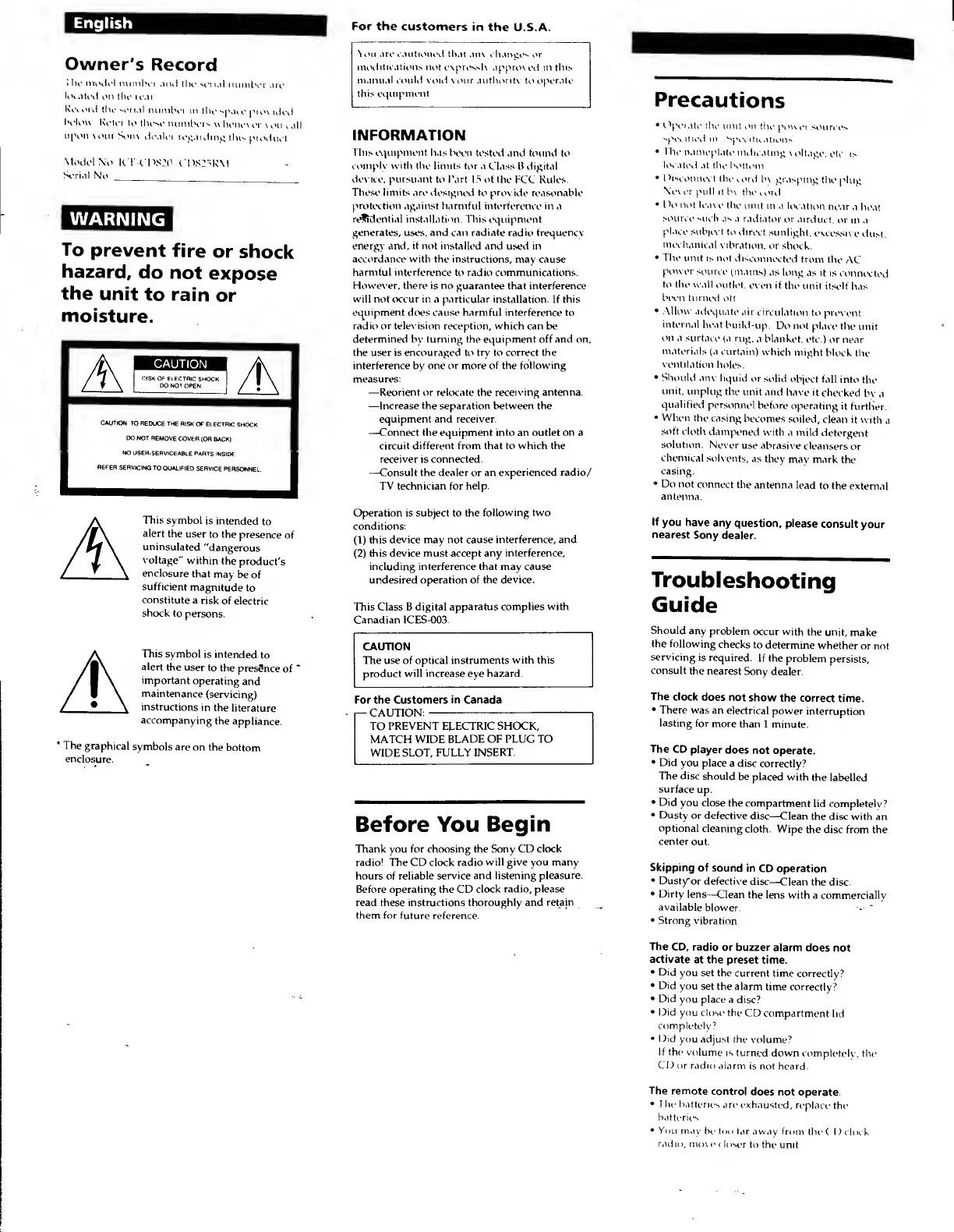
i he model
number
and
the set i.il
number
arc
located
on the rear
Record
tin
1
serial
number
ill
the
span'
provided
bclou
Ri'li'i
to
Ihi'M'
number-
n
henci
it
\ mi
call
upon vour
Sonv
dealer
regarding
ihi-.
product.
Model
No.
kT-COSJO
«."I»S25KM
Serial
No.
WARNING
To
prevent
fire
or
shock
hazard,
do
not
expose
the
unit
to
rain
or
moisture.
CAUTION
CAUTION:
TO
REDUCE THE
RISK
OF ELECTRIC
SMOCK.
DO NOT
REMOVE
COVER
(OR BACK)
NO
USER-SERVICEABLE
PARTS INSIDE
REFER
SERVICING
TO
QUALIFIED
SERVICE
PERSONNEL.
This
symbol
is intended
to
alert
the
user
to the
presence
of
uninsulated
"dangerous
voltage"
within
the
product's
enclosure
that
may
be of
sufficient
magnitude
to
constitute
a
risk
of electric
shock
to
persons.
This
symbol
is intended
to
alert
the user
to
the
presSnce
of
'
important
operating
and
maintenance
(servicing)
instructions
in
the
literature
accompanying
the
appliance.
'
The
graphical
symbols
are
on the
bottom
enclosure.
l on .ltv cautioned th.it .in\ cli.mpN
or
modifications not
expressly npproi
ed
in this
manual could void
\ our authority
to
operate
this equipment
INFORMATION
This equipment has been
tested and found to
coniplv with the
limits tor a
Class B digital
deviee. pursuant
to Part IS of the
FCC
Rules.
These limits are designed to provide
reasonable
protection
against harmful interference in a
residential installation. This
equipment
generates, uses, and can radiate radio frequenev
energy and,
it not
installed and used in
accordance with the instructions,
may cause
harmful interference
to radio communications.
However, there is no
guarantee that interference
will not occur in a particular installation.
If
this
equipment
does cause harmful interference to
radio or television
reception, which can be
determined by turning the equipment off and on,
the user is encouraged to
try
to
correct the
interference by one
or more of the following
measures:
—Reorient or relocate the receiving antenna.
—
Increase the separation between the
equipment and receiver.
—Connect the equipment into an outlet
on
a
circuit different from that to which the
receiver is connected.
—Consult the dealer or an
experienced radio/
TV technician for
help.
Operation is subject to the
following two
conditions:
(1)
this
device may not cause interference, and
(2)
this
device
must accept
any interference,
including interference that may cause
undesired
operation of the device.
This Class B digital
apparatus complies with
Canadian ICES-003.
CAUTION
The use of optical instruments
with this
product
will increase
eye
hazard.
For the
Customers in Canada
CAUTION:
TO PREVENT ELECTRIC SHOCK,
MATCH WIDE
BLADE OF PLUG TO
WIDE
SLOT, FULLY
INSERT.
Before You
Begin
Thank you for choosing the Sony CD
clock
radio! The CD clock radio
will give you many
hours of
reliable service and listening
pleasure.
Before operating the CD
clock radio, please
read these instructions thoroughly and
retain
them for future
reference.
Precautions
•
Operate
tin- nun
on
the
power
sources
spivilied 111
^peeitu
.Hums'
• l lu'
nanicplato
indicating
voltage,
etc
i>
located
.it tile bottom
•
Disconnect
the
cord
b\ grasping
the plug
Never
pull it
In
theiord
•
IV not leave
the unit
m a
location
near
a
heat
source such
as a
radiator
or
airduct.
or
m a
place
suh|tvt
to direct
sunlight.
excessive
dust,
mechanical
vibration,
or shock.
•
The
unit is not
disconnected
from
the
AC
power
source
(mains)
as long
as it
is
connected
to the wall
outlet,
even if
the
unit itself
has
been turned
ott
•
Allow adequate
air
circulation
to prevent
internal
heat
build-up.
Do not place
the
unit
on a surface
(a rug,
a blanket,
etc.)
or near
materials
(a curtain)
which
might
block
the
ventilation
holes,
•
Should any
liquid
or
solid object
fall
into
the
unit,
unplug
the
unit and
have it
checked
by
a
qualified
personnel
before
operating
it
further.
•
When
the casing
becomes
soiled,
clean it
with
a
soft cloth
dampened
with
a
mild
detergent
solution. Never
use abrasive
cleansers
or
chemical
solvents,
as
they
may mark
the
casing.
•
Do not
connect
the
antenna lead
to
the external
antenna.
If
you have
any question,
please
consult
your
nearest
Sony dealer.
Troubleshooting
Guide
Should
any problem
occur with
the unit,
make
the
following
checks
to
determine
whether
or not
servicing
is
required.
If the
problem
persists,
consult
the nearest
Sony
dealer.
The clock
does
not
show
the correct
time.
•
There was
an
electrical
power
interruption
lasting
for
more
than 1 minute.
The
CD
player
does
not operate.
•
Did
you place
a disc
correctly?
The
disc
should
be placed
with
the labelled
surface
up.
•
Did
you close
the
compartment
lid completely?
•
Dusty
or defective
disc
—Clean
the disc with an
optional
cleaning
cloth.
Wipe
the disc from the
center
out.
Skipping
of sound
in
CD operation
•
Dusty"
or defective
disc
—Clean the disc.
•
Dirty
lens
—Clean the lens
with a commercially
available
blower.
•
Strong
vibration
The
CD, radio
or buzzer
alarm does
not
activate
at the preset
time.
•
Did
you
set the
current time
correctly?
•
Did
you
set the alarm
time correctly?
•
Did you
place a
disc?
•
Did
you close the
CD
compartment
lid
completely
7
•
Did
you adjust the
volume?
If the
volume
is turned
down completely,
the
CD or radio
alarm
is not heard.
The
remote
control
does
not operate.
•
I he
batteries
are exhausted,
replace
the
batteries
•
You
may
be
too
tar
away from
the CD clock
radio,
move
c loser
to the
unit


 To Next Page
 Loading...