8
Setting Up the Network Connection
IFU-WLM1
4-103-420-12 (1)
C:\data\Projector\LanModule\2635317112\2635317112_IFUWLM2\GB
04INSTALL.fm
masterpage:Left
Setting Up Encryption
You can enhance the security of your network by enabling the “Encryption”
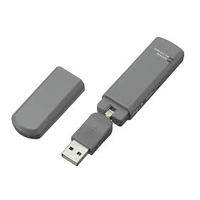
function. The USB Wireless LAN Module provides WEP/WPA encryption.
Proceed as follows to create a connection profile for encryption.
1 On the [Configure Profile] tab of the USB Wireless
LAN(IFU_WLM2) Utility window, click the [Add] button.
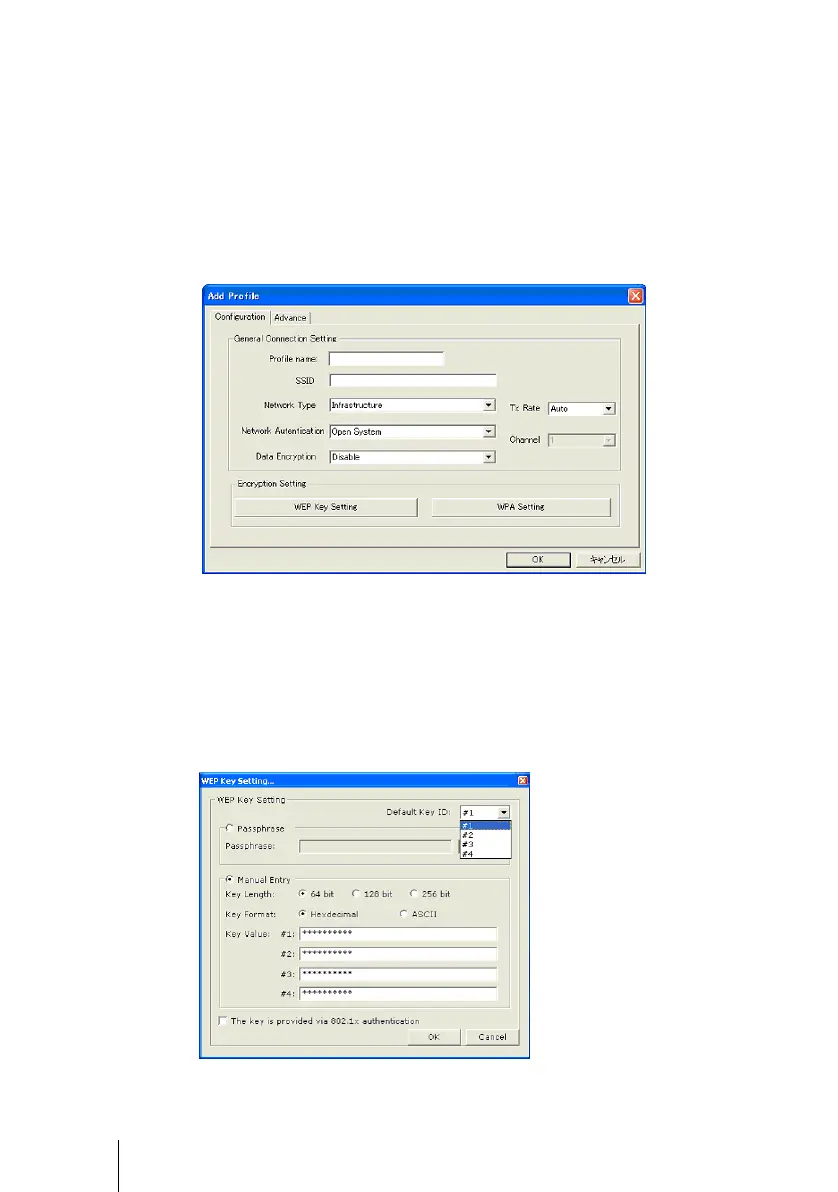
The Add Profile dialog box appears.
2 On the [Configuration] tab of the Add Profile dialog box, specify
the required setup items.
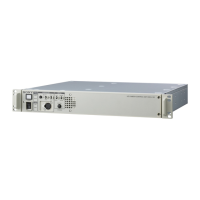
3 Click either the [WEP Key Setting] or the [WPA Setting] button,
depending on the type of encryption you want to use.
The WEP Key Setting or WPA Setting dialog box appears.
Specify the required setup items in the dialog box, then click the [OK] button.
WEP Key Setting dialog box









 To Next Page