GB
23
GB
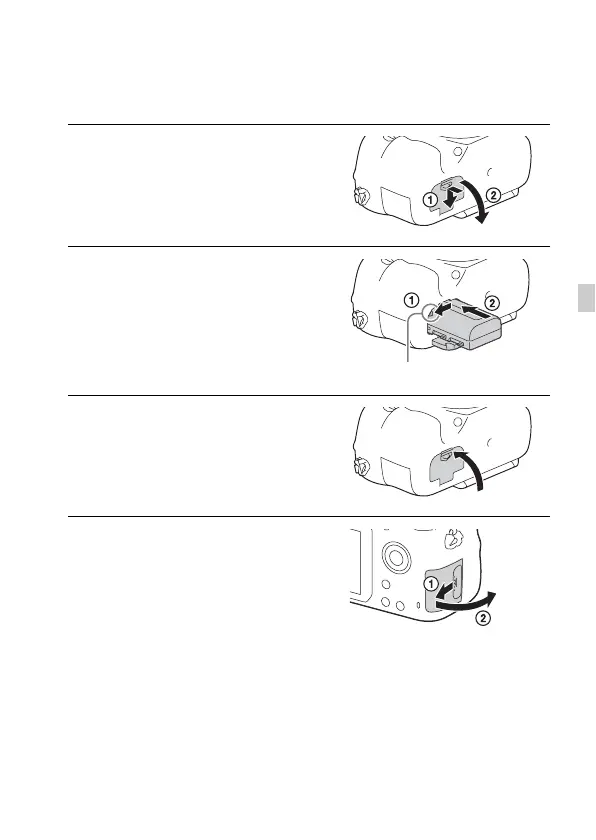
Inserting the battery pack/memory
card (sold separately)
1 While sliding the battery cover
open lever, open the cover.
2 Firmly insert the battery pack all
the way while pressing the lock
lever with the tip of the battery.
3 Close the cover.
4 Slide the memory card cover to
open it.
Lock lever



 To Next Page