ILCE-7RM4A
5-027-204-11(1)
GB
40
\\Win-473\camera\CX88900(MGA)_CX88800(CQA)_IM\01_Compose\MGA_GB\5027204111\5027204111ILCE7RM4AUC2\01GB-ILCE7RM4AUC2\030BAS.indd
DTP data saved: 2020/11/30 16:43
PDF file created: 2020/11/30 18:05
To move the focus area
• You can move the focus area in [Flexible Spot], [Expand Flexible Spot],
[Zone], [Tracking: Flexible Spot], [Tracking: Expand Flexible Spot],
or [Tracking: Zone] by operating the multi-selector. If you assign
[Focus Standard] to the center of the multi-selector beforehand, you can
move the focusing frame back to the center of the monitor by pressing
the center of the multi-selector.
• You can move the focusing frame quickly by touching and dragging
it on the monitor. Set [Touch Operation] (page45) to [On] and
[Func. of Touch Operation] (page46) to [Touch Focus] beforehand.
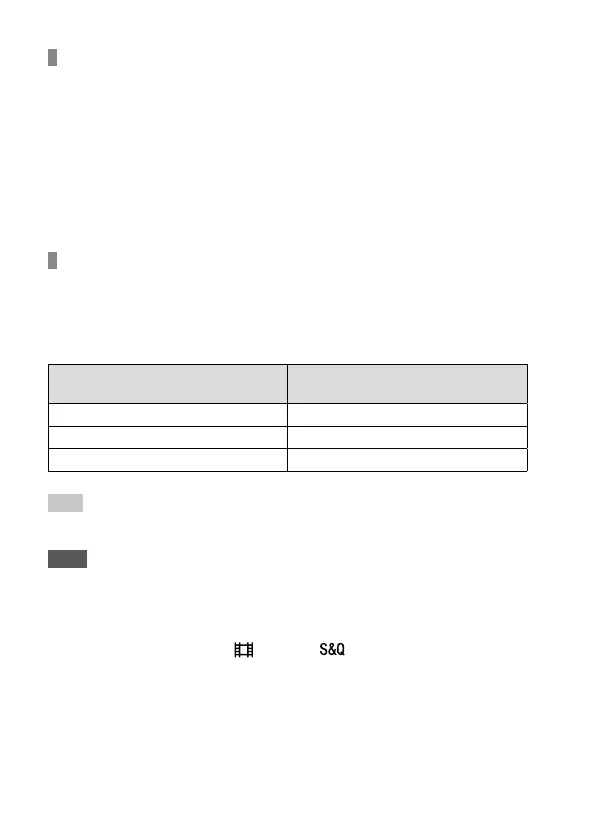
To track the subject temporarily (Tracking On)
You can temporarily change the setting for [Focus Area] to [Tracking] while
you press and hold down the custom key to which you have assigned
[Tracking On] in advance. The [Focus Area] setting before you activated
[Tracking On] will switch to the equivalent [Tracking] setting.
For example:
[Focus Area] before you activate
[Tracking On]
[Focus Area] while [Tracking On] is active
[Wide] [Tracking: Wide]
[Flexible Spot: S] [Tracking: Flexible Spot S]
[Expand Flexible Spot] [Tracking: Expand Flexible Spot]
Hint
• In the default settings, [Focus Area] is assigned to the C2 button.
Note
• [Focus Area] is locked to [Wide] in the following situations:
– [Intelligent Auto]
• The focus area may not light up during continuous shooting or when the
shutter button is pressed all the way down at once.
• When the mode dial is set to (Movie) or , or during movie shooting,
[Tracking] cannot be selected as the [Focus Area].
• If [Subject Detection] under [Face/Eye AF Set.] is set to [Animal], you cannot
select [Tracking] for [Focus Area].



 To Next Page