37
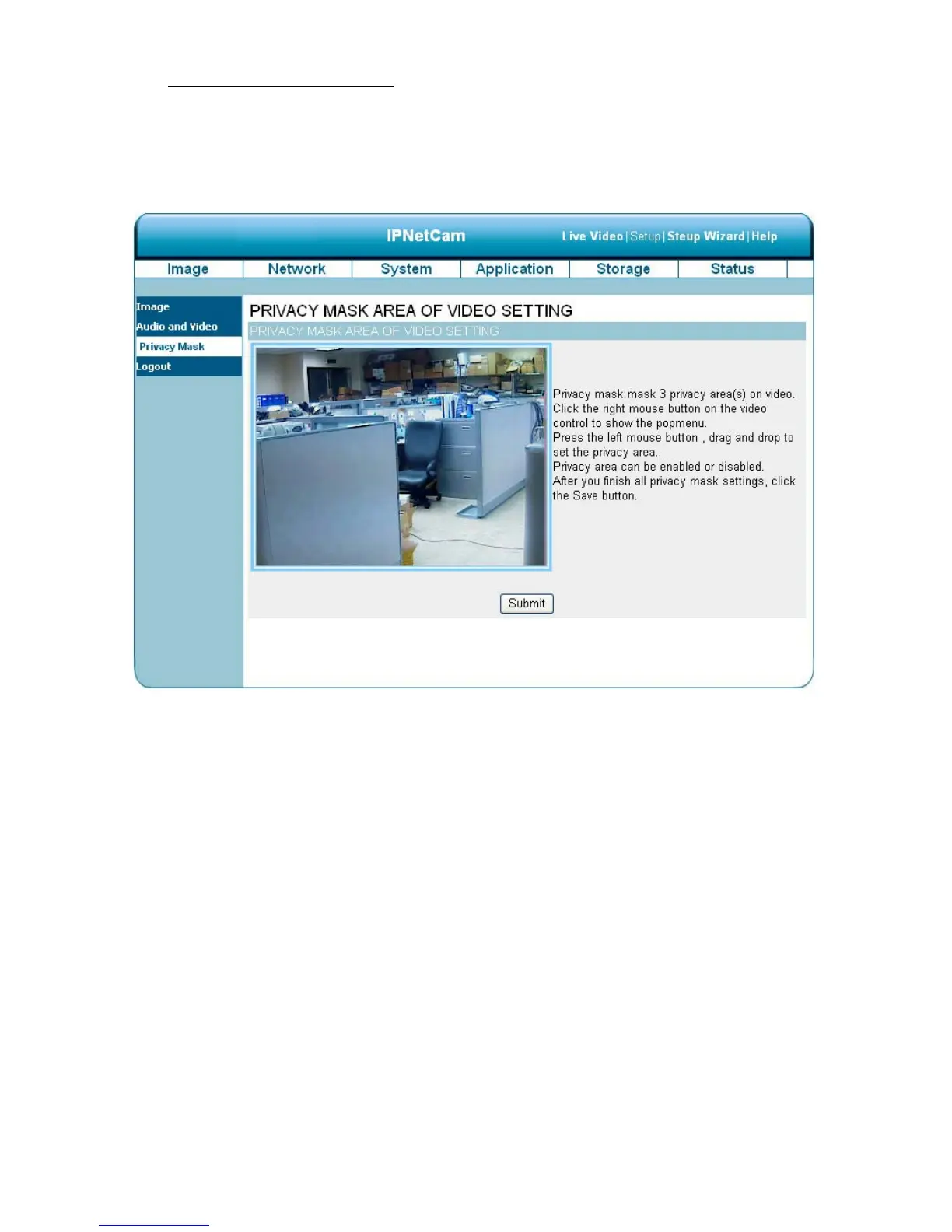
The Privacy Mask setting page
Click on the Privacy Mask button to enter the Privacy Mask Area setting page. Mask 3 privacy
area(s) on video to specify up to the area(s) on the camera's image to be blocked/excluded from
recordings and snapshots.
1. Click the right mouse button on the video control to show the pop-menu.
2. Press the left mouse button, drag and drop to set the privacy area.
3. Privacy area can be enabled or disabled.
4. After you finish all privacy mask settings, click the Submit button.



 To Next Page