56
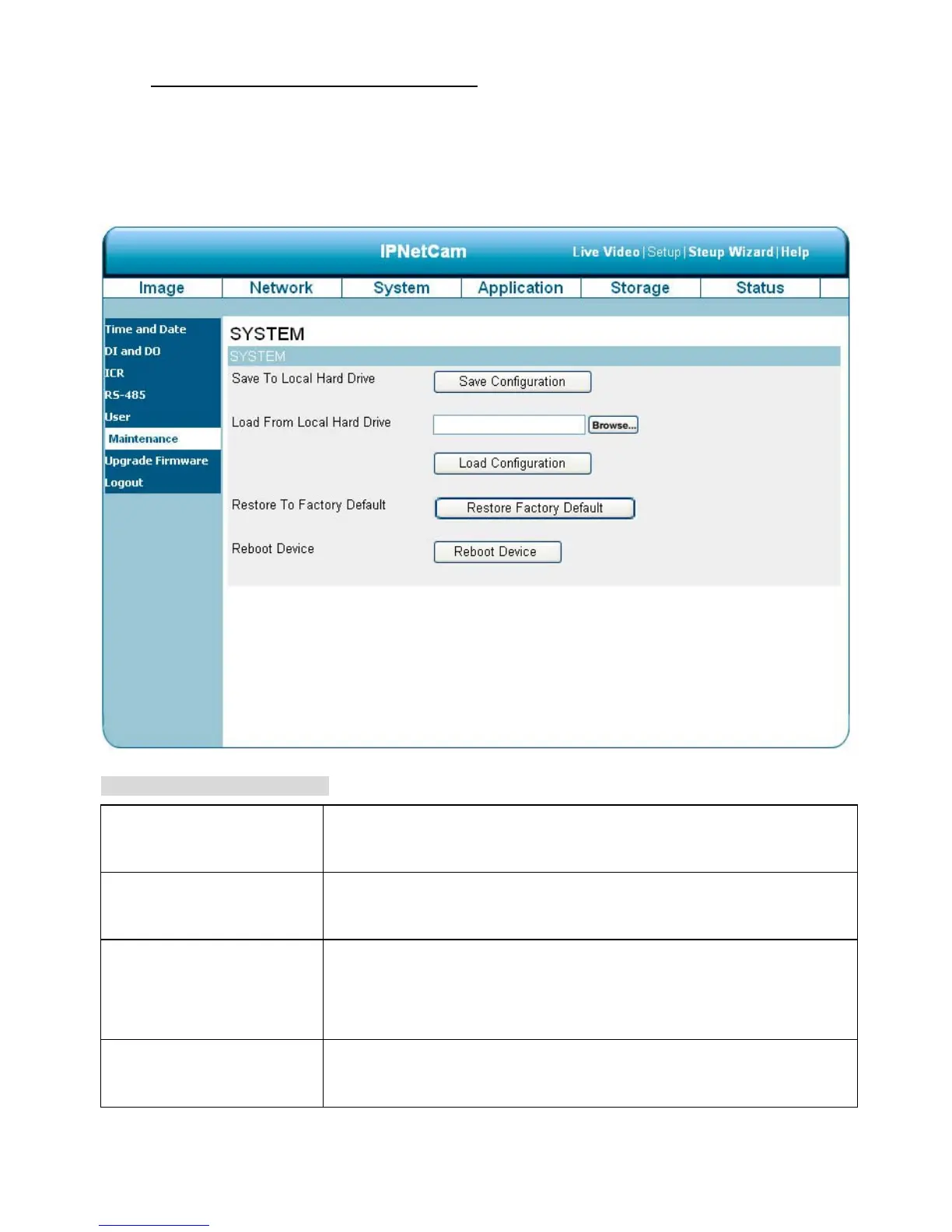
Change the System Setting — Maintenance.
Please follow the steps below to change the system setting through the network as necessary.
Click on the Maintenance button on the left side of the “Date and Time” page to enter the “System”
page.
Description of function keys:
Save Configuration: Click on “Save Configuration” to save the configuration files to the local
hard drive.
Load Configuration: Browse and click on the “Load Configuration” to load the configuration
files to the local hard drive.
Restore Factory Defaults: Click on “Restore Factory Defaults” to restore the factory defaults. You
may browse and load the configuration file. This option will restore the
pre-configured or saved settings
Reboot Device: Click on “Reboot Device” to reboot the device. This option will restart
the camera.



 To Next Page