75
5.1.3.6 Change the SD card Setting
Please follow the steps below to change the SD card setting through the network as necessary.
Change the SD card Setting.
Please follow the steps below to change the setting via the network as necessary.
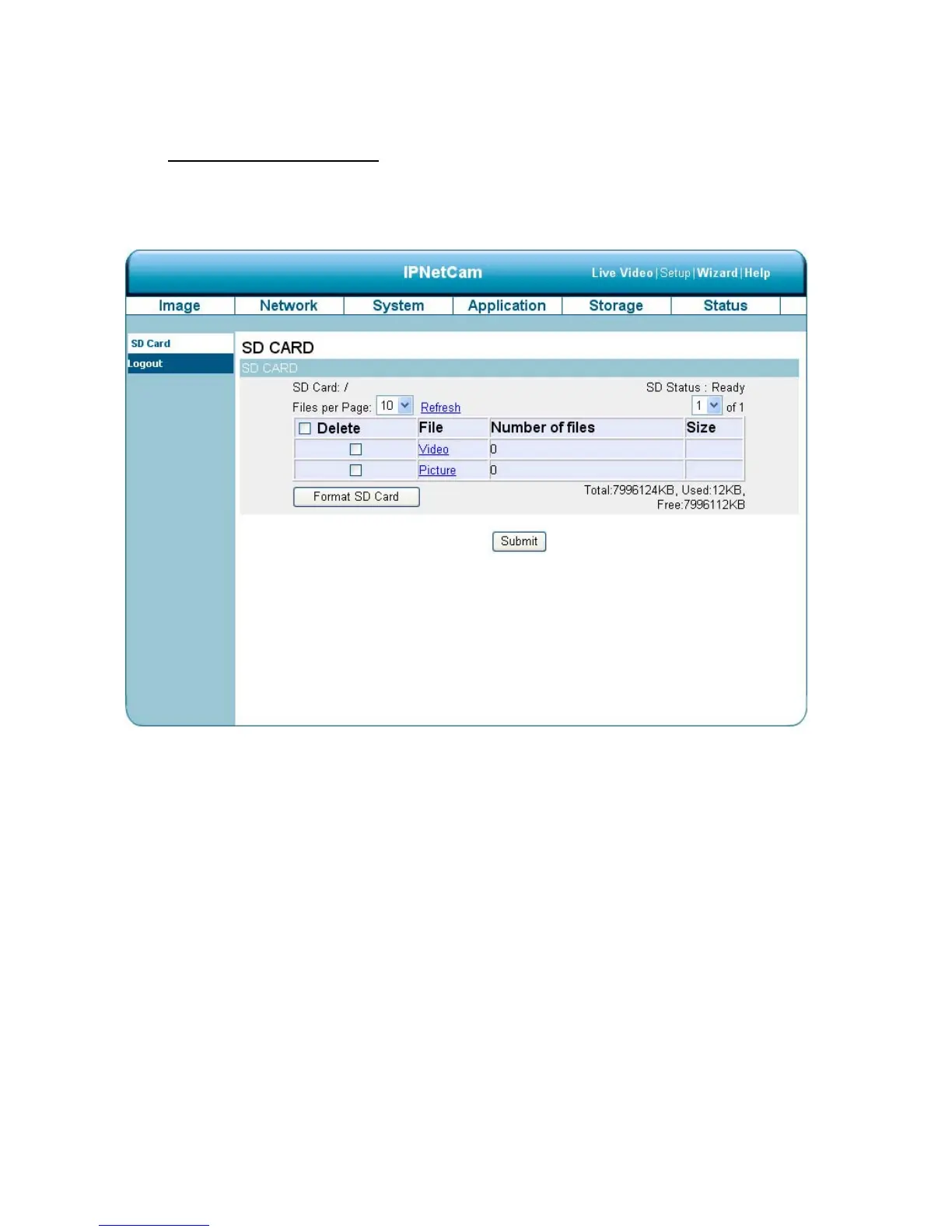
1. Click on the “storage” button at the top of the Setup page to enter the “SD Card” screen.
2. The SD Card page contains two image modes, the Video and the Picture.
3. Click “Video” or “Picture” to enter its sub year-month folder.
4. Click to enter its sub date folder.
5. Click the desired file to display the images therein.
6. Each file can be deleted by checking and pressing the OK button.



 To Next Page