83
(Supplementary information)
TV Business Division
83
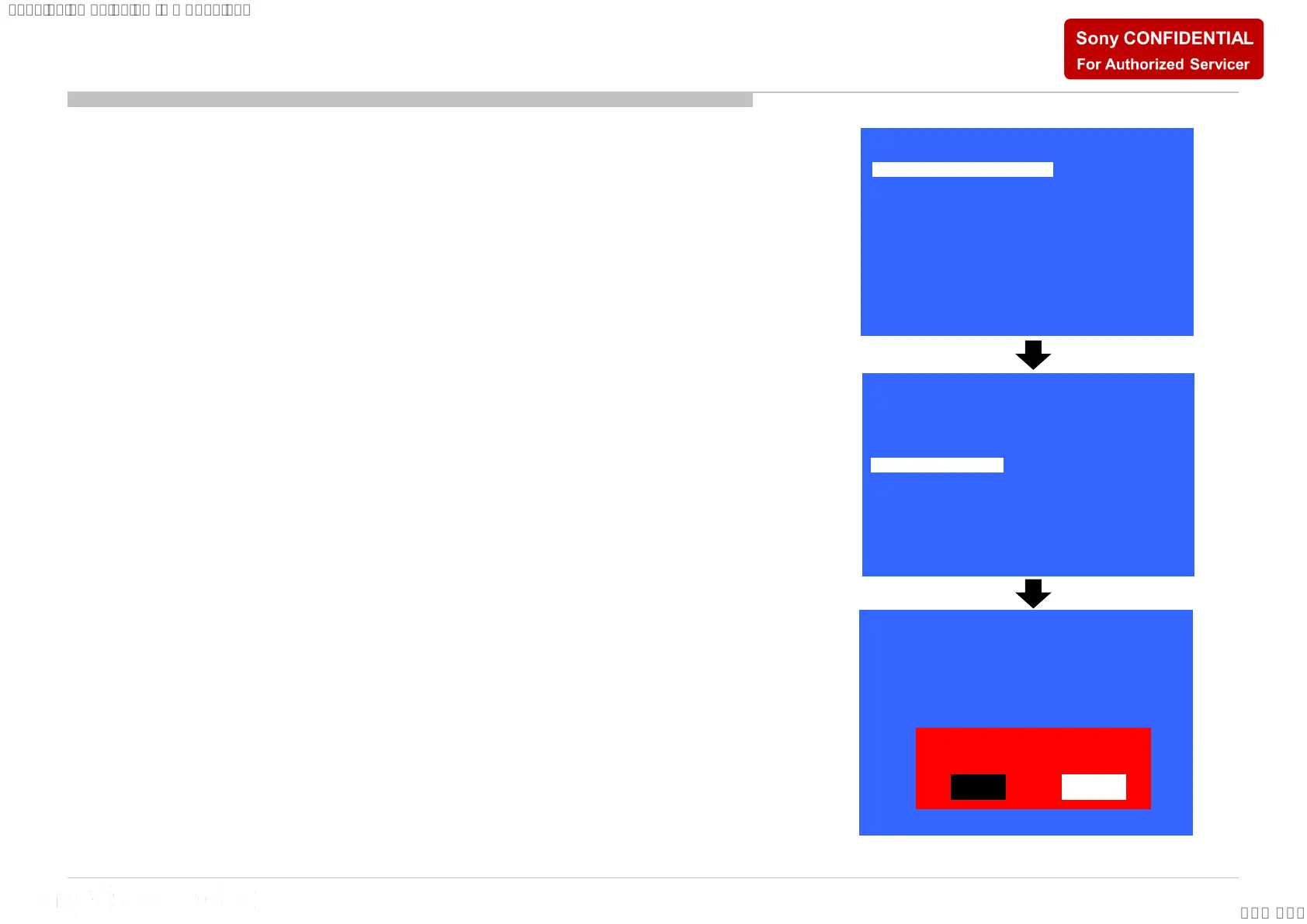
1) In “Service Mode”, select “Model Information” by pressing
“↑” or “↓” then pressing “Enter” or “→” button to enter
inside.
2) Select “Serial Number Edit” by pressing “↑” or “↓” button
then pressing “→” button
3) Press “↑” or “↓” to input numbers
4) After user input data , press <Enter>
• Pop-up dialog appear to confirm input data correct
• Serial Number can be set ONLY ONCE
5) Press “→” or “←” button to select YES
or NO. Select YES if input data is
correct. Select NO if input data is
incorrect. Press <Enter> to save
answer.
* The font color of YES/NO is change to black when it is selected.
>>
>>
>>
>>
>>
>>
>>
[</>] Set [Home]Exit
General Setting
Tuner
Wi-Fi / BT
Service Mode
Model Information
Self diagnosis History
Video / Audio
Panel / PQ
>>SDB Service Menu
Model Number Setting
Serial Number Edit
_ _ _ _ _ _ _
Model
Status Information
>>
Model Information
>>
>>
[</>] Set [Home]Exit
Model Number Setting
Serial Number Edit 9 9 9 9 9 9 9
Model
Status Information
>>
Model Information
>>
>>
Yes
No
Input Data correct?
[</>] Set [Home]Exit
Serial Number Edit (1)







 To Next Page