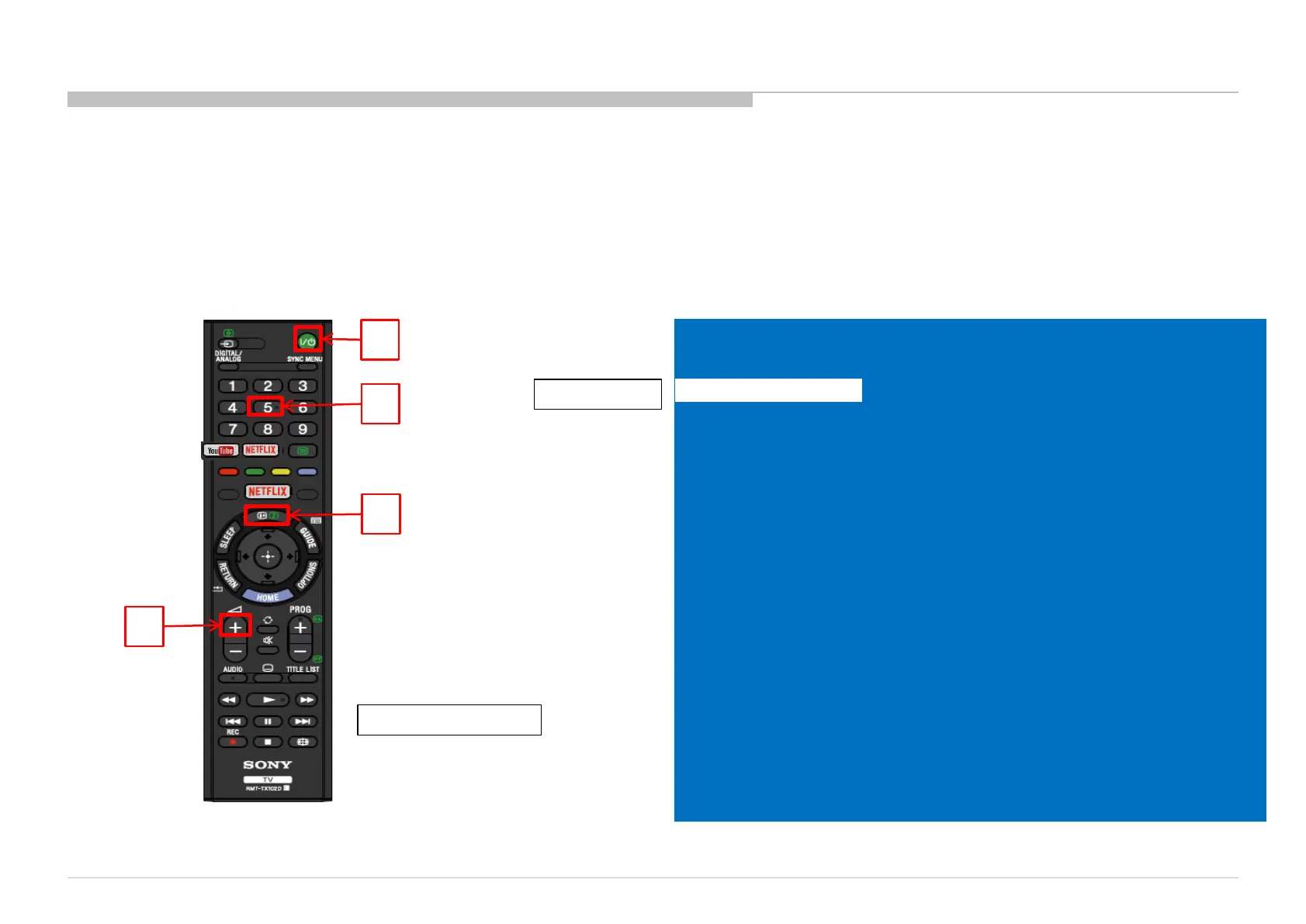
1. Go to TV standby condition by remote commander (when TV in On condition, press “Power”
once).
2. Press “i+ (info)/Display”, “5”, “Volume+” then “Power” remote.
3. You can see Service menu on display.
1
2
4
3
Remote Commander
Service Mode
Service Mode
Status Information >>
Self Diagnosis History >>
Wide Band Tuning >>
Panel Selection <[ 5_NS7S400HND0101_0 ]>
Status 1st Tu Infor >>
LVDS Spectrum (%) <[ 30 ]>
Update CI+ Credentials >>
SERIAL NUMBER EDIT
Model Number Setting
TEST RESET <[ Off ]>
UART Selection <[ No Log ]>
HDD Performance Check >>
AAA >>
Tu Data for Serv >>
SDB Service Menu >>
Panel/PQ >>
General Setting <[ Off ]>
Default date for HDD recording <[ Off ]>
Tuner Detection >>
LVDS Driver Strength <[ 4 ]>
ATMOS CEC DISABLE <[ 0 ]>
CEC FORCE LA=0 <[ 0 ]>
Read HDMI EDID >>
Option bit >>
[< / >] Set [Home] Exit
Status Information
03.1 How to enter Service Mode
SECTION 4
SERVICE ADJUSTMENTS
110











 To Next Page