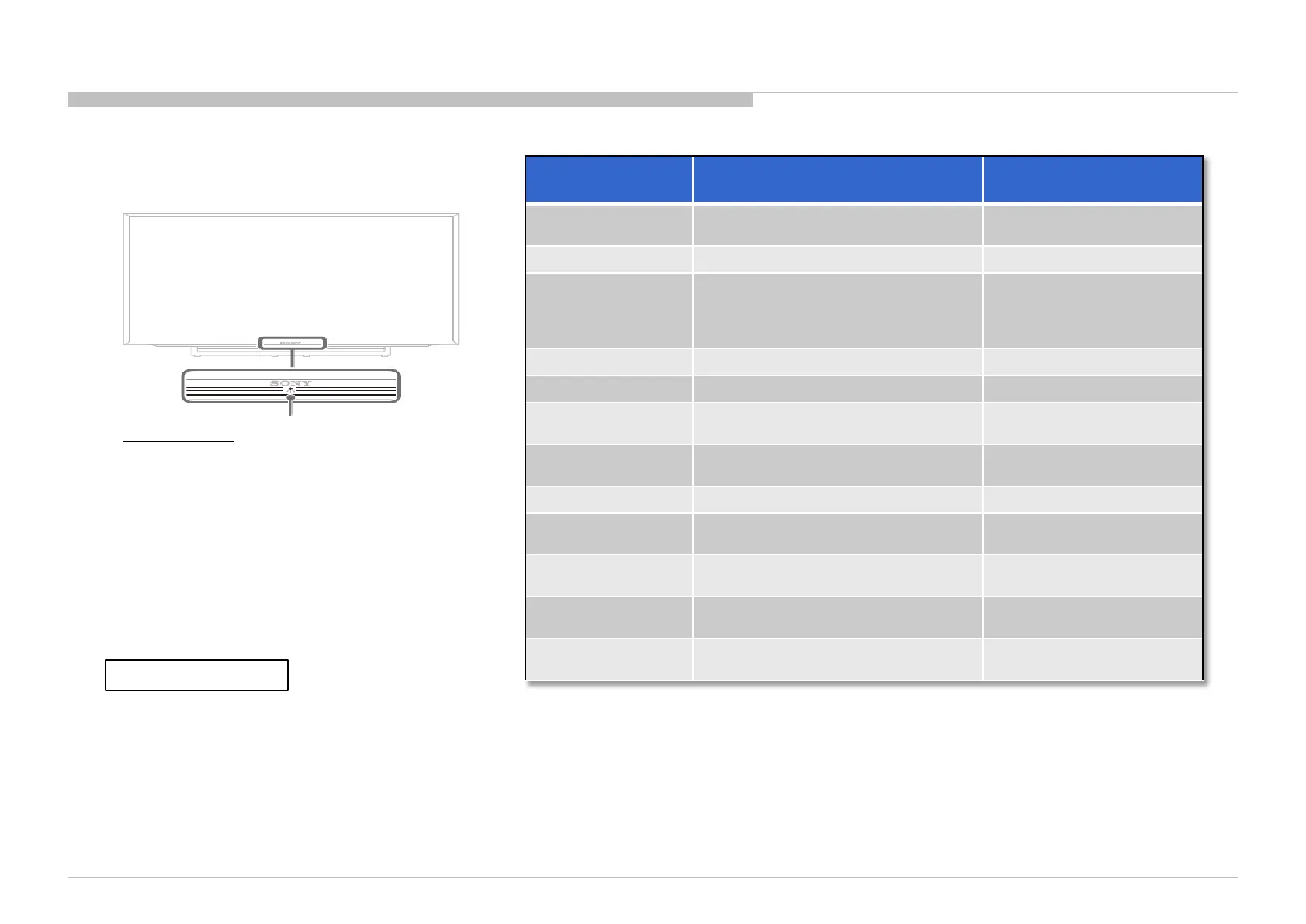
Status
LED Colour
Remarks
Power Off
( AC Off and *1)
OFF
*1 power switch off (by
Side Key)
Power On
White
Standby
( by remote control
off and Side Key
off)
OFF
Picture Off
White
Set "Sleep Timer"
Amber
Set "On Timer"
( Power On )
Amber
Set "On Timer"
( Standby )
Amber
Picture Frame
Amber
Failure
Red Blinking
The number of LED blinking
indicates cause of failure.
Error of panel ID
Amber / Green Blinking
Blinking:0.5sec Amber/
0.5sec Green
Software
Updating
Amber Blinking
Blinking: 1sec On / 1sec
Off
Software
Updating failure
Amber / Red Blinking
Blinking:1 sec Amber/ 1sec
Red
Amber = Red + Green
LED Indicator
• Lights up in white when you select “Picture Off”.
• Lights up in amber when you set the timer or
“Photo Frame Mode”.
• Lights up in white when the TV is turned on.
• Flashes while the remote is being operated.
SECTION 2
SELF DIAGNOSTIC FUNCTION
14







 To Next Page