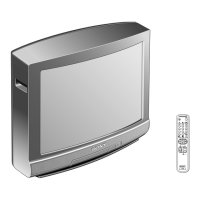
KE-42TS2E(AEP/UK) 2-1
<Service Mode>
The service mode is not displayed in the normal state. It is displayed by
entering a pass code.
All hidden menus are displayed when you enter the pass code below.
The uppermost item of the displayed menus is a service mode menu.
Pass code: Enter in the standby state (when the red LED lights) as follows:
Screen display → 5 → Vol+ → Power ON
== Service Mode Menu ==
1) EEP ROM Initialize
2) Chroma Decoder
3) AD Converter
4) White Balance
5) General
6) Manual Control
7) Preset Edit
8) Service Status
SECTION 2
ADJUSTMENTS
2-1. Adjustment of A/D Converter and Video
Coder
2-1-1. Preparation for adjustment
1. Set [RGB MODE] of the Custom Setup menu in the service mode to
[Other].
2. Set the [Cal Mode] of the AD Converter in the service mode to [ON].
2-1-2. RGB input adjustment
1. Input All white 90 IRE signal of VGA (640x480/60Hz) to the RGB
input terminal.
2. Set Picture Mode into “Personal2”.
(Caution) The order of 1, 2 must not be changed.
3. Select RGB Calibration from the AD Converter menu then, Adjust the
R and B gain in the menu and balance so that the detection values of R
and B is approximate to the detection value of G.
4. Adjust the Sub Contrast (RGB) and then, adjust the detection values of
R, G, and B to the set value.
Detection set value: 230 ± 3
5. Set the RGB input signal to All gray 20 IRE signal of VGA (640x480/
60Hz).
6. Adjust the RGB Bias and then, adjust the detection values of R, G, and
B to the set value.
Detection set value: 51 ± 3


 To Next Page