KLV-32/40/46/52W400A (GA) 7
1-4. SELF-DIAGNOSTIC SCREEN DISPLAY
For errors with symptoms such as “power sometimes shuts off” or “screen sometimes goes out” that cannot be confirmed, it is possible to
bring up past occurrences of failure for confirmation on the screen:
1-4-1. To Bring Up Screen Test
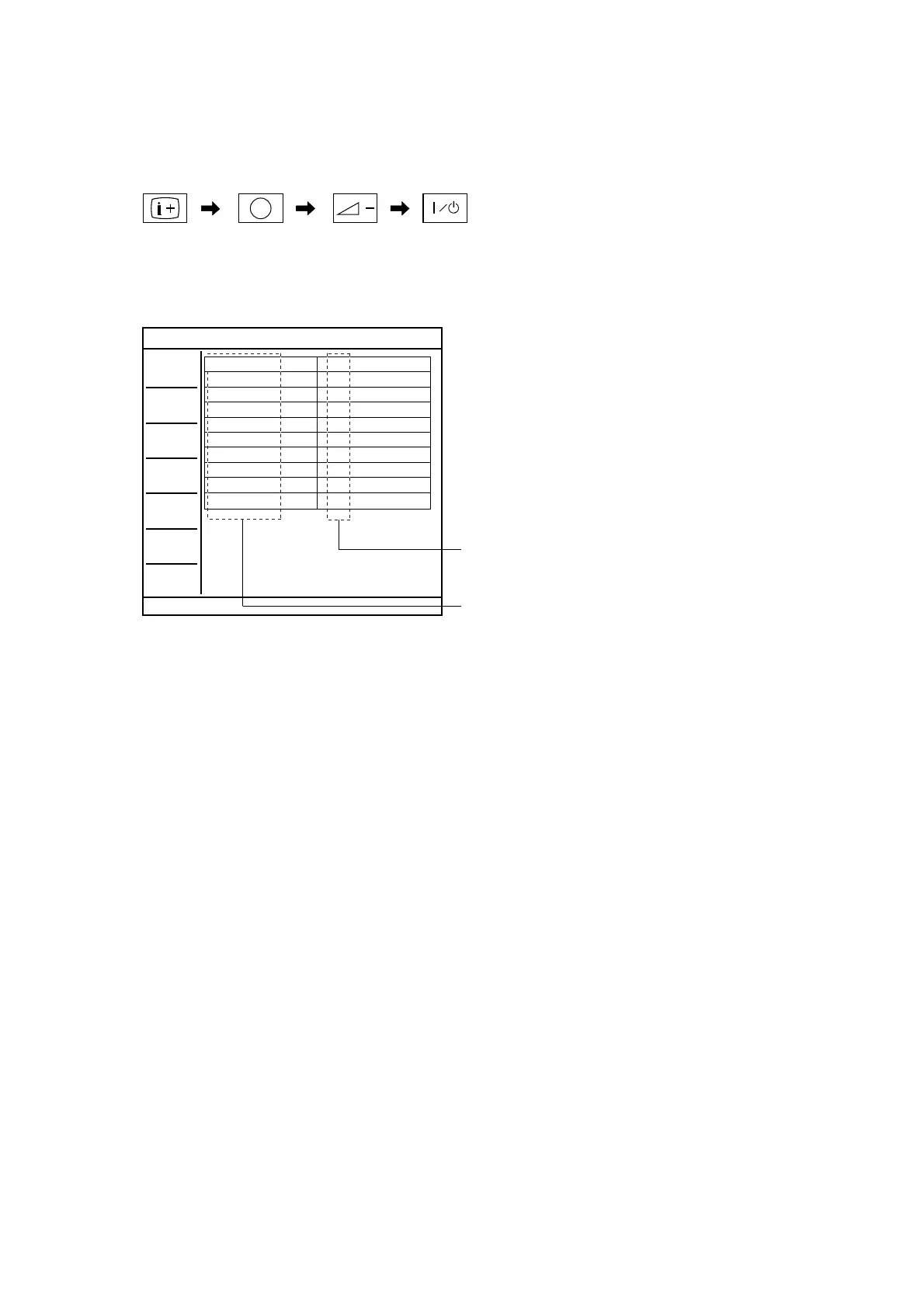
In standby mode, press buttons on the remote commander sequentially in rapid succession as shown below:
Since the diagnostic results displayed on the screen are not automatically cleared, always check the self-diagnostic screen
After you have completed the repairs, clear the result display to “0”.
1-5. Quitting Self-diagnostic screen
To quit the entire self-diagnostic screen, turn off the power switch on the remote commander or the main unit.
DC_DET
DC_ALEAT1
DC_ALERT2
DC_ALERT3
BACKLIGHT
TEMPERATURE
AUDIO
DFE
B-ENGINE
HFR
0
0
0
0
0
0
0
0
0
0
TV
Monitoring Items
Error Count Record
For details, refer to "1-1. DIAGNOSTIC TEST INDICATORS"
[ SELF-DIAGNOSTIC SCREEN DISPLAY ]
Number "0": means that no fault detected.
Number "1": means a fault was detected one time only.
5
* : Note that this differs from entering the service mode (volume +)
( Number button )
* ( Volume )
( TV standby )
( Info/Text reveal )





 To Next Page