Need help?
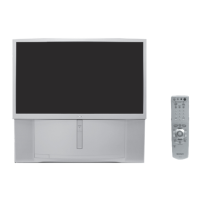
Do you have a question about the Sony KP-46WT500 and is the answer not in the manual?
Precautions regarding water and moisture exposure.
Guidelines for placing the TV set safely on stands.
Instructions to ensure proper airflow and prevent overheating.
Advice on protecting the power cord from damage.
Safety precautions for outdoor antenna installation and grounding.
Conditions under which professional servicing is required.
Warnings against self-servicing and referring to qualified personnel.
Guidance on ensuring correct replacement parts are used.
Overview of key features of the projection TV.
Instructions for installing batteries in the remote control.
Details about the function of front panel controls and menu navigation.
Preferred hookup for cable TV systems using a cable box.
How to automatically set up TV channels upon initial setup.
Overview of remote control buttons for advanced functions.
Explanation of remote control buttons for TV operations.
How to open, navigate, and exit on-screen menus.
Adjusting picture settings like mode, brightness, color, and sharpness.
Customizing audio settings like treble, bass, balance, and MTS options.
Setting up favorite channels, cable, and auto program functions.
Adjusting wide screen modes and 4:3 default settings.
Setting the clock, daylight saving, and programmable timers.
Configuring channels, video labels, and language settings.
How to program the remote to control other video equipment.
Remote control functions for operating a VCR.
Remote control functions for operating a DVD player.
Remote control functions for operating a satellite receiver.
 General
| Brand | Sony |
|---|---|
| Model | KP-46WT500 |
| Category | Projection TV |
| Language | English |


 To Next Page