To Next Page

B
Barbara WoodAug 19, 2025
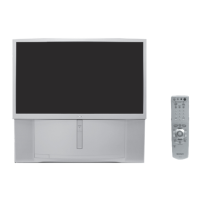
How to clean the Sony KP-48V75 Projection TV?
- JJoy StewartAug 19, 2025
Clean the Sony Projection TV with a soft dry cloth.

How to clean the Sony KP-48V75 Projection TV?
Clean the Sony Projection TV with a soft dry cloth.
Why does the remote control not operate on my Sony Projection TV?
If the remote control for your Sony Projection TV isn't working, first replace the batteries, as they might be weak. Also, ensure the TV's power cord is securely connected to the wall outlet. When operating the TV, press the TV (FUNCTION) button. Finally, check if fluorescent lights are too close to the TV and, if so, move them at least 3-4 feet away.
What to do if my Sony Projection TV has no picture (screen not lit)?
If there is no picture on your Sony Projection TV, ensure the power cord is securely connected. Try operating the TV with the buttons on the unit itself. Also, make sure the batteries are correctly inserted in the remote or replace them if they are weak. Check that the TV/VIDEO setting is correct when watching TV, and try switching to another channel. As a last resort, perform AUTO SET UP again using the SETUP button to return to the factory preset condition.
Why does my Sony KP-48V75 have a good picture but no sound?
If your Sony Projection TV has a good picture but no sound, first press the MUTING button to ensure 'MUTING' disappears from the screen. Next, check the MTS setting in the AUDIO menu and make sure the SPEAKER is set to ON. If these steps don't work, perform AUTO SET UP again using the SETUP button to return to the factory preset condition.
How to fix poor picture quality on Sony Projection TV?
If your Sony Projection TV displays a poor or no picture, try the following: * Adjust the PICTURE and BRIGHTNESS in the VIDEO menu. * Adjust convergence. * Check the antenna/cable connections. * Perform AUTO SET UP again using the SETUP button to return to the factory preset condition. * Remove any objects from the front of the TV.
What to do if Sony KP-48V75 Projection TV cannot receive channels with cable TV?
If your Sony Projection TV cannot receive any channels when using cable TV, ensure that the CABLE setting is ON in the SET UP menu. If that doesn't work, use AUTO PROGRAM to add receivable channels that are not presently in the TV's memory.
How to fix snow and noise on Sony KP-48V75 screen?
If your Sony Projection TV screen only shows snow and noise, check the CABLE setting in the SET UP menu and the antenna/cable connections. Ensure the channel is broadcasting programs. You can also try pressing the ANT button to change the input mode.
Why is there no color on my Sony KP-48V75?
If your Sony Projection TV has no color, adjust the COLOR in the VIDEO menu. Also, confirm that a black and white program is not being broadcast. If the problem persists, perform AUTO SET UP again using the SETUP button to return to the factory preset condition.
How to fix Sony KP-48V75 not receiving UHF channels with antenna?
If your Sony Projection TV cannot receive upper channels (UHF) when using an antenna, make sure that CABLE is OFF in the SET UP menu. If this doesn't resolve the issue, use AUTO PROGRAM to add receivable channels that are not presently in the TV's memory.
What to do if I cannot operate the menu on my Sony KP-48V75 Projection TV?
If you cannot operate the menu on your Sony Projection TV, and the item you want to choose appears in gray, it means you cannot select it. Press TV/VIDEO correctly. Additionally, check the CABLE setting in the SET UP menu.
Instructions for physically installing the projector and optimal viewing area.
Guides for connecting antennas, cable boxes, VCRs, camcorders, audio systems, etc.
Instructions for inserting batteries and understanding remote control buttons.
Guide to AUTO SET UP, channel scanning, convergence, and manual adjustments.
How to change the on-screen menu language to English, Spanish, or French.
Watching TV, selecting channels, adjusting volume, using display information, and switching inputs.
Using PIP, P&P, CH INDEX features to view multiple programs simultaneously.
Adjusting picture settings (mode, color, brightness) and sound settings (bass, treble, effects, MTS).
Configuring speaker switch, audio output, daylight saving, clock, and on/off timers.
Customizing channel names, blocking channels, setting favorites, labeling video inputs, and displaying captions.
Displaying captions and operating VCRs, DVD players, cable boxes, and DBS receivers.
Solutions for problems like no picture, no sound, poor picture quality, or remote control issues.
Details on projection system, picture tube, lenses, screen size, inputs/outputs, power, and dimensions.
Index of projection TV buttons and remote control functions with page references.
 General
| Brand | Sony |
|---|---|
| Model | KP-48V75 |
| Category | Projection TV |
| Language | English |