EasyManua.ls Logo

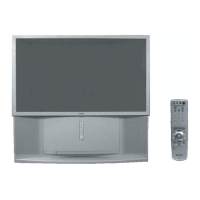
Sony KP-ER43M31 - User Manual

Sony KP-ER43M31
225 pages
Print Icon
To Next Page IconTo Next Page
Loading...
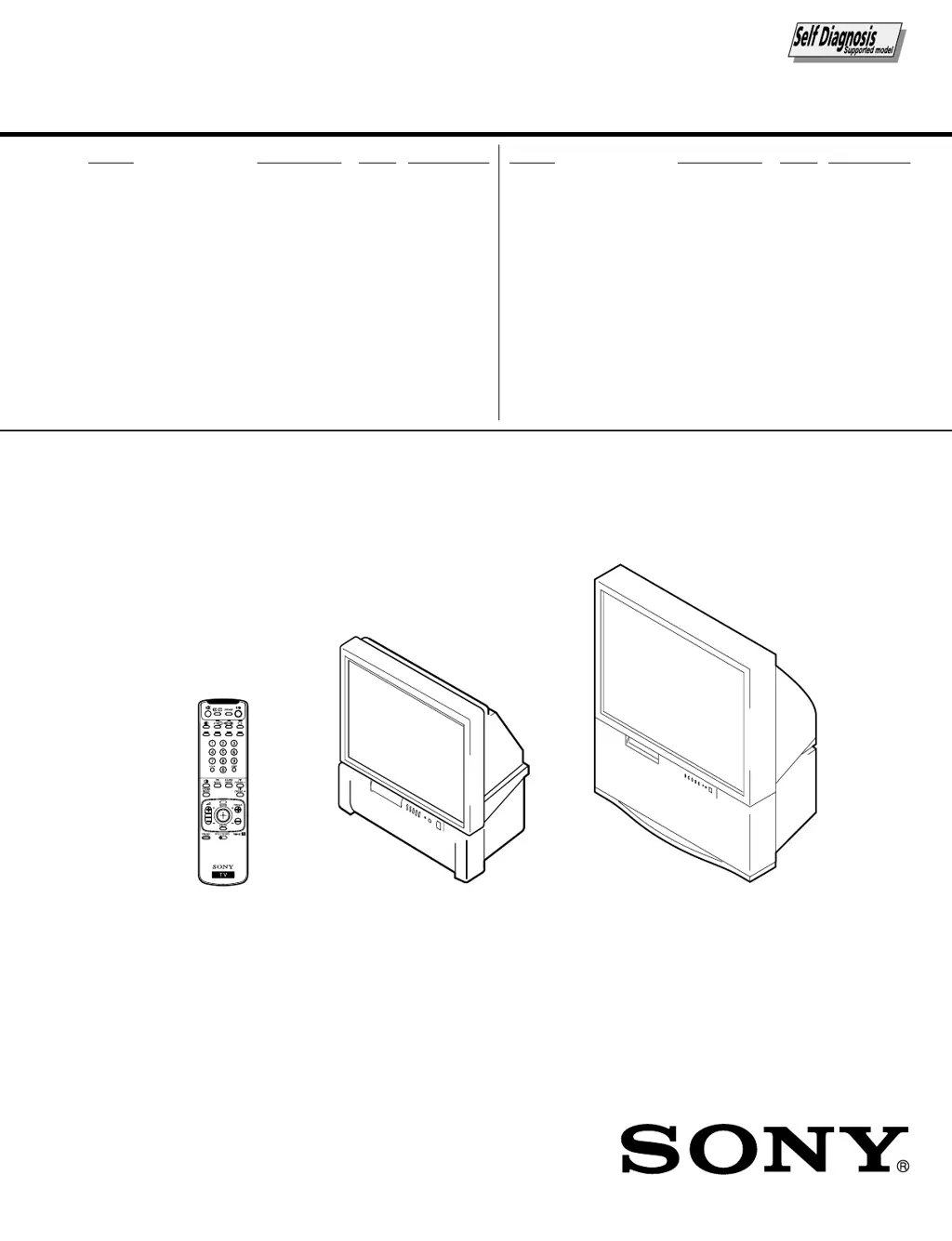
SERVICE MANUAL
MODEL COMMANDER DEST. CHASSIS NO.
CHASSIS
MODEL COMMANDER DEST. CHASSIS NO.
RG-3A
PROJECTION TV
KP-ER43M31 RM-961 AUS SCC-P87A-A
KP-ER43M61 RM-961 GE SCC-P85A-A
KP-ER43M90 RM-961 HK SCC-P84A-A
KP-ER43M91 RM-961 ME SCC-P86A-A
RM-961
KP-ER53M31/ER53M61
/ER53M90/ER53M91
KP-ER53M31 RM-961 AUS SCC-P87B-A
KP-ER53M61 RM-961 GE SCC-P85B-A
KP-ER53M90 RM-961 HK SCC-P84B-A
KP-ER53M91 RM-961 ME SCC-P86B-A
KP-ER43M31/ER43M61
/ER43M90/ER43M91

Table of Contents

Questions and Answers

  • M
    Ms. Hayley NguyenAug 17, 2025
    Why does my Sony KP-ER43M31 have good picture but noisy sound?
    • B
      batesjodiAug 18, 2025
      If your Sony Projection TV displays a good picture but has noisy sound on all channels, access the “CH PRESET” menu and select “AUTO PROGRAM” to preset the channels again. If the noise affects only some channels, select the channel, then access the “CH PRESET” menu and choose the appropriate TV system (“TV SYS”). Also, ensure that the power cord, antenna, and VCR connections are securely in place.
  • G
    Grant PetersonAug 20, 2025
    How to fix snowy picture and noisy sound on Sony KP-ER43M31?
    • E
      elizabeth79Aug 20, 2025
      If your Sony Projection TV exhibits a snowy picture and noisy sound, start by checking the antenna cable and its connections at the TV, VCR, and wall. If the connections are secure, try pressing the PRESET button to access the “MANUAL PROGRAM” menu and preset the channel again. Also, verify that you are using the correct antenna type (VHF/UHF). If needed, adjust the antenna direction or try using a booster to improve the signal.
  • J
    Julie OrozcoAug 22, 2025
    What to do if my Sony KP-ER43M31 has double images or ghosts?
    • D
      Dr. Kevin ThomasAug 22, 2025
      If your Sony Projection TV shows double images or ghosts, try using a highly directional antenna and the fine tuning (“FINE”) function. Also, adjust the antenna direction and turn off or disconnect the booster if it is in use.
  • B
    Brian GilbertAug 25, 2025
    Why does my Sony Projection TV show dotted lines or stripes?
    • L
      lynchjerryAug 26, 2025
      If you see dotted lines or stripes on your Sony Projection TV, it might be due to interference from nearby equipment like cars, neon signs, hair dryers, or power generators. Try not using a hair dryer or other equipment near the TV. Adjust the antenna direction for minimum interference.
  • U
    umillerAug 27, 2025
    How to resolve distorted picture and noisy sound on Sony Projection TV?
    • S
      Sandra GeorgeAug 27, 2025
      If your Sony Projection TV displays a distorted picture and noisy sound, it may be due to strong broadcast signals. Press the PRESET button to display the “MANUAL PROGRAM” menu, then select “ SENS: LOW”. If you are using a booster, turn it off or disconnect it.
  • S
    saguilarAug 30, 2025
    Why is there good picture but no sound on my Sony Projection TV?
    • W
      wpruittAug 30, 2025
      If your Sony Projection TV has a good picture but no sound, first, press 2 + to increase the volume level. If that doesn't work, press % to cancel muting. You can also press A/B until a better sound is heard. Also, check the “SPEAKER” setting in the “AV CONTROL” menu. When connecting to C– (center speaker input) to use the TV speakers as center speakers, set SPEAKER: CENTER IN, or set SPEAKER: MAIN to listen to the sound from the TV.
  • P
    Peter CostaSep 1, 2025
    How to fix no color on my Sony KP-ER43M31 Projection TV?
    • K
      Kevin RomeroSep 1, 2025
      If your Sony Projection TV has no color, access the “A/V CONTROL” menu, select “ADJUST” of “PICTURE MODE”, and adjust the “COLOR” level. Also, check the color system (“COL SYS”) setting in the “CH PRESET” menu and ensure it is set to “AUTO”. If the issue persists, adjust the antenna direction.
  • N
    Nicholas TannerSep 4, 2025
    Why does stereo sound switch on and off on Sony KP-ER43M31 Projection TV?
    • R
      richard81Sep 4, 2025
      If the stereo broadcast sound on your Sony Projection TV switches on and off, or is distorted, or switches between stereo and monaural frequently, check the antenna cable and connection on the projection TV, VCR, and on the wall. You can also adjust the antenna direction or press A/B until a better sound is heard.
  • D
    David MarshSep 6, 2025
    What causes incomplete teletext display on Sony KP-ER43M31 Projection TV?
    • R
      Raymond RiveraSep 6, 2025
      If the teletext display on your Sony Projection TV is incomplete, showing a snowy picture or double images, check the antenna cable and connection on the projection TV, VCR, and at the wall. Also, adjust the antenna direction and try using a booster, or use the fine tuning (”FINE”) function.
  • E
    Erica SnyderSep 9, 2025
    What causes lines moving across the Sony TV screen?
    • B
      Barry Reed MDSep 9, 2025
      If you notice lines moving across the screen of your Sony Projection TV, it could be due to interference from external sources such as heavy machinery or a nearby broadcast station. Try using the fine tuning (”FINE”) function.

Sony KP-ER43M31 Specifications

General IconGeneral
BrandSony
ModelKP-ER43M31
CategoryProjection TV
LanguageEnglish

Related product manuals