4-748-325-11(1) Copyright 2019 Sony Corporation
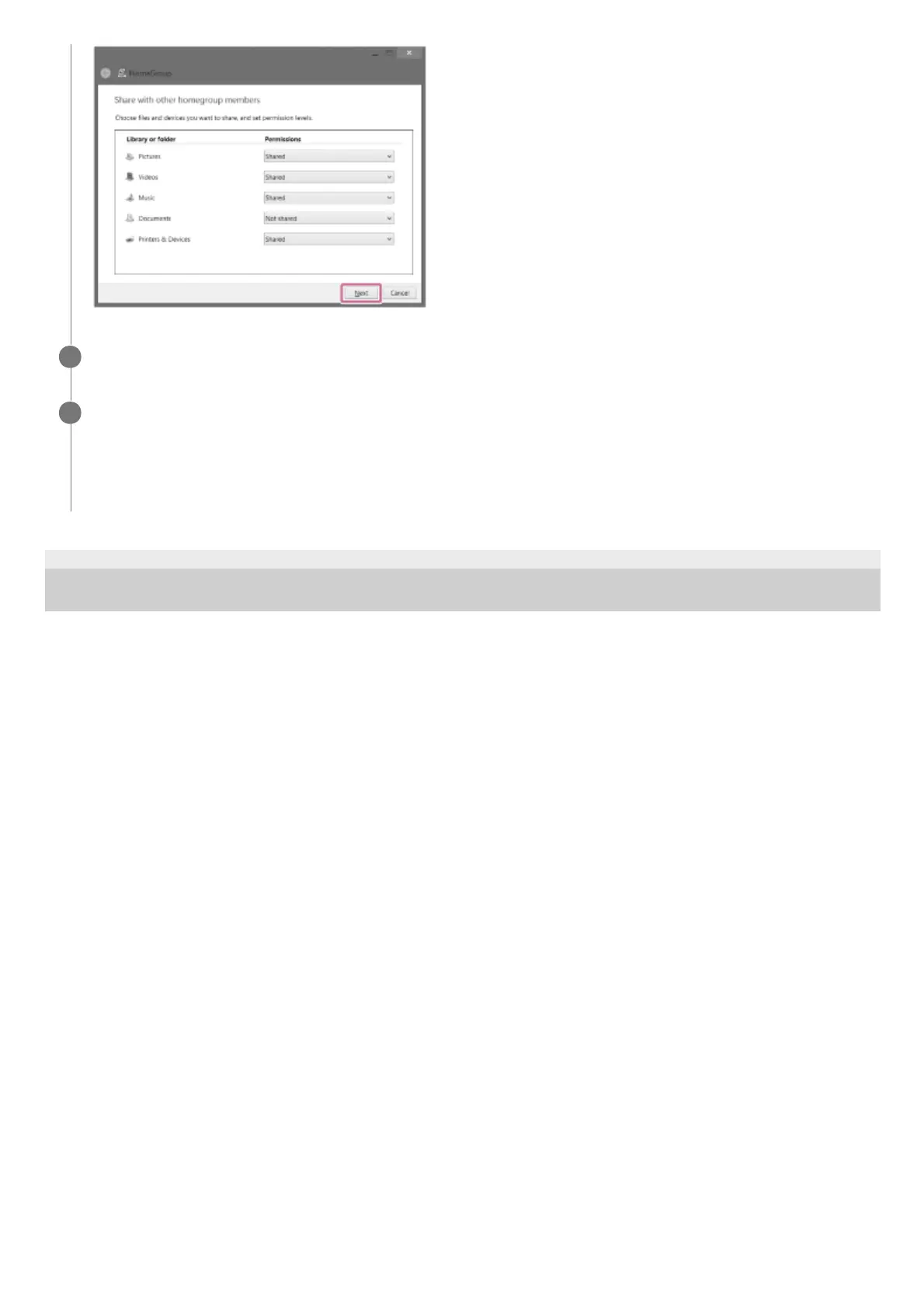
Select [Finish] to close the screen.
5
Select [Stream], then check that [Automatically allow devices to play my media...] has been checked.
The PC setting is now complete.
Select [Home Network] on Sony | Music Center, and select your PC from the server list.
When you select albums, artists, or other items from [MUSIC], you can listen to music saved on your PC.
6


 To Next Page