EasyManua.ls Logo

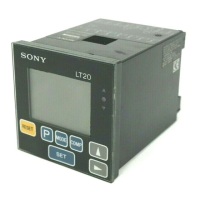
Sony LT20 Series - User Manual

Sony LT20 Series
132 pages
Go to English
Print Icon
To Next Page IconTo Next Page
Loading...
取扱説明書/InstructionManual/Bedienungsanleitung
Serial No.200001 and Higher
表示ユニット/ Display Unit/ Anzeigeeinheit
LT20 Series
お買い上げいただき、ありがとうございます。
ご使用の前に、この取扱説明書を必ずお読みください。
この取扱説明書は、シリアルNo.200001〜のLT20シリーズ用です。
ご使用に際しては、この取扱説明書どおりお使いください。
お読みになった後は、後日お役に立つこともございますので、必ず保管してください。
Read all the instructions in the manual carefully before use and strictly follow them.
Keep the manual for future references.
Lesen Sie die ganze Anleitung vor dem Betrieb aufmerksam durch und folgen Sie beim
Betrieb des Geräts den Anweisungen. Bewahren Sie diese Bedienungsanleitung zum
späferen Nachlesen griffbereit auf.

Table of Contents

Questions and Answers

  • J
    James JohnsonAug 3, 2025
    How to fix Sony LT20 Monitor when the power cannot be turned on?
    • B
      Brenda CoxAug 3, 2025
      If your Sony Monitor won't turn on, try the following: First, turn the power off, wait for 1 minute, and then turn it back on. Also, check the power line connection and ensure its continuity. Finally, verify that the power voltage is within the proper range.
  • L
    Luke HansenAug 8, 2025
    Why accuracy cannot be obtained on Sony Monitor?
    • A
      Andrea PierceAug 8, 2025
      If you cannot obtain accuracy with your Sony Monitor, check for any mechanical trouble that may affect accuracy, such as machine adjustment or deflection on play. Also, check to see if the temperature difference between the measuring unit, machine, and workpiece is great.
  • T
    Troy CarlsonAug 13, 2025
    What to do if alarm is displayed on Sony Monitor due to noise?
    • J
      jennyrodriguezAug 13, 2025
      If the alarm is displayed on your Sony Monitor and there is a large amount of noise, first carry out the reset procedure.
  • T
    Tony ClineAug 18, 2025
    How to troubleshoot no counting on Sony LT20 Monitor?
    • L
      lisahensleyAug 18, 2025
      If your Sony Monitor is not counting, turn off the power switch and turn it on 5 seconds later.
  • S
    saragarzaAug 23, 2025
    What to do if Sony LT20 alarm indicates exceeded probe response speed?
    • N
      nancyvincentAug 23, 2025
      If the alarm is triggered on your Sony Monitor because the maximum response speed for the measuring probe has been exceeded, connect a correctly functioning measuring probe and reset the device.
  • D
    Dr. Vincent GutierrezAug 27, 2025
    What does it mean if sixth digit is “F” on Sony LT20 Monitor?
    • M
      Michael KingAug 28, 2025
      Check if the preset value is too large (Overflow) on your Sony Monitor.

Summary

User Guidance and Precautions

General Precautions

General safety guidelines for using Sony Manufacturing Systems Corporation products.

Handling Instructions

Specific instructions for safe operation and maintenance of the display unit.

Unit Interface and Functionality

Operating the LT20 Display Unit

Initial Setup Procedures

Guides through basic setup like units, display, and input resolution.

BCD Model Specific Settings

Configuration steps specific to the BCD output model.

RS-232 C Model Specific Settings

Configuration steps specific to the RS-232C output model.

Terminal Functions and Signal Details

RS-232 C Communication Setup

RS-232 C Commands and Data

Lists ASCII commands and data transmission formats for RS-232C.

Alarm Handling and Indicators

LT20 Series Technical Data

Model Feature Comparison

Compares features, I/O, and functions across LT20 models.

Performance and Environmental Specs

Details peak hold, resolution, frequency, alarm, temp, power, and mass.

Troubleshooting and Maintenance

Problem Diagnosis and Solutions

Step-by-step solutions for common operational problems.

Sony LT20 Series Specifications

General IconGeneral
BrandSony
ModelLT20 Series
CategoryMonitor
LanguageEnglish

Related product manuals