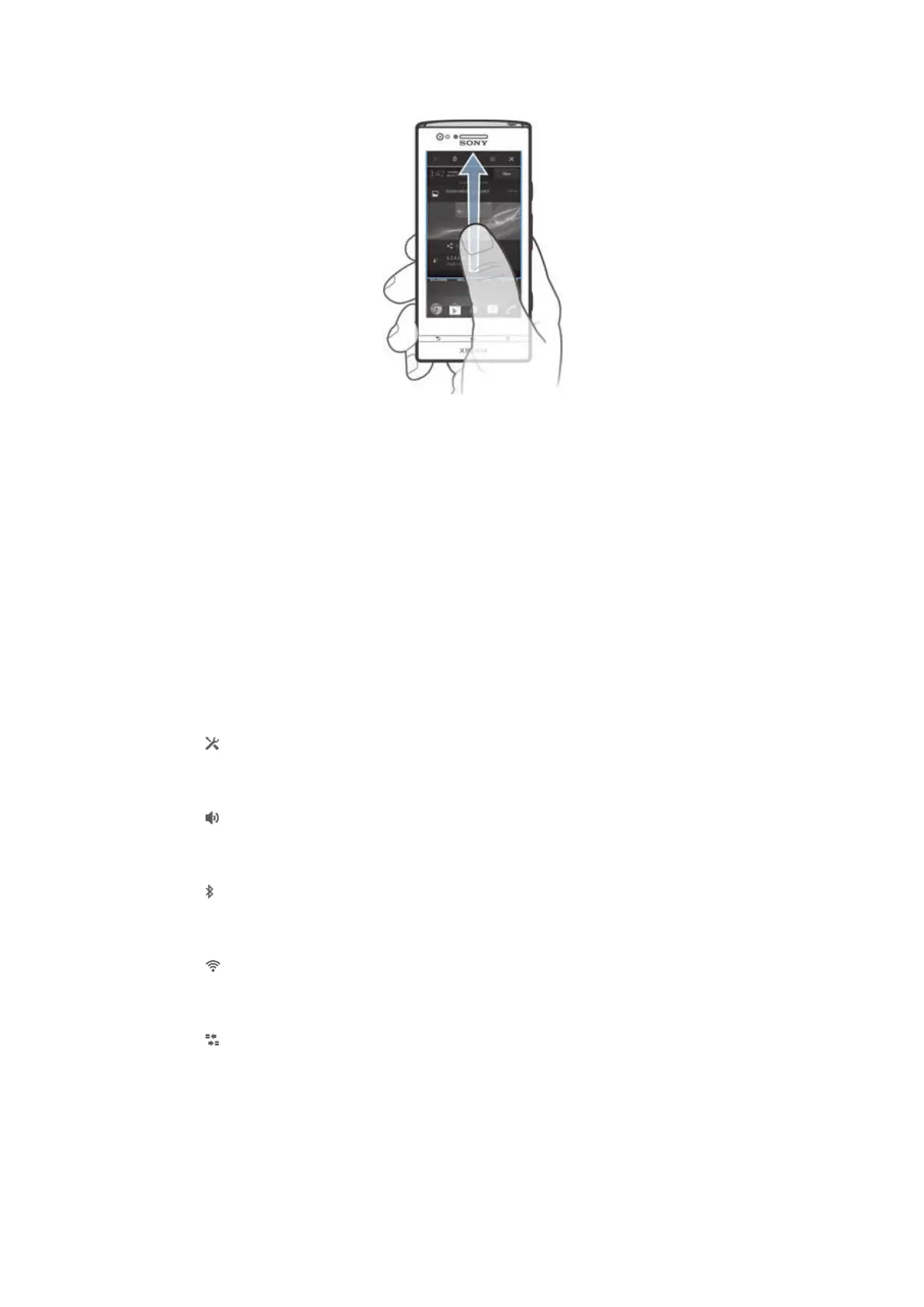
To close the Notification panel
• Drag the tab at the bottom of the Notification panel upward.
To open a running application from the Notification panel
• Tap the icon for the running application to open it.
To dismiss a notification from the Notification panel
• Place your finger on a notification and flick left or right.
To clear the Notification panel
• From the Notification panel, tap Clear.
Setting your device from the Notification panel
You can open the settings menu from the Notification panel to adjust basic device
settings. For example, you can turn on Wi-Fi®.
To open the device settings menu from the Notification panel
1 Drag the status bar downward.
2 Tap .
To adjust sound settings from the Notification panel
1 Drag the status bar downwards.
2 Tap .
To control the Bluetooth™ function from the Notification panel
1 Drag the status bar downwards.
2 Tap .
To control the Wi-Fi® function from the Notification panel
1 Drag the status bar downwards.
2 Tap .
To enable or disable data traffic from the Notification panel
1 Drag the status bar downward.
2 Tap .
Settings menu
View and change settings for your device from the Settings menu.
22
This is an Internet version of this publication. © Print only for private use.






 To Next Page