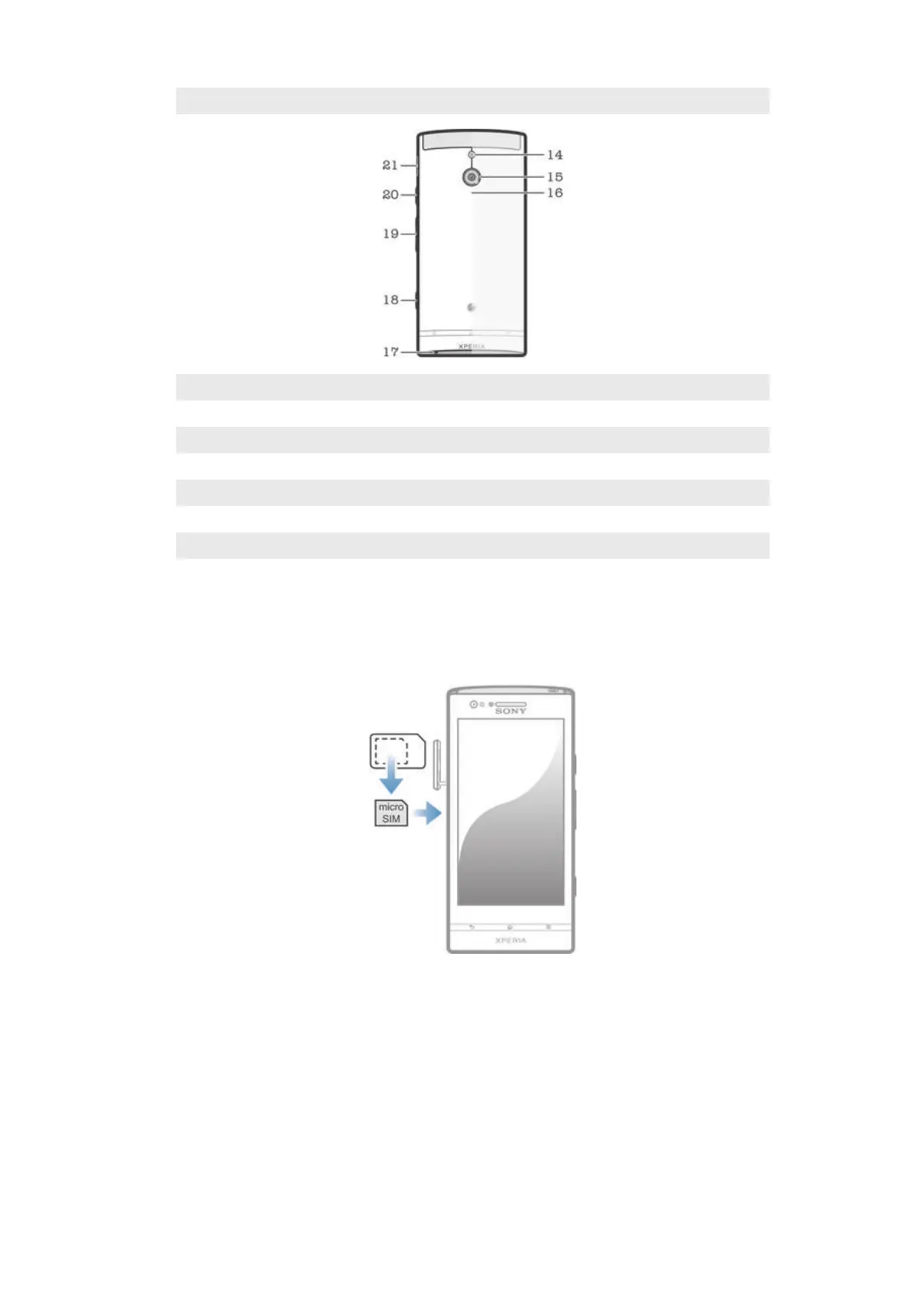
13 Front camera lens
14 Camera LED light
15 Camera lens
16 NFC™ detection area
17 Main microphone
18 Camera key
19 Volume/Zoom key
20 Power key
21 Speaker
Assembly
To insert the micro SIM card
1 Insert a fingernail into the gap alongside the cover of the micro SIM card slot, then
detach the cover from the slot.
2 Insert the micro SIM card into its slot with the gold-colored contacts facing
outward.
3 Re-attach the cover of the micro SIM card slot.
8
This is an Internet version of this publication. © Print only for private use.







 To Next Page