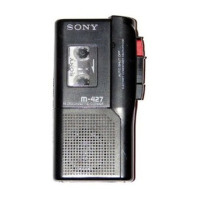
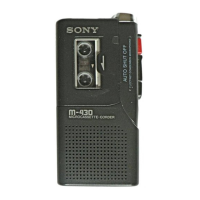
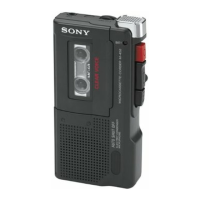
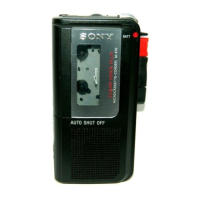
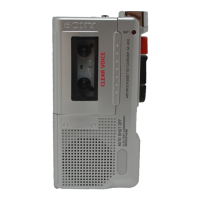
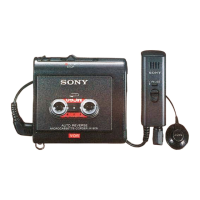
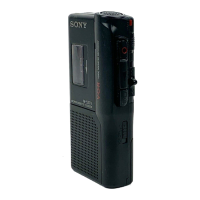
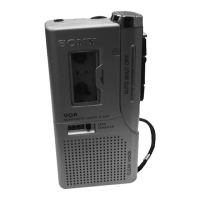
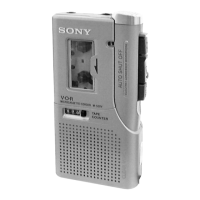
The provided manual describes the Sony Microcassette-Corder models M-425, M-527V, M-627V, M-677V, and M-727V. This is a portable audio recording device designed for dictation and general audio capture.
Function Description
The Sony Microcassette-Corder is primarily used for recording and playing back audio on microcassettes. It offers various features to enhance recording and playback convenience.
Recording:
- Standard Recording: Users can record audio by pressing the record button. The device supports two tape speeds: 2.4 cm/s for optimum sound quality (recommended for normal use, allowing 30 minutes of recording on an MC-30 microcassette using both sides) and 1.2 cm/s for longer recording time (allowing 60 minutes on an MC-30 microcassette using both sides).
- Voice Operated Recording (VOR): Available on M-527V, M-627V, M-677V, and M-727V models, this system automatically starts recording when sound is detected and pauses when there is no sound, conserving tape and battery life. VOR has "H" (high) and "L" (low) sensitivity settings for different environments (H for quiet/spacious places like meetings, L for noisy places). If the sound is not loud enough or if the VOR system does not yield desired results, it can be set to OFF.
- Edit Function: This feature allows users to start recording directly from playback mode by pressing the record button, enabling corrections to previously recorded portions.
- Cue Markers (M-727V only): While recording, a special signal can be recorded on the tape to mark specific positions. Pressing the CUE MARKER button records a signal; holding it down records a longer signal. During cue and review, a beep sound indicates the marker position, and during playback, a low-frequency sound indicates it. This is recommended for marking breaks in sound.
- Pause Recording: The PAUSE switch allows temporary interruption of recording. The BATT/REC/BATT lamp turns off when paused.
- Accidental Overwrite Prevention: Cassette tabs can be broken out to prevent accidental recording over existing content. To reuse, the tab hole can be covered with adhesive tape.
- Monitoring Sound: An earphone (not supplied) can be connected to the EAR jack to monitor the sound during recording, with a fixed monitor volume.
- External Microphone Recording (M-627V/677V/727V only): An external microphone can be connected to the MIC jack. For plug-in-power system microphones, power is supplied by the unit. Note that the VOR system may not work properly with external microphones due to sensitivity differences.
Playback:
- Standard Playback: To play a tape, insert a cassette, select the tape speed used for recording, press the play button, and adjust the volume.
- Fast Playback (FAST PB) (M-527V/627V/677V/727V only): This function allows reviewing contents approximately 20% faster than normal playback by sliding the FAST PB switch. Sliding it back returns to original speed.
- Cue and Review: The CUE/REVIEW control allows searching forward (CUE) or backward (REVIEW) during playback. Holding the button down during playback will search, and releasing it will resume playback at that point. The tape moves faster in REVIEW mode than in CUE mode.
- Fast Forward and Rewind: These functions allow quickly advancing or rewinding the tape.
- Automatic Shut-off: At the end of the tape in recording or playback mode, the tape stops, and locked buttons are automatically released.
Important Technical Specifications
Tape:
- Type: MICROCASSETTE™ (normal position type)
- Recording System: 2-track, 1-channel monaural
Speaker:
- Size: Approx. 3.6 cm (1 7/16 in.) diameter
Tape Speed:
- 2.4 cm/s (15/16 ips)
- 1.2 cm/s (15/32 ips)
Frequency Range:
Input (M-627V/677V/727V only):
- Microphone Input Jack: Minijack (PLUG IN POWER)
- Sensitivity: 0.24 mV for 3 kilohms or lower impedance microphone
Output:
- Earphone Jack: Minijack for 8 – 300 ohms earphone
Power Output:
- 160 mW (at 10% harmonic distortion)
Power Requirements:
- Batteries: Two size AA (R6) batteries (3 V DC)
- AC Power Adaptor: Sony AC-E30L (not supplied) for 120 V AC, 60 Hz
- Car Battery Cord: Sony DCC-E130L (not supplied) for 12 V car battery
Dimensions (w/h/d):
- Approx. 66.7 x 120.8 x 25 mm (2 5/8 x 4 3/4 x 1 in.) including projecting parts and controls
Mass:
- Approx. 180 g (6.4 oz) including batteries
Supplied Accessories (M-677V only):
- AC power adaptor (1)
- Battery charge adaptor (1)
- Rechargeable batteries (2)
Optional Accessories:
- Microcassettes: MC-60, MC-30
- Earphones: ME-81, ME-L82
- Connecting cord: RK-G64 (miniplug to miniplug with attenuator)
- Electret condenser microphone (M-627V/677V/727V only): ECM-T110
- AC power adaptor: AC-E30L
- Car battery cord: DCC-E130L
Usage Features
Power Sources:
- Dry Batteries: Two size AA (R6) batteries are inserted into the battery compartment. Battery life varies by type: Sony SUM-3 (NS) offers 5.5 hours, Sony alkaline AM3 (N) offers 14 hours, and NC-AA offers 4.5 hours of recording. Batteries should be replaced when the BATT (M-425/527V) or REC/BATT (M-627V/677V/727V) lamp dims and sound is distorted.
- House Current: An AC power adaptor (supplied with M-677V, or AC-E30L not supplied) can be connected to the DC IN 3V jack and a wall outlet. Only specified adaptors should be used.
- Rechargeable Batteries (supplied with M-677V only): Two NC-AA rechargeable batteries can be charged using the supplied charge adaptor and AC power adaptor. They can be charged approximately 500 times. An 8-hour charge provides approximately 4.5 hours of recording. Rechargeable batteries discharge even when not in use and should be charged before use. Charging and operation should occur within 5°C to 40°C (40°F to 104°F). The charge adaptor may become warm during charging. Overcharging (more than 20 hours) should be avoided.
Dubbing:
- Onto another tape recorder: Set the Microcassette-Corder to playback mode and the other recorder to recording mode, using a connecting cord (RK-G64, not supplied).
- From another tape recorder (M-627V/677V/727V only): Set the Microcassette-Corder to recording mode and the other recorder to playback mode. VOR should be set to OFF in this case.
General Precautions:
- Operate the unit only on 3 V DC.
- Use only standard MICROCASSETTE™ cassettes.
- Avoid locations near heat sources, direct sunlight, excessive dust, or mechanical shock.
- Remove batteries if the unit will not be used for a long time to prevent leakage.
- If the unit has not been used for a long time, warm it up for a few minutes in playback mode before inserting a cassette.
- Do not handle damaged or leaking nickel-cadmium batteries.
- Nickel-Cadmium batteries must be disposed of properly; they are recyclable.
Maintenance Features
Cleaning the Tape Head and Path:
- To maintain sound quality, press the stop button and wipe the head, capstan, and pinch roller with a cotton swab moistened with alcohol every 10 hours of use.
Cleaning the Exterior:
- Use a soft cloth slightly moistened in water. Avoid using alcohol, benzine, or thinner.

 Need help?
 General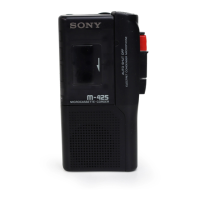

 To Next Page