EasyManua.ls Logo

Sony MDS-E12 - Setting Play Start Position After Play Is Stopped (Resume Play); Returning to the Specified Point (Locate Play)

Sony MDS-E12
120 pages
Print Icon
To Next Page IconTo Next Page
To Previous Page IconTo Previous Page
Loading...
saw
Burkeid
J
F
4
Ey
a
=
3
a
eSuan
ns
Warsm
bene
seacnta
While
the
recorder
is
stopped
and
“PROGRAM”
lights
up,
do
steps
1
and
2
of
“Programming
the
tracks”
on
page
33,
followed
by
one
of
the
procedures
below.
To
Do
the
following:
Erase
a
track
Press
€4/
repeatedly
until
the
number
of
the
unwanted
track
flashes,
then
press
CLEAR.
Erase
all
tracks
Press
CLEAR
repeatedly
untilall
the
track
numbers
disappear.
Press
“4
repeatedly
until
“0”
flashes
before
the
first
track
number,
then
do
steps
3
to.5
of
“Programming
the
tracks”
on
page
33.
Press
@4/
repeatedly
until
the
Adda
track
at
the
beginning
of
the
program
Add
a
track
in
the
middle
of
the
track
number
which
will
precede
the
program
new
track
flashes.
Press
AMS
to
display
flashing
“0,”
then
do
steps
3
to
5
of
“Programming
the
tracks”
on
page
33.
Add
a
track
to
the
Press
bb
repeatedly
until
“0”
flashes
end
ofthe
program
after
the
last
track
number,
then
do
steps
3
to
5
of
“Programming
the
tracks”
on
page
33.
Replace
atrack
Press
@4/P
repeatedly
until
the
number
of
the
track
to
be
changed
flashes,
then
do
steps
3
to
5
of
“Programming
the
tracks”
on
page
33.
34
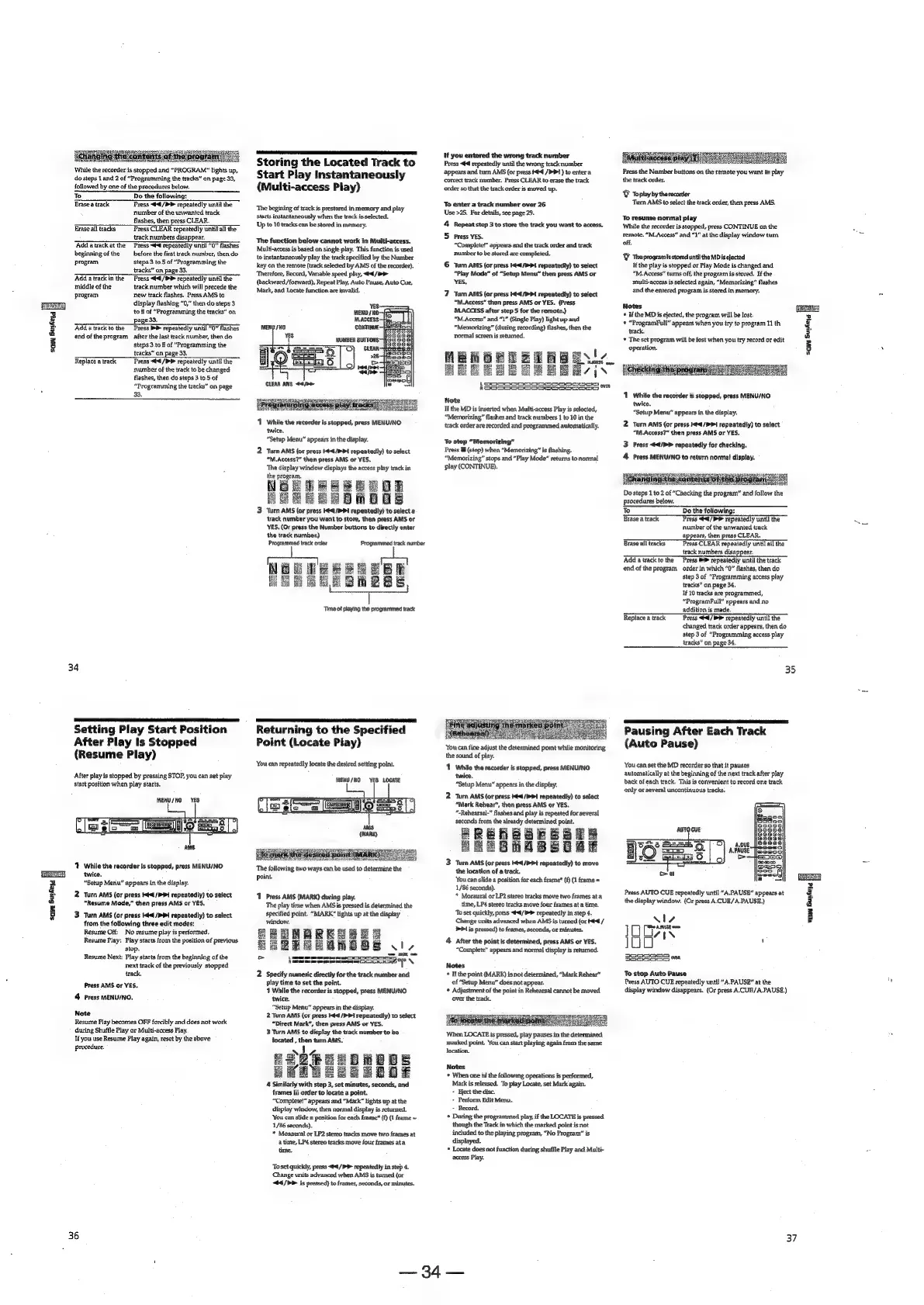
Setting
Play
Start
Position
After
Play
Is
Stopped
(Resume
Play)
‘After
play
is
stopped
by
pressing
STOP,
you
can
set
play
start
position
when
play
starts.
MENU/NO
YES
AMS:
‘1
While
the
recorder
is
stopped,
press
MENU/NO
twice.
“Setup
Menu”
appears
in
the
display.
2
Turn
AMS
(or
press
td
/PP1
repeatedly)
to
select
“Resume
Made,”
then
press
AMS
or
YES.
3
Turn
AMS
(or
press
t4<1/P¥>1
rapeatedly)
to
select
from
the
folowing
three
edit
modes:
Resume
Off:
No
resume
play
is
performed.
Resume
Play:
Play
starts
from
the
position
of
previous
stop.
Resume
Next:
Play
starts
from
the
beginning
of
the
next
track
of
the
previously
stopped
track.
Press
AMS
or
YES.
4
Press
MENU/NO,
Note
Resume
Play
becomes
OFF
forcibly
and
does
not
work
during
Shuffle
Play
or
Multi-access
Play.
Ifyou
use
Resume
Play
again,
reset
by
the
above
procedure.
36
Storing
the
Located
Track
to
Start
Play
Instantaneously
(Multi-access
Play)
‘The
begining
of
track
is
prestored
in
memory
and
play
starts
instantaneously
when
the
track
is
selected.
Up
to
10
tracks
can
be
stored
in
memory.
The
function
below
cannot
work
in
Muiti-access.
Multi-access
is
based
on
single
play.
This
function
is
used
to
instantaneously
play
the
track
specified
by
the
Number
key
on
the
remote
(track
selected
by
AMS
of
the
recorder).
Therefore,
Record,
Variable
speed
play,
<4
/>>
{backward/
forward),
Repeat
Play,
Auto
Pause,
Auto
Cue,
Mark,
and
Locate
function
are
invalid.
YES.
MENU
/O-
M.ACCESS:
CONTINUE
1
While
the
recorder
is
stopped,
press
MENU/NO-
twice.
“Setup
Menu”
appears
in
the
display.
2
Turn
AMS
{or
press
</>
Pt
repeatedly)
to
select
“M.Access?”
then
press
AMS
or
YES.
‘The
display
window
displays
the
access
play
track
in
the
program.
NOSTREBEROR
HORE
ER
OROES
3
turn
AMS
(or
press
I€4/>P1
repeatedly)
to
select
2
track
number
you
want
to
store,
then
press
AMS
or
YES.
(Or
press
the
Number.
buttons
to
directly
enter
the
track
number.)
Programmed
track
order
Programmed
track
number
NOOWEeRGRBE
PPE
ELE
Time
of
vying
the
programmed
track
Returning
to
the
Specified
Point
(Locate
Play)
‘You
can
repeatedly
jocate
the
desired
setting
point.
MENU
/HO
YES
LOCATE
The
following
two
ways
can
be
used
to
determine
the
point.
1
Press
AMS
(MARK)
during
play.
The
play
time
when
AMS
is
pressed
is
determined
the
specified
point.
“MARK”
lights
up
at
the
display
window.
EEEMARKEB
ER
SeQRURMmOOS
Sle
\Soreeersmooccscss
oe
SeSaseny
Ne
2
Specify
numeric
directly
for
the
track
number
and
play
time
to
set
the
point.
1
While
the
recorder
is
stopped,
press
MENU/NO
twice.
“Setup
Menu”
appears
in
the
dispiay.
2
Turn
AMS
{or
press
¢4
/P
PI
repeatedly)
to
select
“Direct
Mark”,
then
press
AMS
or
YES.
3
Turn
AMS
to
display
the
track
number
to
bo
goes
20008
Lf
TEGeegge
4
Similarly
with
step
3,
set
minutes,
seconds,
and
frames
in
order
to
locate
a
point.
“Complete!”
appears
and
“Mark”
lights
up
at
the
display
window,
then
normal
display
is
returned.
‘You
can
slide
a
position
for
each
frame”
(P}
(I
frame
=
1/86
seconds).
*
Monaural
or
LP2
stereo
tracks
move
two
frames
at
a
time,
LP4
stereo
tracks
move
four
frames
ata
time.
To
set
quickly,
press
<¢4/P>
repeatedly
in
step
4.
Change
units
advanced
when
AMS
is
tumed
(or
44
/P>
iis
pressed)
to
frames,
seconds,
or
minutes.
Hf
you
entered
the
wrong
track
number
Press
<€
repeatedly
until
the
wrong
track
number
appears
and
turn
AMS
(or
press
Hed
/PP!
)
to
enter
a
corcect
track
number.
Press
CLEAR
to
erase
the
track
order
so
that
the
track order
is
moved
up.
To
enter
a
track
number
over
26
Use
>25.
For
details,
see
page
29.
4
Repeat
step
3
to
store
the
track
you
want
to
access.
5
Press
YES.
“Complete!”
appears
and
the
track
order
and
track
number
to
be
stored
are
completed.
6
Turn
AMS
(or
press
ted
/mPt
repeatedly)
to
select
“Play
Mode”
of
“Setup
Menu”
then
press
AMS
or
YES.
7
Turn
AMS
(or
press
1€4/P1
repeatedly)
to
select
“M.Access”
then
press
AMS
or
YES.
(Press
MLACCESS
after
step
5
for
the
remote.)
“M.Access”
and
“1”
(Single
Play)
light
up
and
“Memorizing”
(during
recording)
flashes,
then
the
normal
screen
is
returned.
MBMGBEZERB
ESI
BEE
EI
GE
Ee
ys
LORSSSRSOSSS
MASI
pyre
FSS
S5SSCS>=2enenE
Note
If
the
MD
is
inserted
when
Multi-access
Play
is
selected,
“Memorizing”
flashes
and
track
numbers
1
to
10
in
the
track
order
are
recorded
and
programmed
automatically.
To
stop
“Memorizing”
Press
il
(stop)
when
“Memorizing”
is
flashing.
“Memorizing”
stops
and
“Play
Mode”
returns
to
normal
play
(CONTINUE).
You
can
fine
adjust
the
determined
pomt
while
monitoring
the
sound
of
play.
‘T
While
the
recorder
is
stopped,
press
MENU/NO
twice.
“Setup
Menu”
appears
in
the
display.
2
Turn
AMS
(or
press
Ht<4/PPi
repeatedly)
to
select
“Mark
Rehear”,
then
press
AMS
or
YES.
“Rehearsal-”
flashes
and
play
is
repeated
for
several
seconds
from
the
already
determined
point.
Aa
eee
PRE
BhABEOA
3
Turn
AMS
(or
press
¢4/>
Pt
repeatedly)
to
move
the
location
of
a
track.
You
can
slide
a
position
for
each
framet
(f)
(1
frame
=
1/86
seconds).
*
Moraural
or
LP2
stereo
tracks
move
two
frames
ata
time,
LP4
stereo
tracks
move
four
frames
at
a
time.
‘To
set
quickly,
press
<44/P>
repeatedly
in
step
4.
Change
units
advanced
when
AMS
is
turned
(or
Ht<€
/
P41
is
pressed)
to
frames,
seconds,
or
minutes.
4
After
the
point
is
determined,
press
AMS
or
YES,
“Complete”
appears
and
normal
display
is
returned.
Notes
If
the
point
(MARK)
is
not
determined,
“Mark
Rehear”
of
“Setup
Menu”
does
not
appear.
*
Adjustment
of
the
point
in
Rehearsal
cannot
be
moved
When
LOCATE
is
pressed,
play
pauses
in
the
determined.
marked
point.
You
can
start
playing
again
from
the
same
location.
Notes
*
When
one
of
the
following
operations
is
performed,
Mark
is
released.
To
play
Locate,
set
Mark
again.
+
ect
the
disc.
>
Perform
Edit
Menu.
+
Record.
*
During
the
programmed
play,
if
the
LOCATE
is
pressed
though
the
Track
in
which
the
marked
point
is
not
included
to
the
playing
program,
“No
Program”
is
displayed.
*
Locate
does
not
function
during
shuffle
Play
and
Multi-
access
Play.
=)
Press
the
Number
buttons
on
the
remote
you
want
to
play
the
track
order.
©
Toplayby
thereconder
Turn
AMS
to
select
the
track
order,
then
press
AMS.
To
resume
normal
play
While
the
recorder
is
stopped,
press
CONTINUE
on
the
Temote.
“M.Access”
and
“1”
at
the
display
window
turn.
Sal
off.
'Y
Theprogramisstored
until
the
MDis
elected
If
the
play
is
stopped
or
Play
Mode
is
changed
and
“M.
Access”
tums
off,
the
program
is
stored.
Ifthe
multi-access
is
selected
again,
“Memorizing”
flashes
and
the
entered
program
is
stored
in
memory.
Notes
nee
Ifthe
MDis
ejected,
the
program
will
be
lost.
oj
©
“ProgramFull”
appears
when
you
try
to
program
11
th
g
track.
2
*
The
set
program
will
be
lost
when
you
try
record
or
edit
z
operation,
i]
1
White
the
recorder
is
stopped,
press
MENU/NO.
twice.
“Setup
Menu”
appears
in
the
display.
2
Turn
AMS
(or
press
Kt
/P
>I
repeatedty)
to
select
“M.Access?”
then
press
AMS
or
YES.
3
Press
44/P>
rapoatedly
for
checking.
4
Press
MENU/NO
to
return
normal
display.
Do
steps
1
to
2
of
Solis
the
program”
and
follow
the
procedures
below.
To
Do
the
following:
Brase
a
track
Press
“4<¢/
repeatedly
until
the
ayy
number
of
the
unwanted
track
appears,
then
press
CLEAR.
Erase
all
tracks
Press
CLEAR
repeatedly
until
all
the
track
numbers
disappear.
Adda
track
to
the
Press
®
repeatedly
untit
the
track
end
of
the
program
order
in
which
“0”
flashes,
then
do
step
3
of
“Programming
access
play
tracks”
on
page
34.
If
10
tracks
are
programmed,
“ProgramFull”
appears
and
no
addition
is
made,
Replace
a
track
Press
“#4
repeatedly
until
the
changed
track
order
appears,
then
do
step
3
of
“Programming
access
play
tracks”
on
page
34.
35
Pausing
After
Each
Track
(Auto
Pause)
‘You
can
set
the
MD
recorder
so
that
it
pauses
automatically
at
the
beginning
of
the
next
track
after
play
back
of
each
track.
This
is
convenient
to
record
one
track
only
or
several
uncontinuous
tracks,
EES
2
Press
AUTO
CUE
repeatedly
until
“A.PAUSE”
appears
at
g
the
display
window.
(Or
press
A.CUE/A.PAUSE.)
3
Fl
N17
8
[He
APRUSE
worm
i
IZ
EN
;
3385855
"a
To
stop
Auto
Pause
Press
AUTO
CUE
repeatedly
until
“A-PAUSE”
at
the
display
window
disappears.
(Or
press
A.CUB/A.PAUSE.)
37

Other manuals for Sony MDS-E12

Related product manuals