EasyManua.ls Logo

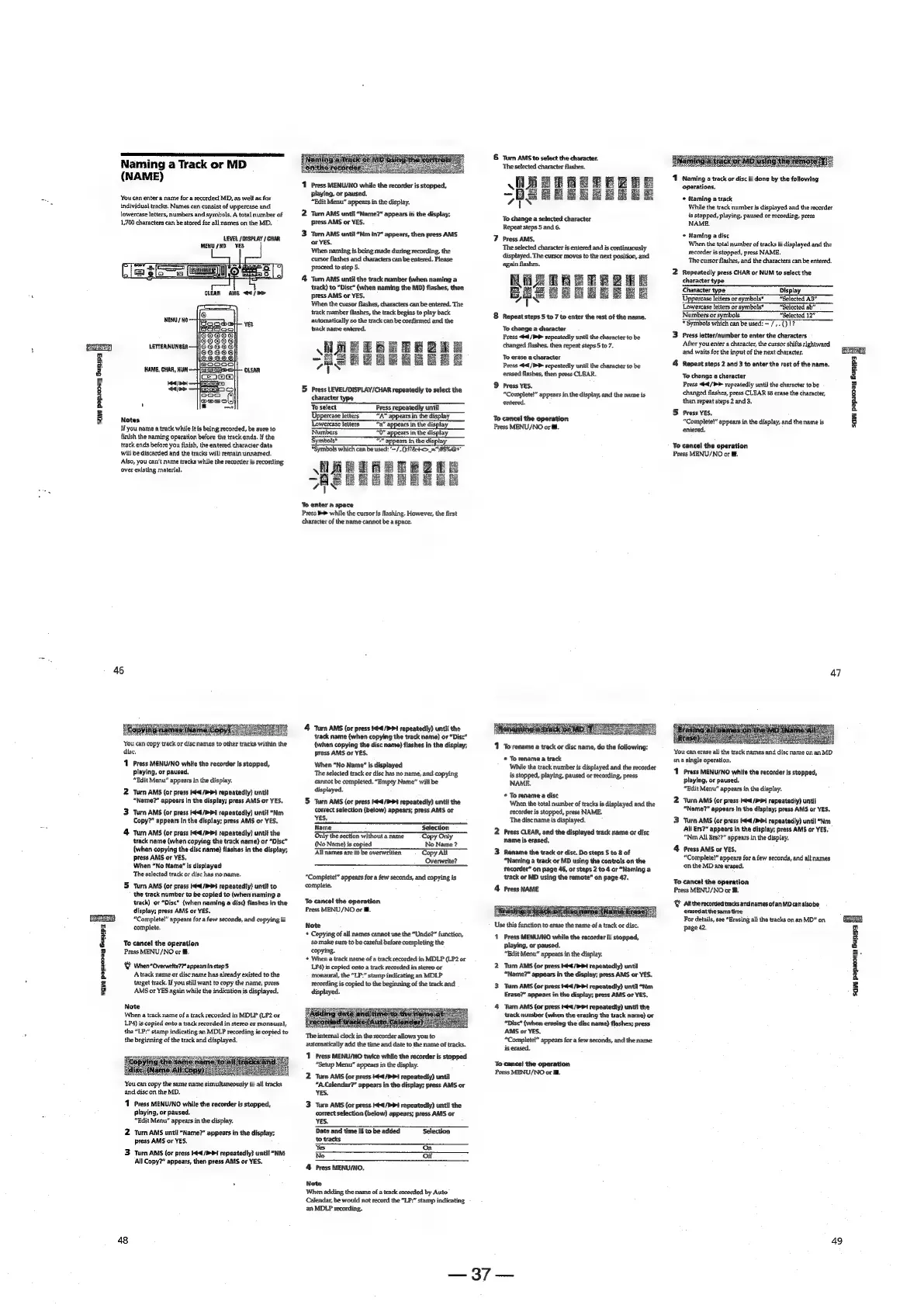
Sony MDS-E12 - Naming a Track or MD (NAME); You can easily enter or edit names.; You can copy track or disc names to other tracks within the disc.; You can copy the same name simultaneously to all tracks and disc on the MD.

Sony MDS-E12
120 pages
Print Icon
To Next Page IconTo Next Page
To Previous Page IconTo Previous Page
Loading...
i
ca
FS
z
é
a
=
8
e
-4
8
e
§
a
a
=
gz
Naming
a
Track
or
MD
(NAME)
You
can
enter
a
name
for
a
recorded
MD,
as
well
as
for
individual
tracks.
Names
can
consist
of
uppercase
and
lowercase
letters,
numbers
and
symbols.
A
total
number
of
1,700
characters
can
be
stored
for
all
names
on
the
MD,
‘LEVEL
/
DISPLAY
/
CHAR
MENU
/HO
NAME,
CHAR,
HUM.
CLEAR
Lola!
<>
Notes
Hyou
name
a
track
while
it
is
being
recorded,
be
sure
to
finish
the
naming
operation
before
the
track
ends.
If
the
track
ends
before
you
finish,
the
entered
character
data
will
be
discarded
and
the
tracks
wil!
remain
unnamed.
Also,
you
can’t
name
tracks
while
the
recorder
is
recording
over
existing
material.
46
‘You
can
copy
track
or
disc
names
to
other
tracks
within
the
disc,
1
Press
MENU/NO
while
the
recorder
Is
stopped,
playing,
or
paused,
“Edit
Menu”
appears
in
the
display.
Turn
AMS
(or
press
i
/P1
repeatedly)
until
“Name?”
appears
in
the
display;
press
AMS
or
YES.
Turn
AMS
{or
press
¢/P1
repeatedly)
until
“Nm
Copy?”
appears
In
the
display;
press
AMS
or
YES.
Turn
AMS
(or
press
64/4
repeatedly)
until
the
track
name
(when
copying
the
track
name)
or
“Disc”
(when
copying
the
disc
name)
flashes
in
the
display;
press
AMS
or
YES.
When
“No
Name"
is
displayed
The
selected
track
or
dise
has
no
name.
Turn
AMS
(or
press
Hdd
/3
repeatediy)
until
to
the
track
number
to
be
copied
to
(when
naming
a
track)
or
“Disc”
(when
naming
a
disc)
flashes
in
the
dispiay;
press
AMS
or
YES.
“Complete!”
appears
for
a
few
seconds,
and
copying
is
complete.
To
cance!
the
operation
Press
MENU/NO
or
ii,
Y
When
“Overwrite7”
appearsinstep
5
Atrack
name
or
disc
name
has
already
existed
to
the
target
track.
If
you
still
want
to
copy
the
name,
press
AMS
or
YES
again
while
the
indication
is
displayed.
Note
When
a
track
name
of
a
track
recorded
in
MDLP
(LP2
or
LP4)
is
copied
onto
a
track
recorded
in
stereo
or
monaural,
the
"LP:"
stamp
indicating
an
MDLP
recording
is
copied
to
the
beginning
of
the
track
and
displayed.
ssc
You
can
copy
the
same
name
simultaneously
to
all
tracks
and
disc
on
the
MD.
1
Press
MENU/NO
while
the
recorder
is
stopped,
playing,
or
paused,
“Edit
Menu”
appears
in
the
display.
2
Turn
AMS
untit
“Name?”
appears
in
the
display;
press
AMS
or
YES.
3
turn
AMS
(or
press
444/94
repeatedly)
until
“NM
All
Copy?”
appears,
then
press
AMS
or
YES.
48
1
Press
MENU/NO
while
the
recorder
is
stopped,
playing,
or
paused.
“Edit
Menu”
appears
in
the
display.
2
Turn
AMS
until
“Name?”
appears
in
the
display;
press
AMS
or
YES.
3
Turn
AMS
until
“Nm
in?”
appears,
then
press
AMS
or
YES.
When
naming
is
being
made
during
recording,
the
cursor
flashes
and
characters
can
be
entered.
Please
proceed
to
step
5.
4
Turn
AMS
until
the
track
number
(when
naming
a
track)
to
“Disc”
(when
naming
the
MD)
flashes,
then
press
AMS
or
YES.
When
the
cursor
flashes,
characters
can
be
entered.
The
track
number
flashes,
the
track
begins
to
play
back
automatically
so
the
track
can
be
confirmed
and
the
Higaene
=
ay
PEELE
Be
Beng
au
5
Press
LEVEL/DISPLAY/CHAR
repeatedly
to
select
the
character
type
To
select
Press
repeatedly
until
Uppercase
letters
“A”
appears
in
the
display
Lowercase
letters
fat:
ars
in
the
dis
Numbers
0"
aj
jn
the
display
Symbols*
77
appears
in
the
display
*Symbols
which
can
be
used:
—/,()N&t<>_="ASEO™
WHE
TH
ETE
2
te
SHSERB
ERE
E
‘To
enter
a
space
Press
>
while
the
cursor
is
flashing.
However,
the
first
character
of
the
name
cannot
be
a
space.
4
Turn
AMS
(or
press
$¢€/P
Pi
repeatedly)
until
the
track
name
(when
copying
the
track
name)
or
“Disc”
{when
copying
the
disc.
name)
flashes
in
the
display;
press
AMS
or
YES.
When
"No
Name’
is
displayed
The
selected
track
or
disc
has
no
name,
and
copying
cannot
be
completed.
“Bmpty
Name”
will
be
displayed.
5
Turn
AMS
(or
press
Ke4/PP4
repeatedly)
until
the
corsect
selection
(below)
appears;
press
AMS
or
Name
Selection
Only
the
section
without
a
name
‘Copy
Only
(No
Name)
is
copied
No
Name?
All
names
are
to
be
overwritten
Copy
All
Overwrite?
“Complete!”
appears
for
a
few
seconds,
and
copying
is
complete.
To
cancel
the
operation
Press
MENU/NO
or
fff.
Note
*
Copying
of
all
names
cannot
use
the
“Undo?”
function,
so
make
sure
to
be
careful
before
completing
the
copying.
*
When
a
track
name
of
a
track
recorded
in
MDLP
(LP2
or
LP4)
is
copied
onto
a
track
recorded
in
stereo
or
monaural,
the
“LP:”
stamp
indicating
an
MDLP
recording
is
copied
to
the
beginning
of
the
track
and
displayed.
an
.
g
The
internal
clock
in
the
recorder
allows
you
to
automatically
add
the
time
and
date
to
the
name
of
tracks.
‘11
Press
MENU/NO
twice
while
the
recorder
is
stopped
“Setup
Menu”
appears
in
the
display.
2
‘Turn
AMS
(or
press
44/1
repeatediy)
until
“A.Calendar?”
appears
in
the
display;
press
AMS
or
YES.
3
Turn
AMS
(or
press
K€
/>+t
sepeatediy)
until
the
correct
selection
(below)
appears;
press
AMS
or
YES.
Date
and
time
is
to
be
added
Selection
to
tracks
Yes
On
No
Off
4
Press
MENU/NO,
Note
‘When
adding
the
name
of
a
track
recorded
by
Auto
Calendar,
be
would
not
record
the
“LP:”
stamp
indicating
an
MDLP
recording.
6
Turn
AMS
to
select
the
character.
The
selected
character
flashes.
Higiaore
I
To
change
a
selected
character
Repeat
steps
5
and
6.
7
Press
AMS.
The
selected
character
is
entered
and
is
continuously
displayed.
The
cursor
moves
to
the
next
position,
and
again
flashes.
ALR
ARR
EE
e
é
mE
Ee
7%
8
Repeat
steps
S
to
7
to
enter
the
rest
of
the
name.
To
change
a
character
Press
<€4/PP
repeatedly
until
the
character
to
be
changed
flashes,
then
repeat
steps
5
to
7.
To
erase
a
character
Press
<€€/P>
repeatedly
until
the
character
to
be
erased
flashes,
then
press
CLBAR.
9
Press
YES.
“Complete!”
appears
in
the
display,
and
the
name
is
entered,
Bue
Bestel
To
cancel
the
operation
Press
MENU/NO
or
fil.
1
Torename
a
track
or
disc
name,
do
the
following:
©
To
rename
a
track
‘While
the
track
number
is
displayed
and
the
recorder
is
stopped,
playing,
paused
or
recording,
press
NAME.
*
Torename
a
disc
‘When
the
total
number
of
tracks
is
displayed
and
the
recorder
is
stopped,
press
NAME.
The
discname
is
displayed.
2
Press
CLEAR,
and
the
displayed
track
name
or
disc
name
is
erased,
3
Rename
the
track
or
dise,
Do
steps
5
to
8
of
“Naming
a
track
or
MD
using
the
controts
on
the
recorder”
on
page
46,
or
steps
2
to.4
or
“Naming
a
‘track
or
MD
using
the
remote”
on
page
47,
4
Press
NAME
‘Use
this
function
to
erase
the
name
of
a
track
or
disc.
Press
MENU/NO
while
the
recorder
is
stopped,
playing,
or
paused.
“Edit
Menu”
appears
in
the
display,
2
Turn
AMS
(or
press
4/4
repeatedly)
until
“Name?"
appears
in
the
display;
press
AMS
or
YES.
3
Turn
AMS
(or
press
'44/P
1
repeatedly)
until
“Nm
Erase?”
appears
in
the
display;
press
AMS
or
YES.
4
Turn
AMS
{or
press
4/4
repeatedly)
until
the
track
number
{when
the
erasing
the
track
name)
or
“Disc”
{when
erasing
the
disc
name)
flashes;
press
AMS
or
YES,
“Complete!”
appears
for
a
few
seconds,
and
the
name
is
erased.
‘Yo
cancel
the
operation
Press
MENU/NO
or
Hl.
ae:
1
Naming
a
track
or
disc
is
done
by
the
following
operations.
©
Naming
a
track
While
the
track
number
is
displayed
and
the
recorder
is
stopped,
playing,
paused
or
recording,
press
NAME.
+
Naming
a
disc
When
the
total
number
of
tracks
is
displayed
and
the
recorder
is
stopped,
press
NAME.
‘The
cursor
flashes,
and
the
characters
can
be
entered.
2
Repeatedly
press
CHAR
or
NUM
to
select
the
character
type
Character
type
Display
Uppercase
letters
or
symbols*
“Selected
AD”
Lowercase
letters
or
symbois*
“Selected
ab”
Numbers
or
symbols
“Selected
12”
*
Symbols
which
canbe
used:
—7,-()1?
3
Press
fetter/number
to
enter
the
characters
After
you
enter
a
character,
the
cursor
shifts
rightward
and
waits
for
the
input
of
the
next
character,
4
Repeat
steps
2
and
3
to
enter
the
rest
of
the
name.
‘Jo
change
a
character
Press
<#4/P>
repeatedly
until
the
character
tobe
changed
flashes,
press
CLEAR
to
erase
the
character,
then
repeat
steps
2
and
3.
5S
Press
YES.
“Complete!”
appears
in
the
display,
and
the
name
is
entered.
To
cancel
the
operation
Press
MENU/NO
or
I.
47
‘You
can
erase
all
the
track
names
and
disc
name
on
an
MD
ina
single
operation,
‘11
Press
MENU/NO
while
the
recorder
is
stopped,
playing,
or
paused.
“Edit
Menu”
appears
in
the
display.
2
Turn
AMS
(or
press
He
/>>i
repeatedly)
until
“Name?”
appears
in
the
display;
press
AMS
or
YES,
3
Turn
AMS
(or
prass
tet
(Pi
rapeatediy)
until
“Nm
All
Ers?”
appears
in
the
display;
press
AMS
or
YES,
“Nm
All
Ers??”
appears
in
the
display.
4
Press
AMS
or
YES.
“Complete!”
appears
for
a
few
seconds,
and
all
names
onthe
MD
are
erased.
To
cancel
the
operation
Press
MENU/NO
or
@.
Y
Alitherecorded
tracks
andnamesofan
MD
canalsobe
erasedatthe
sametime
For
details,
see
“Erasing
all
the
tracks
on
an
MD”
on.
page
42.
49
Saw
pepzocey
Buyps
i
m
3
a
2
+
x
F
8

Other manuals for Sony MDS-E12

Related product manuals