EasyManua.ls Logo

Sony MDS-E12 - 3-1. Precautions for Use of Test Mode; 3-1-1. Recording Laser Emission Mode; 3-2. Setting the Test Mode; 3-3. Releasing the Test Mode

Sony MDS-E12
120 pages
Print Icon
To Next Page IconTo Next Page
To Previous Page IconTo Previous Page
Loading...
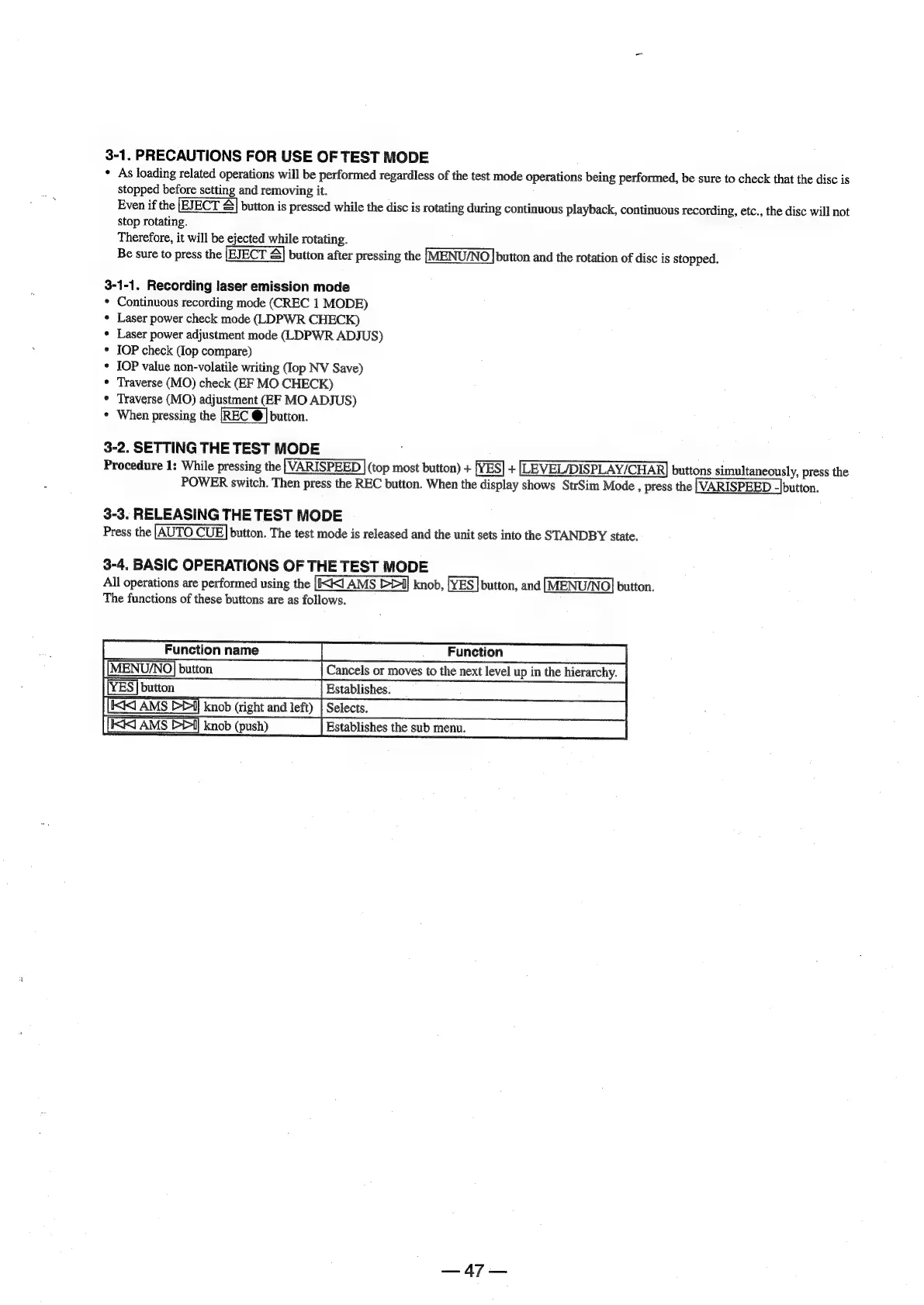
3-1.
PRECAUTIONS
FOR
USE
OF
TEST
MODE
«
As
loading
related
operations
will
be
performed
regardless
of
the
test
mode
operations
being
performed,
be
sure
to
check
that
the
disc
is
stopped
before
setting
and
removing
it.
Even
if
the
button
is
pressed
while
the
disc
is
rotating
during
continuous
playback,
continuous
recording,
etc.,
the
disc
will
not
stop
rotating.
Therefore,
it
will
be
ejected
while
rotating.
Be
sure
to
press
the
button
after
pressing
the
[MENU/NO]
button
and
the
rotation
of
disc
is
stopped.
3-1-1.
Recording
laser
emission
mode
Continuous
recording
mode
(CREC
1
MODE)
Laser
power
check
mode
(LDPWR
CHECK)
Laser
power
adjustment
mode
(LDPWR
ADJUS)
IOP
check
(lop
compare)
IOP
value
non-volatile
writing
(lop
NV
Save)
Traverse
(MO)
check
(EF
MO
CHECK)
Traverse
(MO)
adjustment
(EF
MO
ADJUS)
When
pressing
the
button.
3-2.
SETTING
THE
TEST
MODE
Procedure
1:
While
pressing
the
|(VARISPEED
|
(top
most
button)
+
[YES]
+
[LEVEL/DISPLAY/CHAR]
buttons
simultaneously,
press
the
POWER
switch.
Then
press
the
REC
button.
When
the
display
shows
StrSim
Mode
,
press
the
}VARISPEED
-|button.
3-3.
RELEASING
THE
TEST
MODE
Press
the
|AUTO
CUE]
button.
The
test
mode
is
released
and
the
unit
sets
into
the
STANDBY
state.
3-4.
BASIC
OPERATIONS
OF
THE
TEST
MODE
All
operations
are
performed
using
the
knob,
[YES]
button,
and
button.
The
functions
of
these
buttons
are
as
follows.
|
Function
MENU,
Cancels
or
moves
to
the
next
level
up
in
the
hierarchy.
Establishes,
knob
Gightandlef)
[Selec
SSCS
(oe)
i
E
R
¥v
page=

Other manuals for Sony MDS-E12

Related product manuals