10
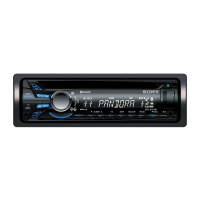
Location and function of controls
Main unit
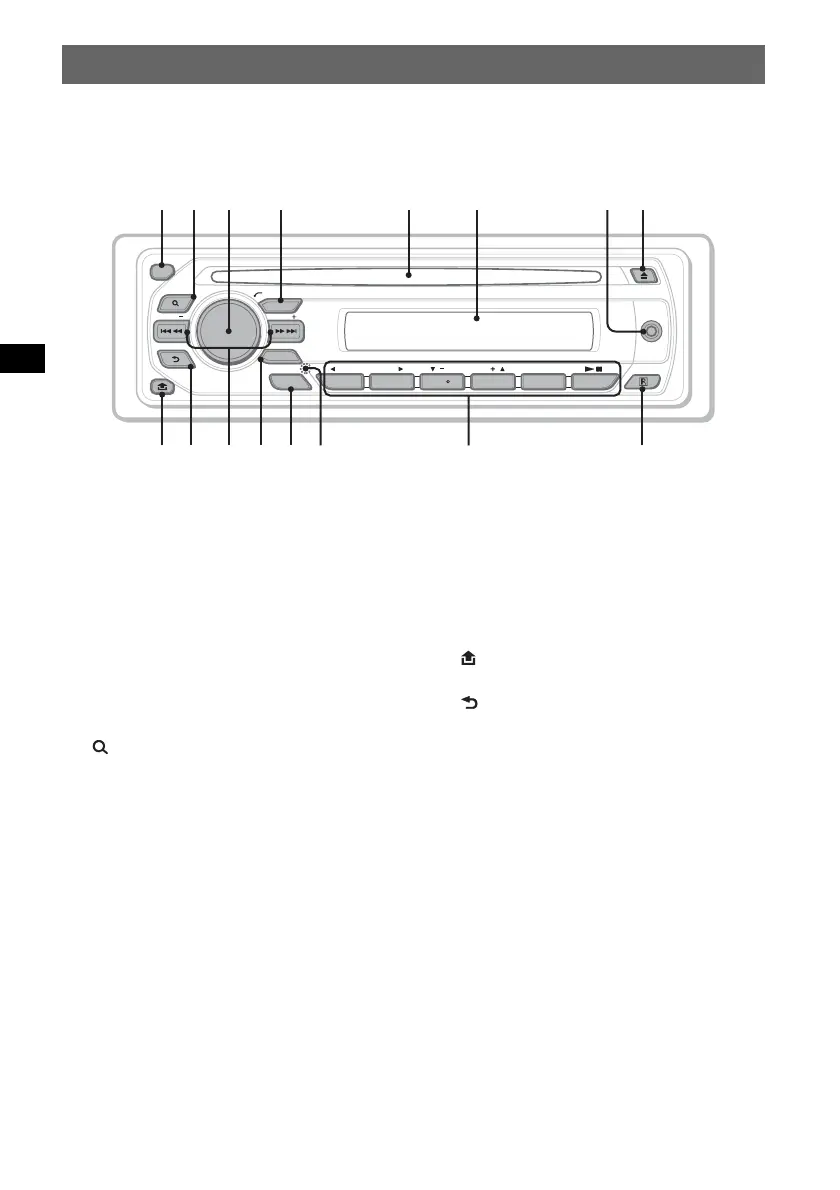
Refer to the pages listed for details.
Instructions in this manual generally describe the
controls on the card remote commander. You can
also use the controls on the main unit if they have
the same or similar names to those on the card
remote commander.
A OFF button 16, 18, 22
To power off/stop the source (press); shut off
completely (press and hold).
B (BROWSE) button 31
To enter the Quick-BrowZer mode.*
1
C Volume control dial/SOUND/ENTER
button 26, 31, 32, 35, 40, 43, 44
To adjust the volume/adjust a setting (rotate);
open the sound menu/apply a setting (press);
open the system setup menu (press and
hold).
D SOURCE button 20, 32, 44
To power on; change the source (Radio/Disc/
AUX).
E Disc slot 16, 18
To insert the disc.
F Display window
G AUX input jack 43
To connect a portable audio device.
H Z (eject) button 16, 18
To eject the disc.
I (front panel release) button 15
J (BACK/DSPL) button 24, 31, 43
To return to the previous display; change the
display item.
K SEEK –/+ buttons 17, 19, 20, 21
Disc:
To skip a chapter/track/scene/file (press);
reverse/fast-forward disc (press and hold
momentarily); reverse/fast-forward track
(press and hold).*
2
Radio:
To tune in stations automatically (press); find
a station manually (press and hold).
L MODE button 20, 32, 44
To select the radio band (FM/MW/LW);
select an auxiliary device*
3
.
SEEK
BACK
DSPL
BROWSE
SOURCE
MODE
AF/TA
OFF
SEEK
REP
PTY
ALBUM
AUX
PUSH SOUND/ENTER
1 2
SHUF
3 4 56
a
s
d
f
g
h



 To Next Page