19
Tape
Recording a CD by specifying
track order
— Program Edit
When programming, make sure the playing
times for each side do not exceed the length of
one side of the tape.
1 Insert a recordable tape into deck B,
then press CD.
2 Press PLAY MODE repeatedly until
“PROGRAM” appears in the display.
3 Press DISC 1–3 to select a CD.
To program all the tracks on a CD at once,
proceed to step 5 while “AL” appears in the
display.
4 Press . or > repeatedly until the
track you want appears in the display.
5 Press ENTER.
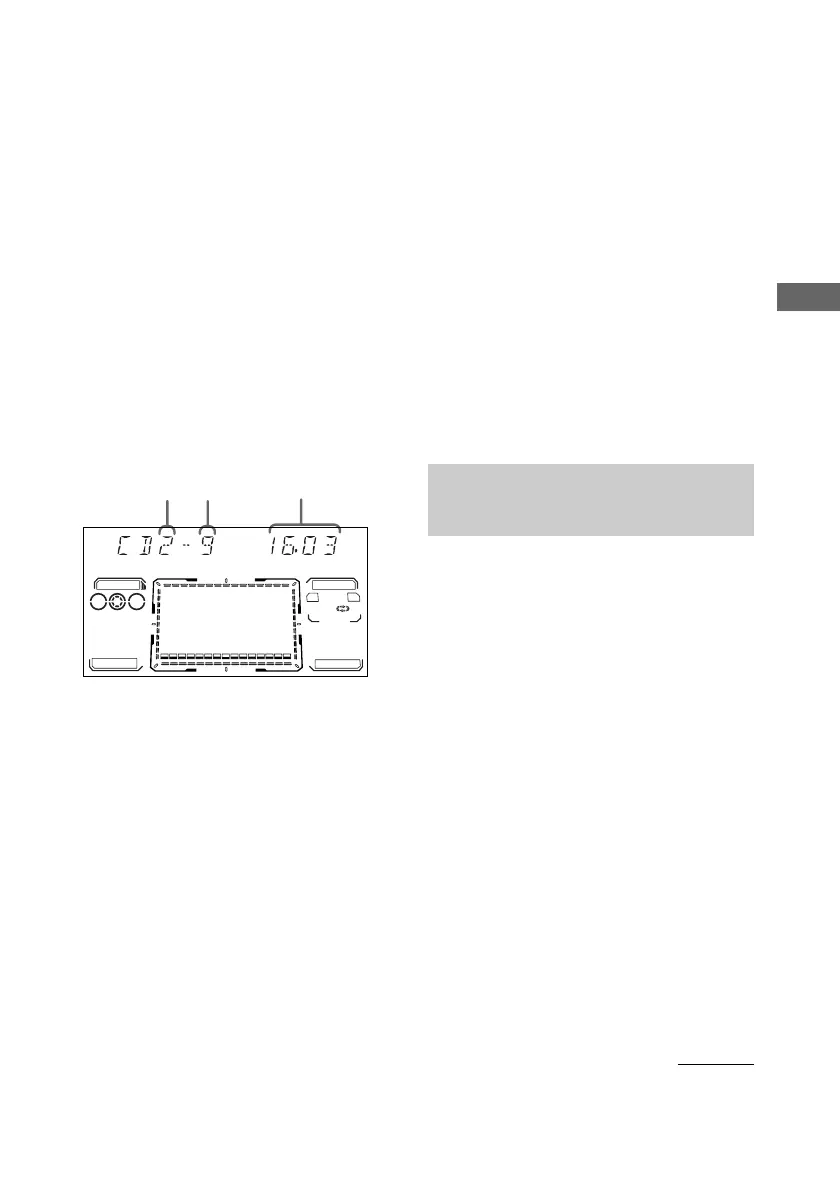
The track(s) is (are) programmed. The
program step number appears, followed by
the total playing time.
6 To program additional tracks, repeat
steps 3 to 5.
Skip step 3 to select tracks from the same
disc.
7 Press CD SYNC HI-DUB.
Deck B stands by for recording. To reduce
the hiss noise in low-level high-frequency
signals, press DOLBY NR so that “DOLBY
NR” appears in the display. The REC
PAUSE/START button flashes.
8 Press DIRECTION repeatedly to select
g to record on one side.
Select j (or RELAY) to record on
both sides.
9 Press REC PAUSE/START.
Recording starts.
To cancel Program Edit
Press PLAY MODE repeatedly until “1 DISC”
or “ALL DISCS” appears in the display.
Tip
To check the required tape length for recording a CD,
press EDIT after you have inserted a CD and pressed
CD. The required tape length for the currently
selected CD appears, followed by the total playing
time for side A and side B (Tape Select Edit).
Note
You cannot use Tape Select Edit for discs containing
over 20 tracks.
Timer-recording radio
programs
To timer-record, you must set the clock (see
“Setting the time” on page 11) and preset the
radio stations (see “Presetting radio stations”
on page 15) beforehand.
1 Tune in the preset radio station (see
“Listening to the radio” on page 15).
2 Press CLOCK/TIMER SET.
“DAILY1 SET” appears.
3 Press . or > repeatedly to select
“REC SET”, then press ENTER.
“ON” appears and the hour indication
flashes.
4 Set the time to start recording.
Press . or > repeatedly to set the
hour, then press ENTER.
The minute indication flashes.
Press . or > repeatedly to set the
minutes, then press ENTER.
The hour indication flashes again.
21
MUSIC
GAME
MOVIE
AB
TOOL
3
PROGRAM
Track
number
Disc tray
number
Total playing time
(including selected track)
continued


 To Next Page