14
GB
MHC-ECL7D/ECL6D.GB.4-467-787-11(1)
Disc
Playing a disc
1
Press FUNCTION repeatedly to
select the DVD/CD function.
2
Press OPEN/CLOSE on the
unit to open the disc tray.
3
Place a disc in the disc tray,
then press OPEN/CLOSE on
the unit to close the disc tray.
Playback starts automatically when
you close the disc tray.
If playback does not start
automatically, press .
4
Press VOLUME +/ to adjust
the volume.
Playing les on a disc
1
Press FUNCTION repeatedly to
select the DVD/CD.
2
Press OPEN/CLOSE on the
unit to open the disc tray.
3
Place a disc in the disc tray,
then press OPEN/CLOSE on
the unit to close the disc tray.
4
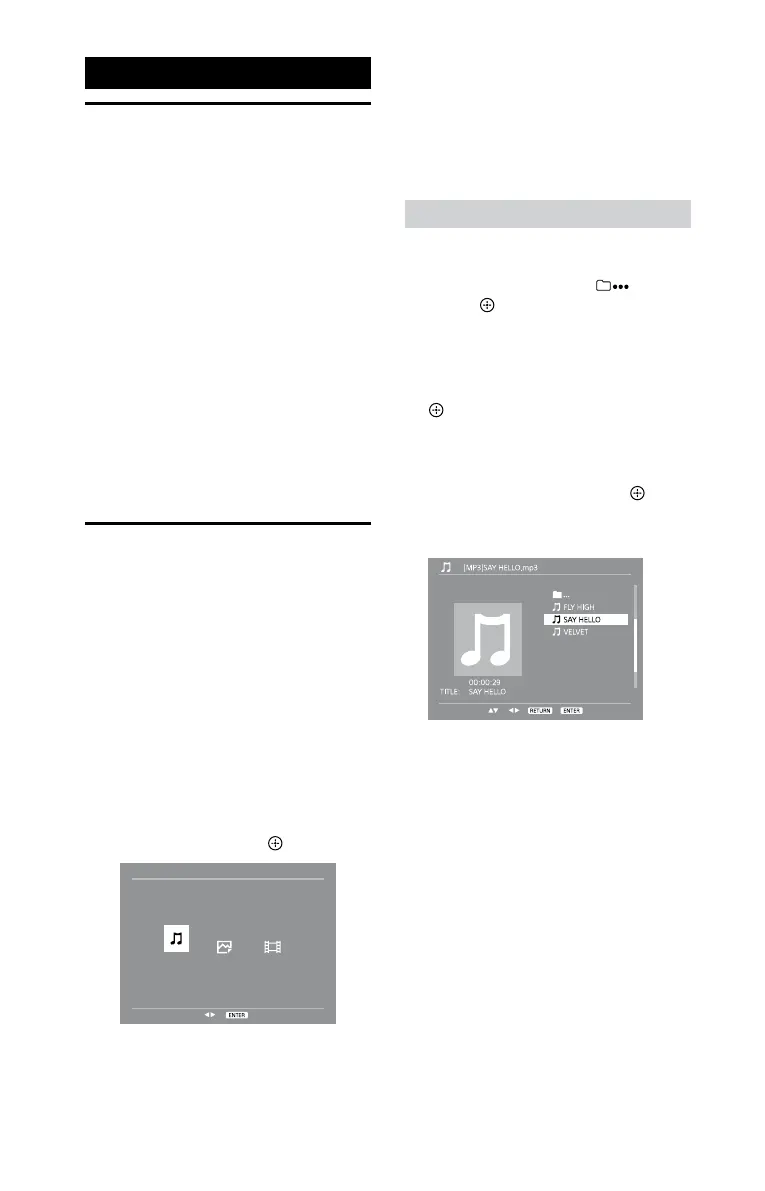
Press / repeatedly to select
a media type (music/photo/
video), then press
(or ).
5
Press VOLUME +/ to adjust
the volume.
When you want to play a dierent
le, stop playback, and then follow
the procedure below.
To play a desired le
1
Press DVD MENU or / to
move the cursor to
, then
press
.
2
Press / to move the cursor
to a folder that contains a le
you want to play, then press
(or ).
3
Press / or / to
move the cursor to the
desired le, then press
(or
) to start playback.
(Example: MP3 disc)
4
Press VOLUME +/ to adjust
the volume.










 To Next Page