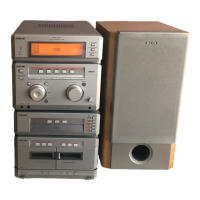
MHC-G101. 3-859-547-13. EN
8
Basic Operations
Playing a CD
You can play up to three CDs continuously.
1 Press § and place a CD on the disc
tray.
To place the third disc, press DISC SKIP
to rotate the disc tray.
2 Press ·P.
The disc tray closes and play starts from
the CD loaded on the tray.
To
Stop play
Pause
Select a track
Find a point in
a track
Select a CD
Remove or
exchange the
CD
Adjust the
volume
Do this
Press p.
Press ·P. Press again to
resume play.
Press )± or ≠0 (or
+ or = on the remote).
Press and hold down )±
or ≠0 during play and
release it at the desired point.
Press DISC 1 – 3 or DISC SKIP.
Press §.
Turn VOLUME (or press VOL
+ or – on the remote).
Tips
• Pressing ·P when the power is off
automatically turns the power on and starts CD
playback if there is a CD on the tray (One Touch
Play).
• You can switch from another source to the CD
player and start playing a CD just by pressing
·P (Automatic Source Selection).
DISC 1–3 VOLUME
2
1
p ≠0/)±
Track number
1
23
PRESET EQ
DISC FLAT ROCK POPS JAZZ
Playing timeDisc tray number
With the label
side up. When
you play a single
CD, place it on
the inner circle
of the tray.



 To Next Page
 Loading...