Usingoptional audio
components
1 Connect additional audio
component to the AUDIO IN jack
_2qon the unit using an audio
analog cord (not supplied).
2 Turn down the volume.
Press VOLUME (or lurn Ihe VOLUME
COlllrol (Ill the unit lowards -) _].
3 Select the AUDIO IN function.
Press AUDIO 1N{_ on the unit.
4 Start playing the connected
component.
5 Adjust the volume.
Press VOLUME +/ (or lUrlllhe VOLUME
conlrol on the trait) {_.
Adjustingthe sound
Toadd a soundeffect
To Press
Reinforce tile GROOVE _] on the unit
bass and create repeatedly until "GROOVE"
a more powerful appears.
sound
Set the surround SURROUND [] on the unit
eflbct repeatedly until "SURR"
appears.
Select the preset EQ [] repeatedly. To
sound effect cancel, press EQ []
repeatedly until "EQ OFF"
appears.
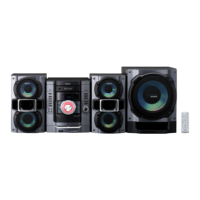
Toturnonthe subwoofer(MHC-GX470/
RG590S/RG490Sonly)
Press SUBWOOFER [_ onthe unit repeatedly
until "SUB ON" appears. The SUBWOOFER
indicator [] on the unit lights up. If you later
disconnect d_e subwoofer, repeat the procedure
until "SUB OFF" appears. The volmne of the
subwoofer is linked to the front speakers.
14GB



 To Next Page
 Loading...