12
GB
Other tracks on the
same disc
4 and 5
Other tracks on other
discs
3 to 5
7 Press H (or N on the remote).
Other Operations
To Do this
Cancel Program
Play
Press PLAY MODE on the
remote repeatedly until
“PGM” and “SHUF”
disappear.
Clear a track from
the end of program
Press CLEAR on the remote in
stop mode.
To program the MP3 files
After step 3, press ALBUM – or + repeatedly
until the folder you want appears, and then go
to step 4.
Tips
• The program you made remains after Program Play
finishes. To play the same program again, press CD,
then press H (or N on the remote).
•“– –.– –” appears when the total VIDEO CD/CD
program time exceeds 100 minutes, when you select
a VIDEO CD/CD track whose number is 21 or
over, or when you programed MP3 files.
Programing VIDEO CD/CD tracks
(continued)
6 Program additional discs or tracks.
To program Repeat steps
Playing a VIDEO CD
— Normal Play/Shuffle Play/Repeat
Play
You can play both VIDEO CDs without PBC
functions (Ver. 1.1) and VIDEO CDs with PBC
functions (Ver. 2.0).
This system lets you play the VIDEO CD in
different play modes.
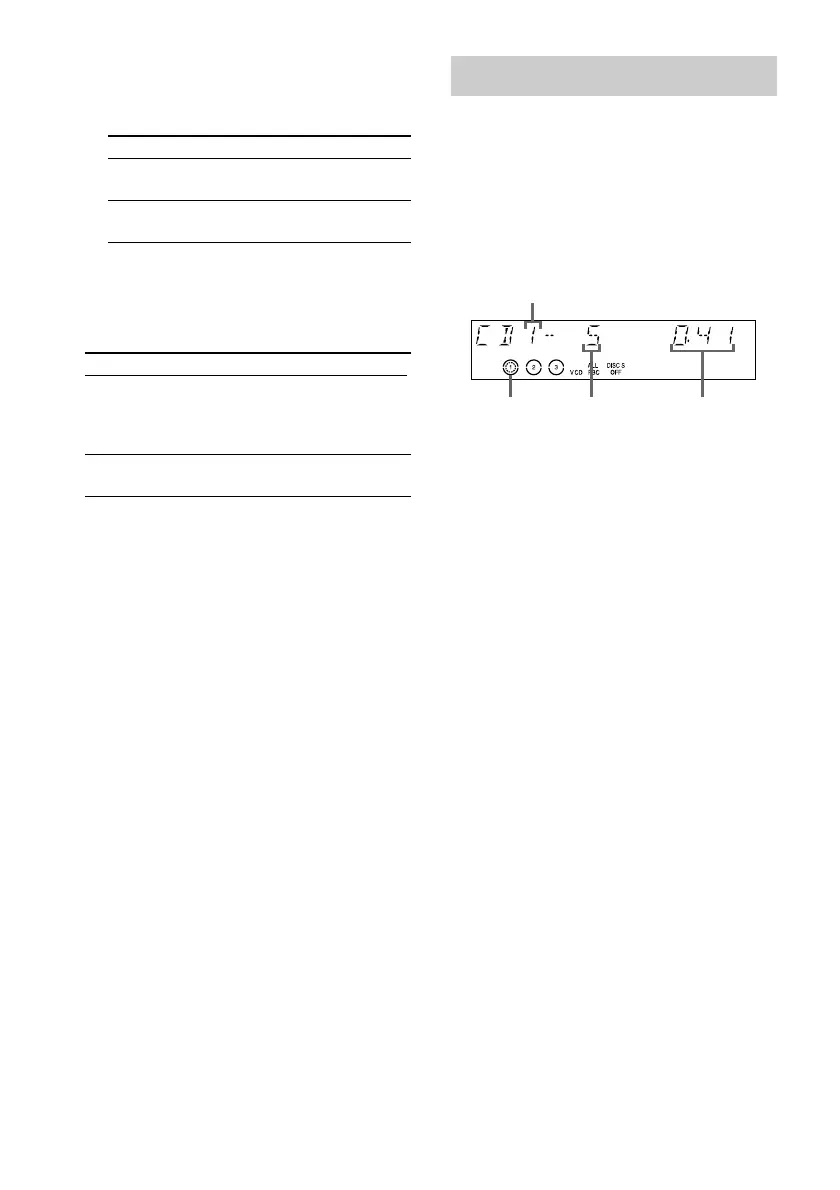
Disc tray number
Disc presence
indicator
Track number
Playing time
1 Turn on your TV and select the video
input.
Refer to the operating instructions supplied
with your TV if you need help.
2 Press CD.



 To Next Page
 Loading...