MHC-V41D.GB.4-729-484-13(1)
14
GB
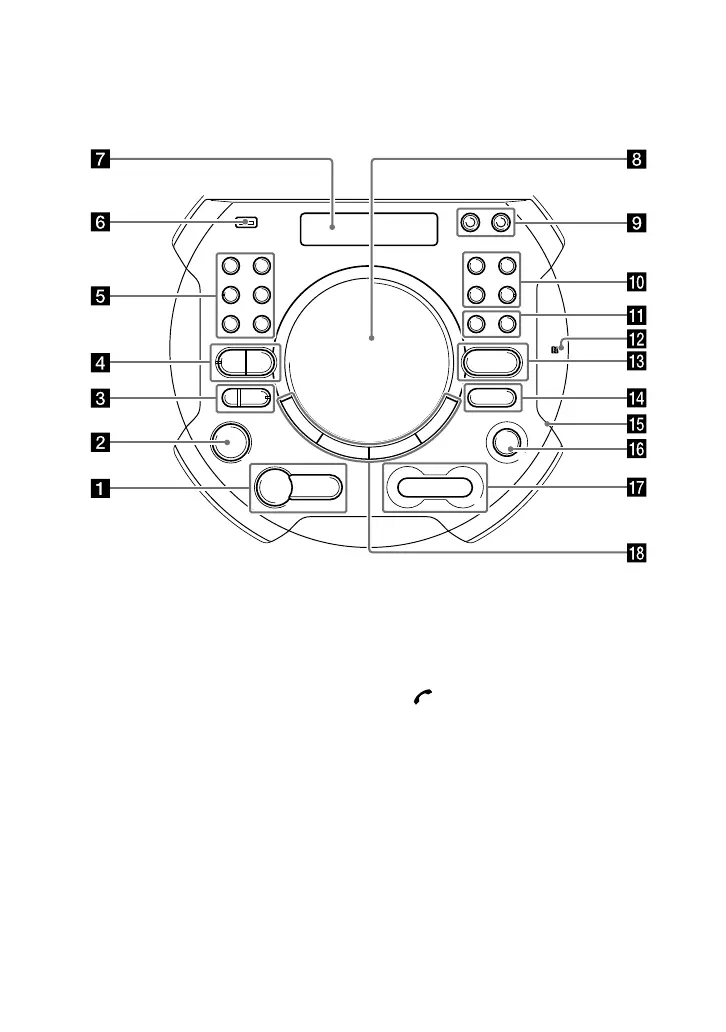
Top panel:
You can lock the buttons except (power) on the unit to prevent them from
being operated by mistake (page67).
(play) button
Press to start playback.
Hold down for more than
2 seconds, the built-in sound
demonstration will be played
back.
(stop) button
— Press to stop playback.
When pressed twice, resume
playback can be canceled.
— Press to stop transfer during
music transfer.
— Press to stop the built-in
sound demonstration.
(power) button
Press to turn on the system, or
set it to the standby mode.
(call) button (page63)
Press to receive/end a call
when using the hands-free call
function with your BLUETOOTH-
connected mobile phone.
GESTURE ON/OFF indicator
(page 48, 49, 50)
GESTURE ON/OFF button
Press to activate/deactivate
gesture control.



 To Next Page