47
GB
Enjoying Dolby Pro
Logic Surround sound
You can enjoy the Dolby Pro Logic Surround
sound of videos that are Dolby Surround
encoded (q). Complete the setup
and adjustments first (see page 8).
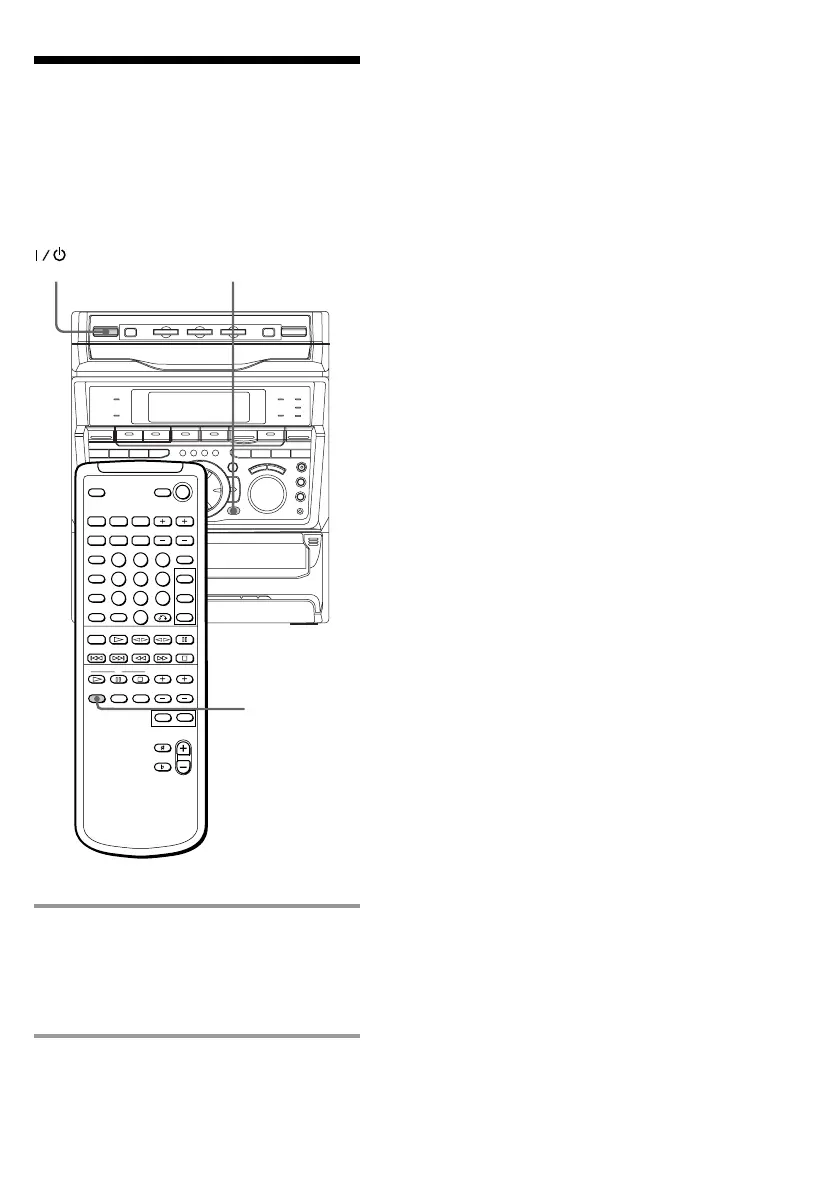
/ Press PRO LOGIC (or PRO LOGIC
ON/OFF on the remote) while
playing a program source.
The indicator on the front panel’s PRO
LOGIC button lights up.
PRO LOGIC
ON/OFF
PRO LOGIC
(Power)
To cancel the Dolby Pro Logic
Surround sound
Press PRO LOGIC (or PRO LOGIC ON/OFF
on the remote) again to turn off the indicator
on the front panel’s PRO LOGIC button.
Notes
• You cannot use both Dolby Pro Logic Surround
sound and the DSP surround effects at the same
time.
• When recording the sound, be sure to turn off
Dolby Pro Logic Surround sound.



 To Next Page