9
GB
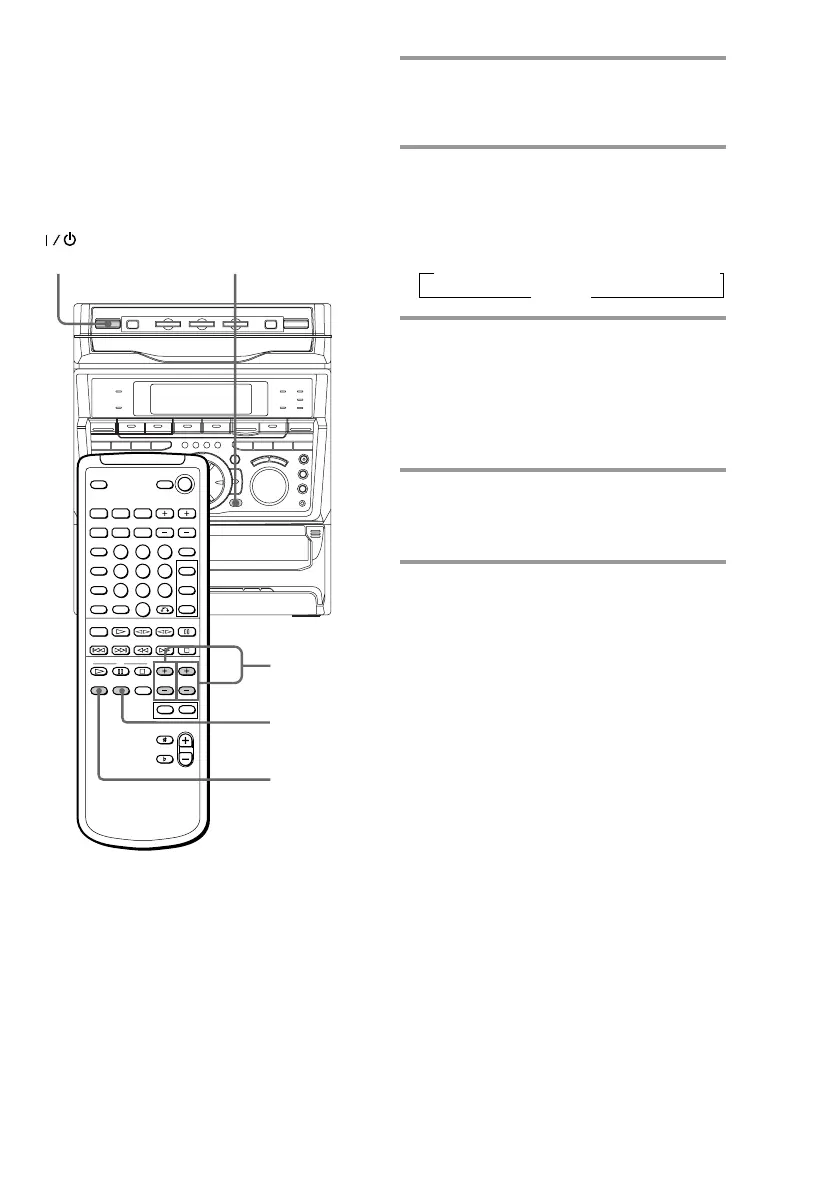
1 Press PRO LOGIC (or PRO LOGIC
ON/OFF on the remote).
“PRO LOGIC ON” appears.
2 Press T.TONE ON/OFF on the
remote.
The test tone is heard from the speakers
in the following order. Adjust the
volume of the test tone.
3 From your listening position, press
CENTER LEVEL (+/–) and REAR
LEVEL (+/–) on the remote to
adjust the volume.
The volume levels from each speaker
must become the same.
4 Press T.TONE ON/OFF when you
are done adjusting.
The test tone turns off.
Tip
If you turn VOLUME (or press VOL +/– on the
remote) all the speaker volumes change.
Note
The test tone feature works only for Dolby Pro Logic
Surround sound.
Adjusting the speaker
volume
To enjoy Dolby Pro Logic Surround sound,
turn the Dolby Pro Logic mode on, then
adjust the volume of each speaker using the
test tone that the system provides.
1
1
3
2, 4
(Power)
n LEFT (front) n CENTER n RIGHT (front)
REAR N



 To Next Page