EasyManua.ls Logo

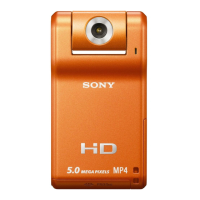
Sony MHS-PM1 - User Manual

Sony MHS-PM1
40 pages
Print Icon
To Next Page IconTo Next Page
Loading...
© 2009 Sony Corporation 4-135-531-14(1)
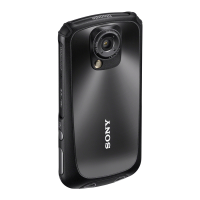
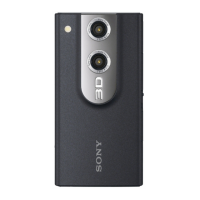
Mobile HD Snap
Camera
Instruction Manual
Before operating the unit, please read this manual thoroughly, and retain it for future reference.
MHS-PM1
For details on the advanced operations, please access
“Mobile HD Snap Camera Handbook” contained on
the supplied CD-ROM via a computer.

Other manuals for Sony MHS-PM1

Questions and Answers

  • M
    Michael AriasAug 19, 2025
    What to do if my Sony MHS-PM1 Digital Camera cannot record images?
    • D
      Derrick SmithAug 19, 2025
      If your Sony Digital Camera cannot record images, it might be because the internal memory or “Memory Stick PRO Duo” media is full. To fix this, delete unnecessary images. Alternatively, try changing the “Memory Stick PRO Duo” media. Also, ensure that the camera is set to shooting mode by pressing the Play button and then setting the camera to shooting mode to shoot a still image or a movie.
  • C
    Crystal CookAug 21, 2025
    What to do if my Sony MHS-PM1 says 'No memory space'?
    • L
      Lisa HolmesAug 22, 2025
      If your Sony Digital Camera displays 'No memory space', try deleting unnecessary images or files.
  • D
    Darryl HooverAug 25, 2025
    Why is the battery indicator incorrect on my Sony MHS-PM1?
    • R
      Roger OrrAug 25, 2025
      If the battery remaining indicator on your Sony Digital Camera is incorrect, especially after using the camera in extremely hot or cold conditions, fully discharge and then charge the battery to correct the display. Also, ensure that the battery is fully charged.
  • B
    Brianna BenjaminAug 26, 2025
    Why does my Sony MHS-PM1 turn off suddenly?
    • B
      benjaminevansAug 26, 2025
      If your Sony Digital Camera's power turns off suddenly, it might be because the camera automatically turns off after about five minutes of inactivity to save battery. Simply turn the camera on again.
  • K
    Kendra CruzAug 28, 2025
    Why can't my Sony Digital Camera playback images?
    • L
      Lauren AlexanderAug 28, 2025
      If your Sony Digital Camera cannot playback images, ensure that you have pressed the Play button to switch to playback mode. Also, if the folder or file name has been changed on your computer, playback might not work. Playback is not guaranteed for image files processed by a computer or recorded using a different camera model. Finally, if the camera is in USB mode, disconnect the USB connection.
  • R
    rroseAug 30, 2025
    Why doesn't the image from my Sony Digital Camera appear on the TV screen?
    • S
      Samantha SheltonAug 30, 2025
      If the image from your Sony Digital Camera does not appear on the TV screen, check the [Video Out] setting to ensure the video output signal of your camera matches your TV's color system. Also, verify that the connection is correct. If a USB cable is connected to both the camera and the computer, disconnect it.
  • S
    Sherri TurnerSep 1, 2025
    How to fix format error on Sony MHS-PM1?
    • M
      mackenzieericksonSep 1, 2025
      If your Sony Digital Camera shows a 'Format error', format the media again.
  • N
    Nicholas CollinsSep 3, 2025
    Why can't my Sony Digital Camera shoot images in succession?
    • D
      Daniel WilliamsSep 3, 2025
      If your Sony Digital Camera cannot shoot images in succession, it could be due to the internal memory or “Memory Stick PRO Duo” media being full. Delete unnecessary images to free up space. Also, the battery level might be low.
  • J
    John DavidSep 5, 2025
    How to fix internal memory error on Sony MHS-PM1 Digital Camera?
    • D
      David GreenSep 5, 2025
      If your Sony Digital Camera displays 'Internal memory error', turn the power off and then on again.
  • A
    Abigail KhanSep 8, 2025
    What does 'Unsupported data' mean on Sony Digital Camera?
    • B
      Brittney ReevesSep 8, 2025
      If your Sony Digital Camera shows 'Unsupported data', it means the data is not supported by the camera and cannot be played back.

Summary

Important Safety Information

Owners Record and Warnings

Record model/serial numbers and heed safety warnings.

Fire and Electric Shock Prevention

Follow instructions to reduce fire/electric shock risks.

Battery Pack Handling Cautions

Cautions for safe handling of the battery pack.

Battery Disposal and Camera Usage Notes

Data Backup for Media

Importance of backing up data from internal memory and Memory Stick.

Compatible Memory Stick Media

Lists compatible Memory Stick media types and sizes.

Camera Operation and Data Management

Image Data Compatibility and Formats

Details on supported image/movie formats and compatibility.

Enjoying High Definition Images

HD Image Recording Explained

Explains HD image recording in MPEG-4 AVC/H.264 format.

Movie Quality Selection Guide

Discusses selecting VGA or HD for movies based on usage.

Getting Started: Included Accessories

Accessory Checklist

Lists all included accessories with the camera.

Battery and Memory Stick Operations

Inserting Battery and Memory Card

Instructions for inserting the battery pack and Memory Stick.

Easy Image Shooting

Advanced Shooting Functions

Viewing and Deleting Images

Camera Settings and Menu Navigation

Using Your Computer with the Camera

Windows PMB Software Usage

Using PMB software for image import and management on Windows.

Installing the PMB Software

Step-by-step guide to install PMB software.

Using PMB Software Suite

PMB Portable Application Usage

How to use the PMB Portable application.

USB Connection and Disconnection

Recommended USB Cable Connection

How to properly connect the camera via USB.

Using Your Macintosh Computer

Understanding On-Screen Indicators

Battery Life and Recording Capacity

Battery Performance and Recording Time Estimates

Shows approximate recording/playback times based on battery.

Detailed Recording;Playback Time Tables

Tables showing continuous and typical recording/playback times.

Image and Movie Recording Capacity

Still Image Capacity Guide

Table showing approximate number of still images by capacity.

Movie Recording Time Guide

Table showing approximate movie recording times by capacity.

Troubleshooting Common Issues

Battery, Power, and Computer Connection Issues

Troubleshooting for battery, power, and computer connection problems.

Image Recording and Playback Problems

Troubleshooting for image recording and playback issues.

Web Camera Driver and Installation Issues

Troubleshooting Web Camera driver and installation issues.

Important Precautions and Care

Battery Pack and Charger Safety Guidelines

Precautions for handling battery pack and charger.

Product Specifications

Camera Technical Specifications

Detailed technical specifications for the camera system, connectors, screen, and power.

Battery Charger Specifications

Specifications for the BC-CSK/BC-CSKA battery charger.

Sony MHS-PM1 Specifications

General IconGeneral
BrandSony
ModelMHS-PM1
CategoryDigital Camera
LanguageEnglish

Related product manuals