Additional Operations
20
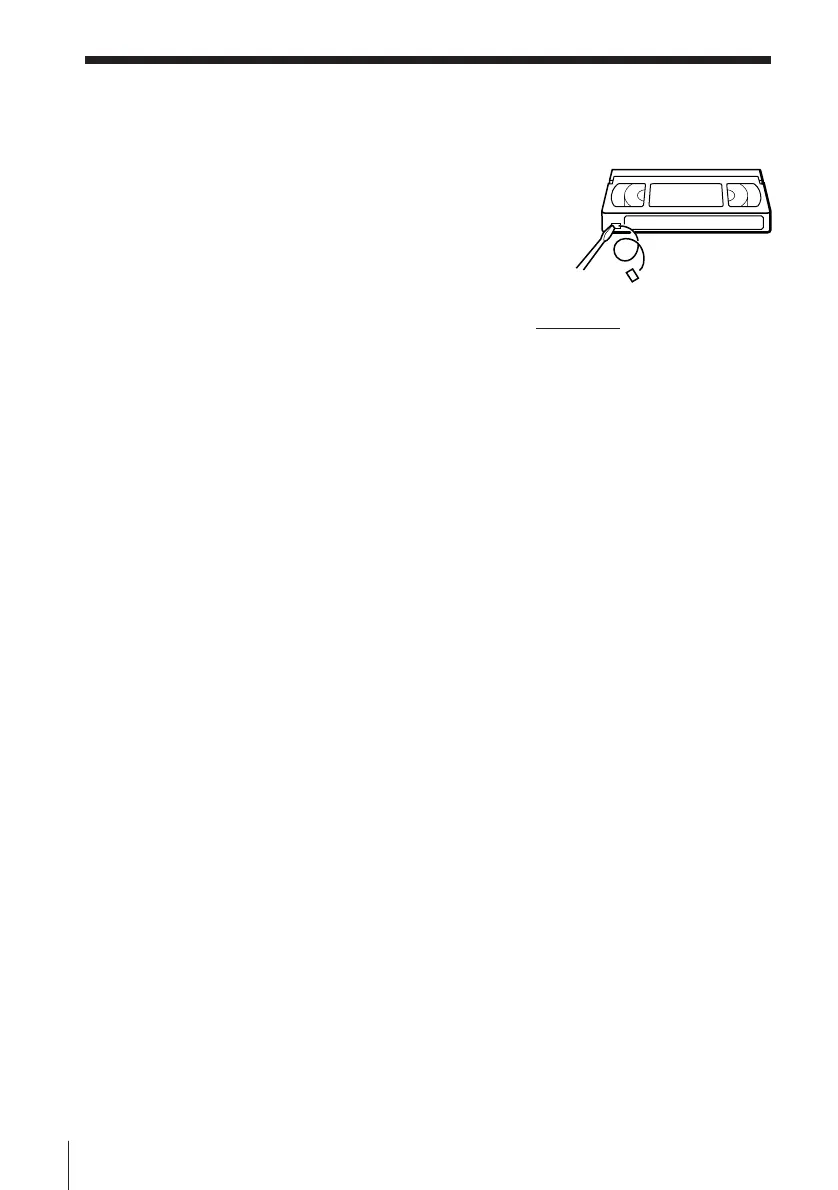
Safety tab
Editing with another VCR (continued)
To save a recording
To prevent accidental erasure, break off the safety
tab as illustrated. To record on a tape again, cover
the tab hole with adhesive tape.
Tips
• To edit more precisely, press the P PAUSE buttons on the units to release pause.
• To cut out unwanted scenes while editing, press P PAUSE on this unit when an
unwanted scene begins. When that scene ends, press P PAUSE again to resume
recording.
Note
• (SLV-XA147PS and XF247ME/PS only)
You can record tapes only in SP mode.






 To Next Page