6
Parts and Functions
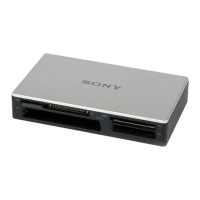
Front
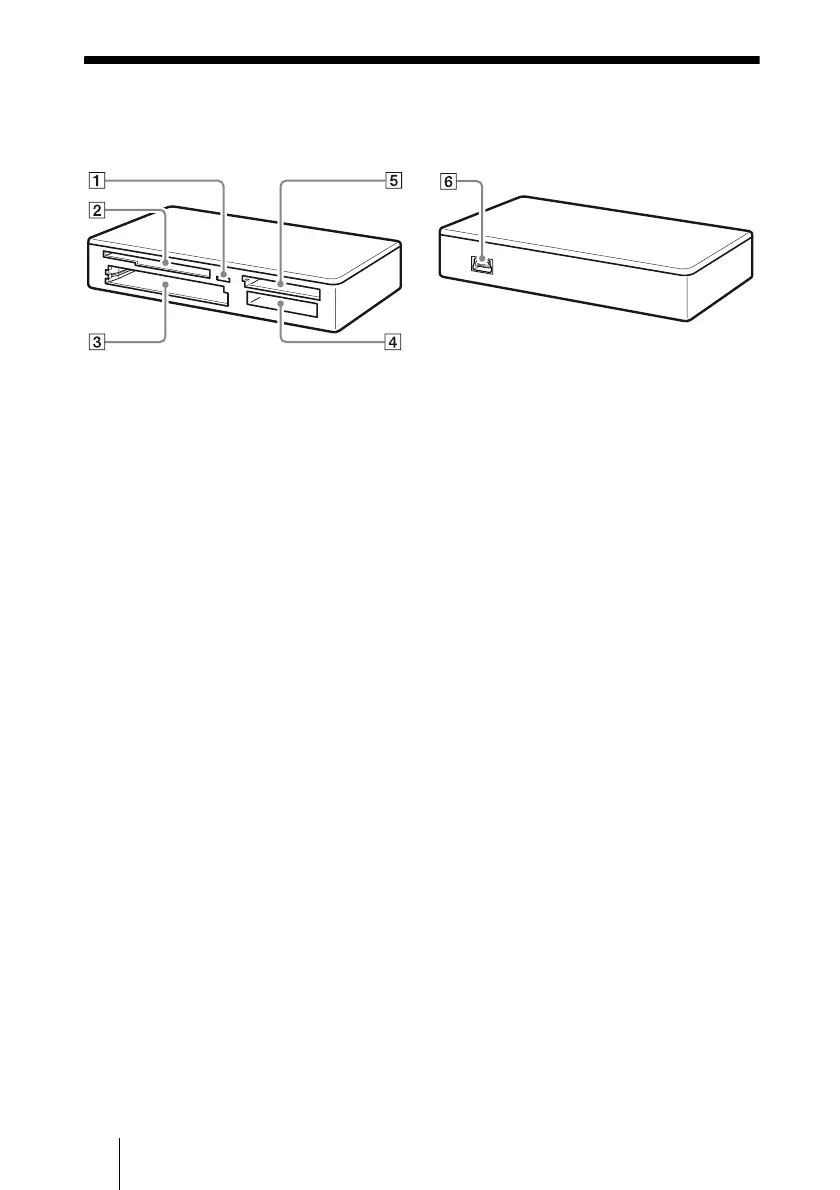
A
Access Indicator
This indicator is always lit. The indicator
blinks when the reader/writer accesses
data on a memory card.
B SmartMedia/xD-Picture Card Slot
Insert either a SmartMedia memory card
or xD-Picture Card here.
C CompactFlash/Microdrive Slot
Insert either a CompactFlash or
Microdrive memory card here.
Remove all other memory cards before
using a Microdrive, because of its large
power consumption.
D “Memory Stick” Slot
Insert a “Memory Stick” media here.
When inserting a “Memory Stick Micro”
(“M2”), use an adaptor (not supplied).
E MultiMediaCard/SD Memory Card
Slot
Insert either a MultiMediaCard or an SD
Memory Card here.
When inserting a miniSD Card,
miniSDHC Card, microSD Card or
microSDHC Card, use an adaptor (not
supplied).
Rear
F
USB Port (mini B)
Connect to a computer using the supplied
USB cable.


 To Next Page